
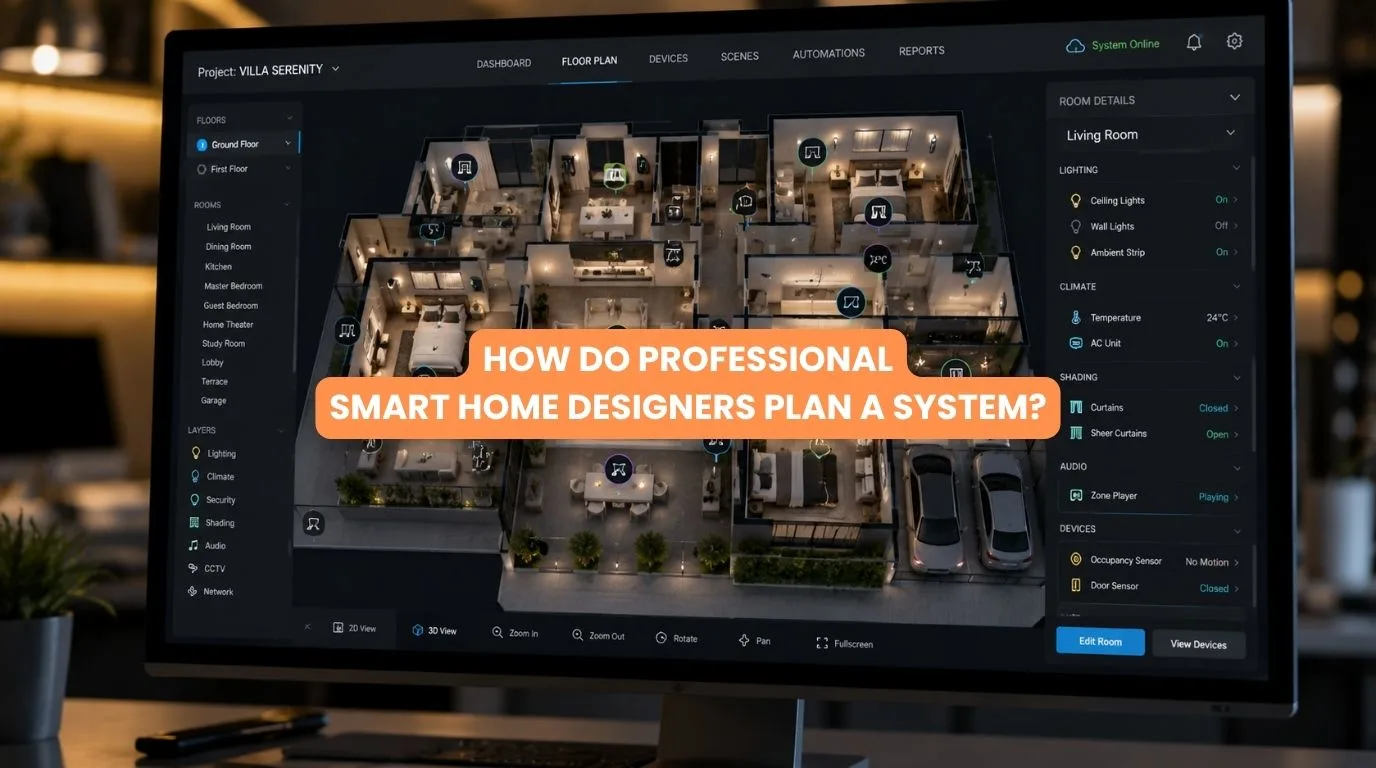
Quick Answer
Professional Smart Home Designers plan a system by first understanding the property’s architecture, homeowner requirements, lifestyle, and desired automation. They then choose the best automation setup. They plan the wiring and network. They pick hardware that works well together.
They coordinate the lighting, HVAC, curtains, security, and entertainment systems. They program scenes, test the system, and document the finished installation. Good planning also considers maintenance and future expansion.
A smart home is much more than a collection of connected devices. When lighting, motorized curtains, HVAC, security, entertainment, access control, and energy management need to work together, everything must stay coordinated.
If you buy smart products room by room, the system can become more complex. This is why professional smart home designers approach automation differently. Instead of starting with single products, they start with the home, the people in it, and the results the system must deliver.
They consider how electricians will wire the property. They consider how different systems will communicate. They decide where to locate the controls. They decide how to structure the network. They consider how the system can evolve in the future.
This guide explains how professional smart home designers plan a smart home system. It covers the first consultation through installation, programming, testing, and handover.
Quick Summary
Professional smart home designers typically follow a structured process:
✓ Understand the homeowner’s requirements
✓ Study architectural and electrical plans
✓ Define the automation scope
✓ Select the system architecture
✓ Plan wiring and networking
✓ Design lighting and controls
✓ Integrate curtains, HVAC, security, and AV
✓ Select compatible hardware
✓ Program automation scenes
✓ Test and commission the system
✓ Document and hand over the installation
The objective is to create one coordinated system rather than a collection of disconnected smart devices.
What Do Professional Smart Home Designers Actually Do?
The role of professional smart home designers goes beyond selecting smart devices.
They may be involved in:
- System architecture
- Electrical coordination
- Automation design
- Lighting control
- Motorized curtain planning
- HVAC integration
- Security integration
- Home theatre automation
- Networking
- Hardware selection
- Programming
- Testing
- Commissioning
- Documentation
The exact scope depends on the project.
For a small apartment, the process may be relatively simple. For a luxury villa, you may need to coordinate automation with the architect, interior designer, electrical contractor, HVAC team, security provider, and AV integrator.
Step 1: Understand the Homeowner
The first task for professional smart home designers is understanding how the homeowner actually wants to use the property.
Questions may include:
- Which rooms need automation?
- What should happen automatically?
- How important is lighting control?
- Are motorized curtains required?
- Is home security a priority?
- Does the homeowner want voice control?
- Is a home theatre planned?
- How much automation is comfortable?
- Who will use the system?
This prevents technology from becoming the starting point. The lifestyle is the starting point.
Step 2: Study the Property
The next stage is understanding the physical building.
Designers may review:
- Architectural floor plans
- Electrical drawings
- Ceiling plans
- Window locations
- Curtain requirements
- HVAC layouts
- AV requirements
- Network requirements
- Security zones
For new construction, this stage is very important because you can add automation infrastructure before finishing walls and ceilings. For existing homes, designers need to understand what can realistically be retrofitted.
Step 3: Define the Automation Scope
Not every home needs everything. A system might include:
Core Automation
- Lighting
- Switches
- Sensors
- Scenes
Comfort
- HVAC
- Motorized curtains
- Temperature control
Security
- Smart locks
- Door sensors
- Cameras
- Access control
Entertainment
- Home theatre
- AV
- Multi-room audio
Advanced Automation
- Energy management
- Presence detection
- Whole-home scenes
Professional smart home designers help prioritize these requirements rather than automatically recommending every available technology.
Step 4: Choose the System Architecture
Architecture is one of the most important decisions. Possible approaches include:
- Wired automation
- Wireless automation
- Hybrid systems
- KNX-based systems
- Other centralized or distributed platforms
For a new luxury villa, a structured wired system may be appropriate. For an existing apartment, wireless or hybrid technology may provide greater flexibility.
The decision should be based on: Property + Scope + Reliability + Budget + Future Requirements
Step 5: Plan Wiring and Networking
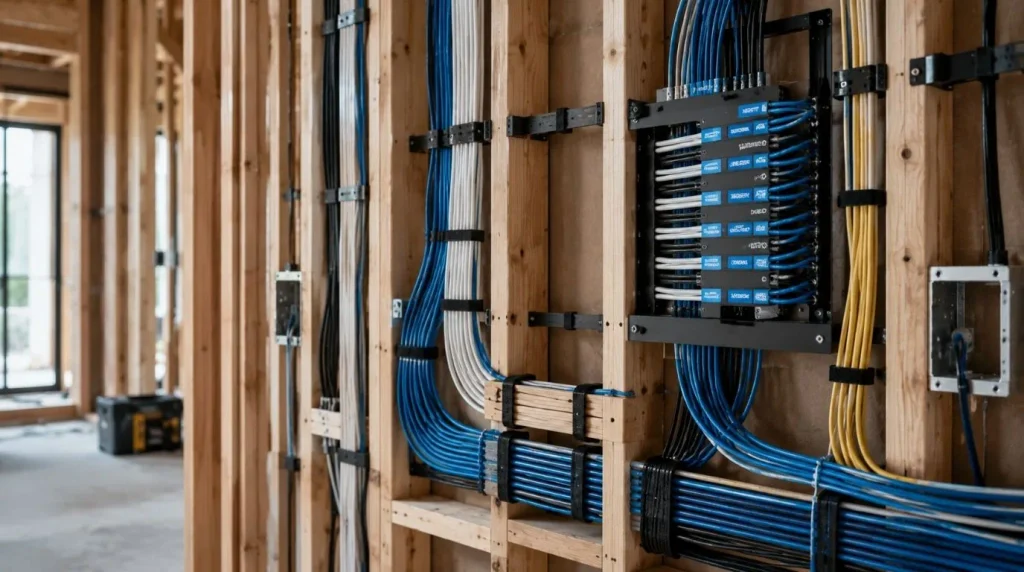
This is where professional smart home designers can make a major difference. Automation may require infrastructure for:
- Control systems
- Lighting
- Sensors
- Network equipment
- Access points
- AV
- Security
- Motorized curtains
Networking may include:
- Ethernet
- Wi-Fi access points
- Network switches
- Routers
- Equipment racks
A reliable network is particularly important when wireless smart devices are used extensively.
Step 6: Design Lighting and Controls
Lighting is often one of the most visible parts of a smart home. Instead of placing technology randomly, designers consider:
- Switch locations
- Scene controls
- Dimming
- Sensors
- Room usage
- Natural daylight
- Architectural lighting
For example:
Entering the Home
Entrance lights activate.
Evening
Selected lights gradually turn on.
Movie Mode
Main lights dim while accent lighting remains active. The goal is intuitive control.
Step 7: Integrate Other Systems
The value of professional design becomes particularly clear when multiple systems need to communicate.
Professional smart home designers may coordinate:
Lighting + Curtains
Curtains close while lights adjust for evening.
Curtains + Home Theatre
Curtains close as Movie Mode begins.
HVAC + Occupancy
Climate settings respond to occupancy or schedules.
Security + Lighting
Security events can trigger selected lighting responses.
Access + Lighting
Entry can activate appropriate lights.
The exact integrations depend on the selected equipment and control platform.
Step 8: Select Hardware
Only after requirements and architecture are defined should hardware selection happen.
Designers consider:
- Compatibility
- Reliability
- Capacity
- Availability
- Installation requirements
- Serviceability
- Integration
- Future expansion
This approach helps avoid the common mistake of buying devices first and trying to make them work together later.
Step 9: Program Automation Scenes
Programming turns hardware into an actual smart home. A system may include scenes such as:
Good Morning
Curtains open → Lights brighten → HVAC adjusts.
Leaving Home
Lights turn off → Selected systems switch off → Security activates.
Evening
Curtains close → Lighting adjusts → HVAC changes.
Movie Mode
Curtains close → Lights dim → Screen/projector activates → AV system starts.
Professional smart home designers should define these scenes around the homeowner’s actual routines.
Step 10: Test and Commission
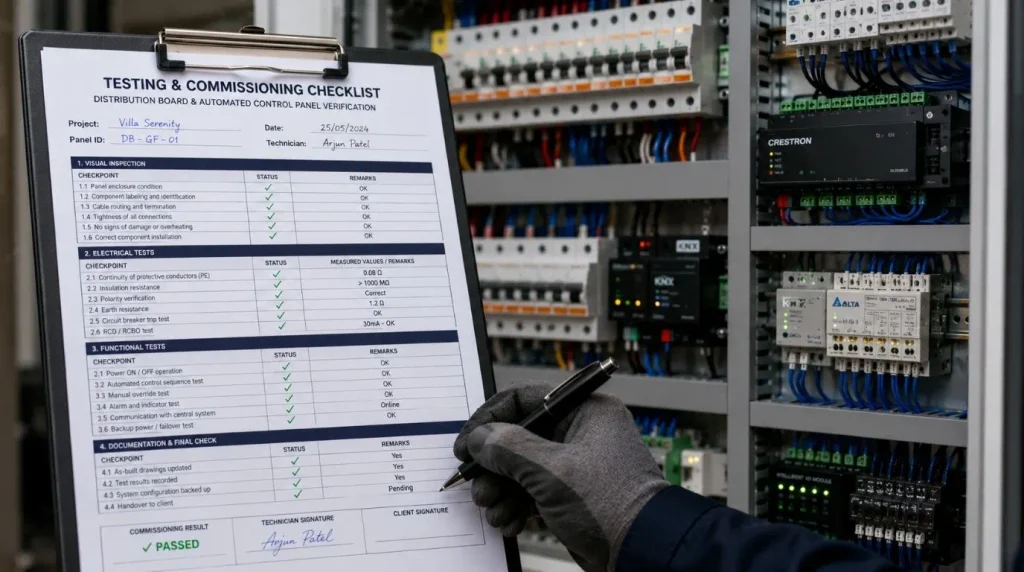
Installation isn’t finished when the hardware is physically installed.
A professional commissioning process should test:
- Individual devices
- Lighting circuits
- Sensors
- Curtain motors
- HVAC
- Security
- Network connectivity
- Scenes
- User controls
Testing can identify problems before handover. The homeowner should also understand how to use the system.
Step 11: Plan Future Expansion
Good system design doesn’t only solve today’s requirements. Professional smart home designers should also consider what might happen several years later.
Potential additions include:
- More rooms
- Additional curtains
- New lighting zones
- Security upgrades
- Energy monitoring
- Entertainment systems
- New control interfaces
A scalable system can make future expansion easier.
Wired vs Wireless Planning
| Requirement | Wired | Wireless |
| New Construction | Excellent | Good |
| Existing Home | More involved | Excellent |
| Battery Dependence | Lower | Higher |
| Large Whole-Home System | Strong | Network-dependent |
| Retrofit | Less convenient | Strong |
| Structured Expansion | Strong | Depends on platform |
| Installation Flexibility | Lower | Higher |
There is no universally correct architecture. The right choice depends on the property and project requirements.
How Professional Smart Home Designers Plan a Luxury Villa
For a luxury villa, the process may look like:
Architectural Plans
↓
Lifestyle & Automation Requirements
↓
System Architecture
↓
Electrical + Network Planning
↓
Lighting + HVAC + Curtain + Security Design
↓
Hardware Selection
↓
Installation
↓
Programming
↓
Testing & Commissioning
↓
Handover
This structured process reduces the risk of disconnected systems and expensive last-minute changes.
Smart Home Design Decision Matrix
| Project Requirement | Recommended Planning Approach |
| New luxury villa | Plan automation during construction |
| Existing apartment | Consider wireless/hybrid solutions |
| Large home | Structured network + centralized planning |
| KNX project | Professional system design |
| Home theatre | Coordinate AV, curtains, lighting |
| Large windows | Plan motorized curtain infrastructure |
| High security needs | Coordinate access + sensors + security |
| Future expansion | Use scalable architecture |
| Simple automation | Keep controls straightforward |
Common Mistakes
Buying Devices Before Designing the System
This can create compatibility problems.
Ignoring the Network
Wireless automation depends heavily on network quality.
Automating Everything
More automation doesn’t automatically mean a better user experience.
Forgetting Manual Controls
Important systems should retain appropriate manual operation.
Leaving Planning Too Late
Retrofitting wiring after interiors are finished can be expensive and disruptive.
Ignoring Future Expansion
A system should ideally accommodate reasonable future requirements.
Focusing Only on Hardware
Programming and commissioning are equally important.
Representative Example
Illustrative Example: This is a planning scenario, not a specific Techtastic client project.
Imagine a four-bedroom luxury villa requiring:
- KNX lighting
- Motorized curtains
- HVAC control
- Security
- Home theatre
- Centralized control
Instead of selecting products independently, the designer begins with the floor plans and homeowner routines.
Then the team plans the system around scenes: Morning → Away → Evening → Movie → Good Night
Electrical infrastructure, networking, curtain power, lighting controls, and equipment locations are coordinated before installation. The result is a system designed around the home rather than a collection of separate gadgets.
What Should You Ask a Smart Home Designer?
Before hiring professional smart home designers, ask:
- How do you approach system design?
- What information do you need before recommending equipment?
- Which automation architectures do you work with?
- How do you plan wiring?
- How do you design networking?
- Which systems can you integrate?
- Is programming included?
- How do you test the installation?
- What documentation do you provide?
- How can we expand the system later?
- What support is available after handover?
The answers can tell you a great deal about the company’s approach.
How Much Does Smart Home Design Cost?
There isn’t one standard design fee.
Costs can depend on:
- Property size
- System complexity
- Number of rooms
- Automation scope
- Technology platform
- Documentation requirements
- Integration complexity
Some companies incorporate design into the installation project. Others may charge separately for design and engineering. When comparing proposals, understand exactly what the design service includes.
Why Professional Design Matters
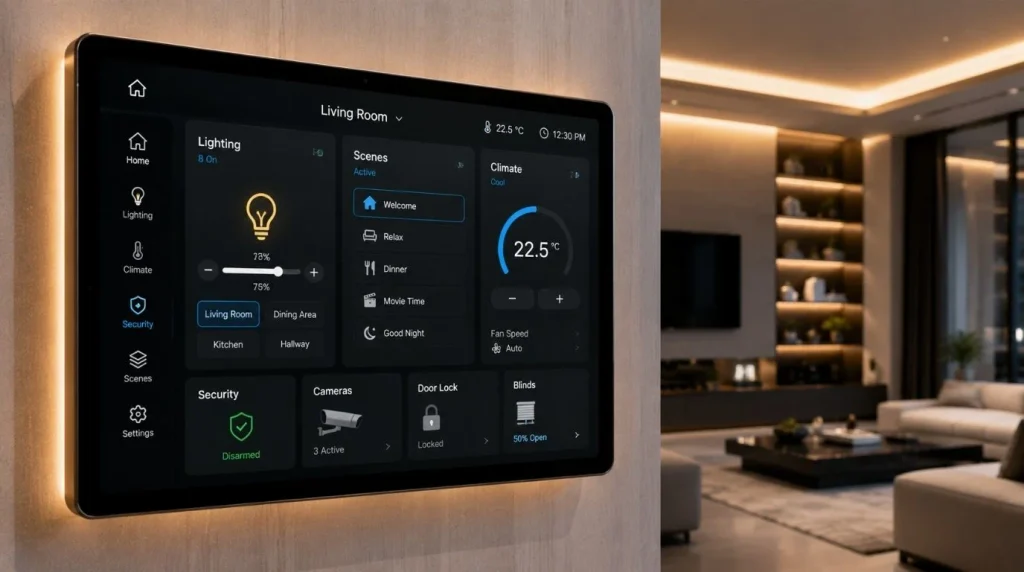
The biggest advantage of professional smart home designers isn’t simply technical knowledge. It’s coordination.
A properly designed system considers how: Lighting + Curtains + HVAC + Security + AV + Network + Controls work together.
This reduces the likelihood of buying incompatible products, discovering wiring problems late in construction, or ending up with multiple disconnected applications.
Our Recommendation
When working with professional smart home designers, choose a company that starts with your needs and system design. They should not begin by selling products right away.
The ideal process is: Understand → Design → Specify → Coordinate → Install → Program → Test → Support
For a new luxury home, involve the automation designer early enough to coordinate electrical, networking, HVAC, curtains, AV, and architectural details. For an existing property, prioritize the areas where automation will provide the greatest practical value.
At Techtastic, we design smart home systems around lighting, KNX automation, motorized curtains, HVAC, security, home theatre, and other residential requirements.
Key Takeaways: Professional Smart Home Designers
- Professional smart home designers start with lifestyle and project requirements.
- They study architectural and electrical plans before selecting equipment.
- Decide the system architecture before buying individual devices.
- Wiring and networking are critical parts of the design.
- Lighting, curtains, HVAC, security, and AV should be considered together.
- Programming turns individual components into useful automation scenes.
- Testing and commissioning are essential before handover.
- Future expansion should be considered during initial design.
- The best system isn’t necessarily the one with the most technology.
- Good smart home design makes automation reliable, intuitive, scalable, and easy to live with.
Frequently Asked Questions
1. What do professional smart home designers do?
Professional smart home designers plan the architecture, infrastructure, equipment, integrations, controls, programming, and commissioning required to create a coordinated smart home system.
2. Why should I hire a smart home designer?
A designer can help coordinate multiple technologies and reduce compatibility, wiring, networking, and integration problems.
3. Do smart home designers also install systems?
Some companies provide both design and installation, while others specialize primarily in design. Confirm the scope before hiring.
4. When should I involve a smart home designer?
For new construction, involve the designer as early as possible—ideally during architectural and electrical planning.
5. Can smart home designers work with architects?
Yes. Collaboration between the automation designer, architect, interior designer, and electrical team can improve coordination.
6. Do professional smart home designers only work with luxury homes?
No. Smart home design can be useful for apartments, smaller homes, villas, and larger residential projects. The complexity varies.
7. Should I choose wired or wireless automation?
It depends on the project. Wired systems can be particularly suitable for new construction, while wireless and hybrid systems can be practical for existing homes.
8. Can a smart home be expanded later?
Yes, if the system architecture and infrastructure have been planned with future expansion in mind.
9. What systems can be integrated into a smart home?
Depending on the platform, integration can include lighting, curtains, HVAC, security, access control, entertainment, energy management, and networking.
10. What is commissioning?
Commissioning is the process of testing, configuring, and validating the installed system before it is handed over to the homeowner.
Collaboration Opportunities for Architects & Interior Designers
Professional smart home designers can play an important role in architectural coordination.
Techtastic can collaborate with:
- Architects
- Interior Designers
- Builders
- Developers
- Luxury Villa Developers
- Project Management Consultants
Services include:
- Smart Home System Design
- KNX Automation
- Smart Lighting
- Motorized Curtain Planning
- HVAC Integration
- Smart Security
- Home Theatre Automation
- Structured Networking
- Technical Drawings
- Programming
- Testing & Commissioning
Early coordination can help integrate technology without compromising the architecture or interior design.
Areas We Serve
Techtastic provides smart home automation solutions across: Navi Mumbai • Nashik • Lonavla • Sangli
The company also serves projects across the wider Mumbai and Thane region.
Design the System Before Buying the Devices
The most important lesson from professional smart home designers is simple:
Don’t start with the gadgets. Start with the system.
Define how you want the home to behave. Then determine the architecture, infrastructure, technology, integrations, controls, and programming required to achieve it. A well-designed smart home should feel simple to use even when the technology behind it is sophisticated.
At Techtastic, we plan smart home automation as an integrated system that brings together lighting, KNX, motorized curtains, HVAC, security, home theatre, and other technologies.
Talk to Techtastic about designing a smart home system around your property, lifestyle, and long-term requirements.
Contact Techtastic
Website: Techtastic Website
Call / WhatsApp: 9769145145
Service Areas: Navi Mumbai • Nashik • Lonavla • Sangli