
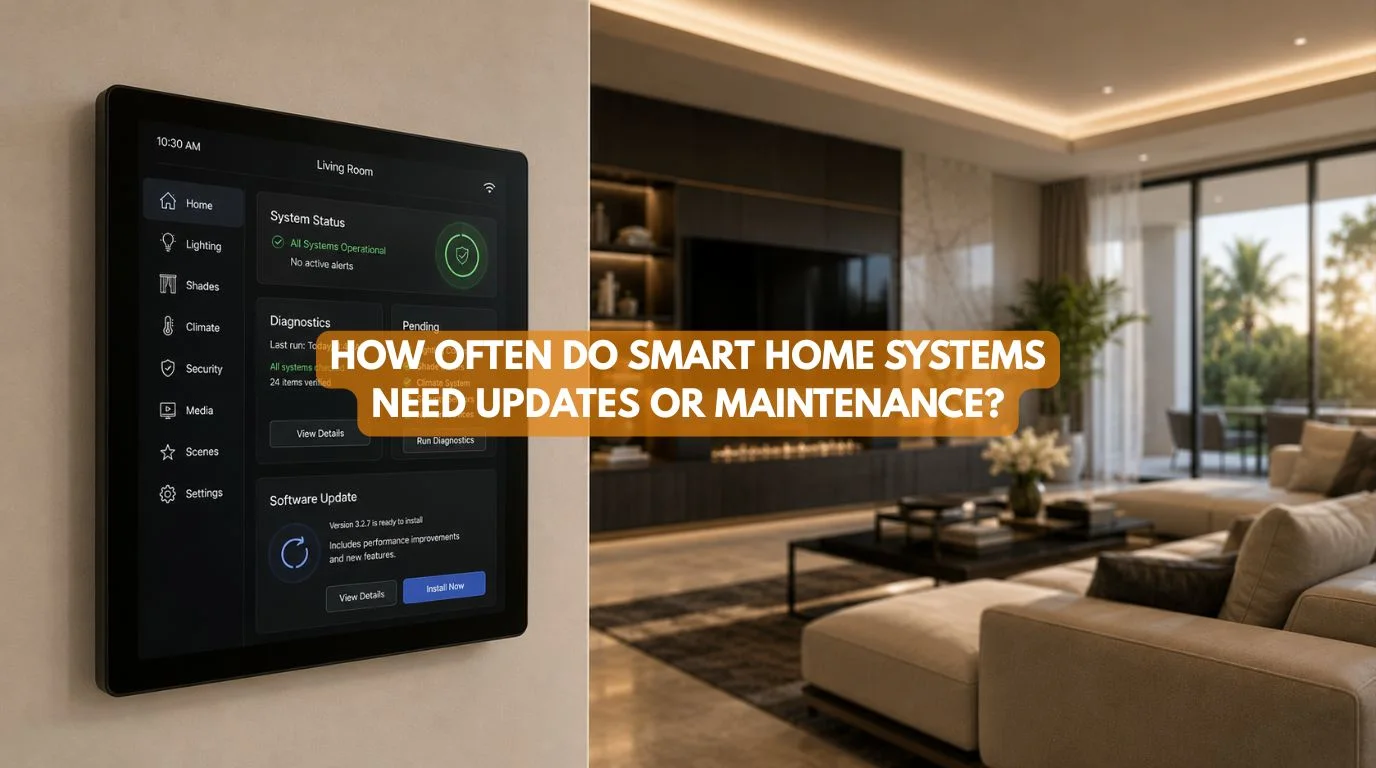
Smart home systems streamline daily life, but they still require occasional maintenance to run smoothly. That raises an important question for homeowners:
How Often Do Smart Home Systems Need Updates or Maintenance?
The answer depends on the type of automation system, the number of connected devices, the technology used, the network infrastructure, and whether the system relies on batteries, cloud services, or wired automation.
A simple smart lighting setup may need little attention. A large luxury home with integrated lighting, motorized curtains, HVAC, security, networking, entertainment, and KNX automation requires a more structured maintenance approach.
The good news is that smart home maintenance should not be a daily or weekly chore. When built correctly, a smart home requires minimal upkeep—mostly brief software updates, quick battery swaps, network checks, and occasional professional tune-ups.
This guide explains how often smart home systems need updates or maintenance, what homeowners should check themselves, what requires professional attention, and how to keep a smart home reliable for years.
Quick Summary
How often smart home systems need updates or maintenance – Most homes don’t need constant maintenance. Perform basic checks monthly or quarterly, and install software and firmware updates whenever available.
Service battery-powered devices every few months according to manufacturer specs, and schedule professional system reviews annually or after major upgrades.
- Check important devices regularly
- Install security and firmware updates
- Replace batteries when required
- Monitor network performance
- Test automation scenes periodically
- Review security settings
- Service motors and hardware when needed
- Schedule professional maintenance for complex systems
Well-designed smart home systems need updates or require maintenance—not constant troubleshooting.
Quick Answer
To answer how often smart home systems need updates or maintenance, you should know that there is no single schedule for every smart home. Most systems benefit from regular software and security updates, occasional battery replacement, periodic network checks, and testing of important automation functions.
Simple systems may only require occasional attention, while large professional installations can benefit from an annual maintenance review. Wired systems like KNX eliminate battery swaps; they still need routine inspections, software updates, and professional support during upgrades.
Why Do Smart Home Systems Need Updates or Maintenance?
Before answering how often smart home systems need updates or maintenance, it’s useful to understand what actually needs attention.
A smart home may contain:
- Smart switches
- Sensors
- Lighting controllers
- Motorized curtains
- Security cameras
- Smart locks
- HVAC controllers
- Network equipment
- Automation controllers
- Voice assistants
- Home theatre equipment
Each component can have different maintenance requirements.
For example:
A battery-powered motion sensor needs battery replacement. A smart switch may only need occasional firmware updates. A motorized curtain system may require mechanical inspection after extended use. A network may need configuration or hardware upgrades as the number of connected devices grows.
How Often Should You Check Your Smart Home System?
There isn’t a universal maintenance interval. A practical schedule can look like this:
| Maintenance Task | Typical Frequency |
|---|
| Check critical devices | Monthly |
| Review system notifications | Monthly |
| Check batteries | Every few months or as indicated |
| Install firmware/security updates | When released |
| Test important automation scenes | Quarterly |
| Review network performance | Quarterly |
| Inspect motorized systems | Annually or as needed |
| Professional system review | Annually for complex systems |
| Major system upgrade | As technology or requirements change |
These are general planning intervals, not manufacturer requirements. Specific products should always follow their manufacturer’s instructions.
1. Software and Firmware Updates
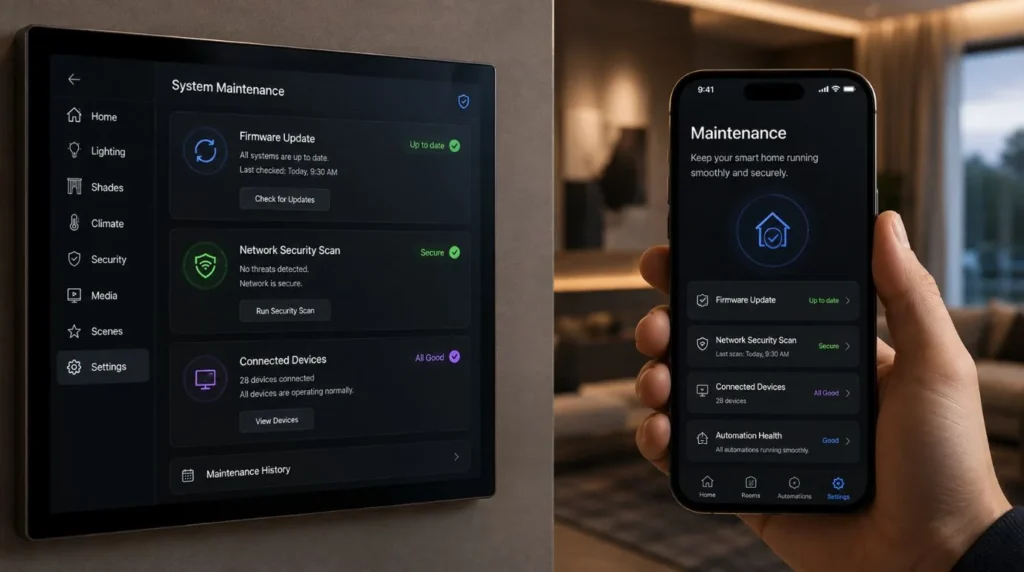
One of the most important answers to how often smart home systems need updates or maintenance involves software. Smart devices may receive updates for:
- Security
- Bug fixes
- Performance
- Compatibility
- New features
Not every device needs frequent updates. Some products update automatically. Others may require manual installation.
Best Practice
Don’t ignore update notifications, particularly when an update addresses a security vulnerability. However, technicians must approach major updates carefully in large professional systems.
Before making significant changes, verify compatibility with the rest of the automation system.
2. Smart Home Security Updates
Security deserves special attention. Your smart home may contain:
- Cameras
- Smart locks
- Door sensors
- Access control
- Mobile apps
- Network-connected controllers
If a manufacturer releases an important security update, delaying it unnecessarily can increase risk. Homeowners should also periodically review:
- Passwords
- User access
- Remote access
- Connected accounts
- Network security
Security maintenance should be considered part of the overall smart home maintenance plan.
3. Battery Maintenance
Battery-powered devices require the most obvious physical maintenance. These may include:
- Motion sensors
- Door/window sensors
- Wireless switches
- Smart locks
- Battery-powered curtain motors
The actual battery life varies significantly depending on the device, usage, environment, and manufacturer. Instead of replacing batteries on a fixed universal schedule, monitor the device’s battery indicator and follow the manufacturer’s recommendation.
Wired vs Wireless
This is one area where wired automation can have a significant advantage.
Installing a wired KNX system dramatically cuts down on battery-powered devices in your home. That can be particularly useful in large residences.
4. Network Maintenance
When considering how often smart home systems need updates or maintenance, don’t forget the network. The network is the communication layer for many smart homes.
Watch for:
- Slow response
- Devices frequently going offline
- Weak Wi-Fi
- Connection drops
- Increasing network congestion
A growing smart home may eventually require:
- Additional access points
- Better network switches
- Improved Wi-Fi coverage
- Network segmentation
- Hardware upgrades
If your smart home keeps losing devices, the problem may not be the devices themselves. It could be the network.
5. Sensors and Automation
Sensors can become less reliable if they are:
- Blocked
- Dirty
- Moved
- Incorrectly positioned
- Affected by environmental changes
Periodically check whether your automation still behaves as expected.
For example: Motion detected → Hallway lights activate
If the lights suddenly stop responding correctly, inspect the sensor and automation logic. This is particularly important after furniture, curtains, partitions, or interior layouts change.
6. Motorized Curtains and Blinds
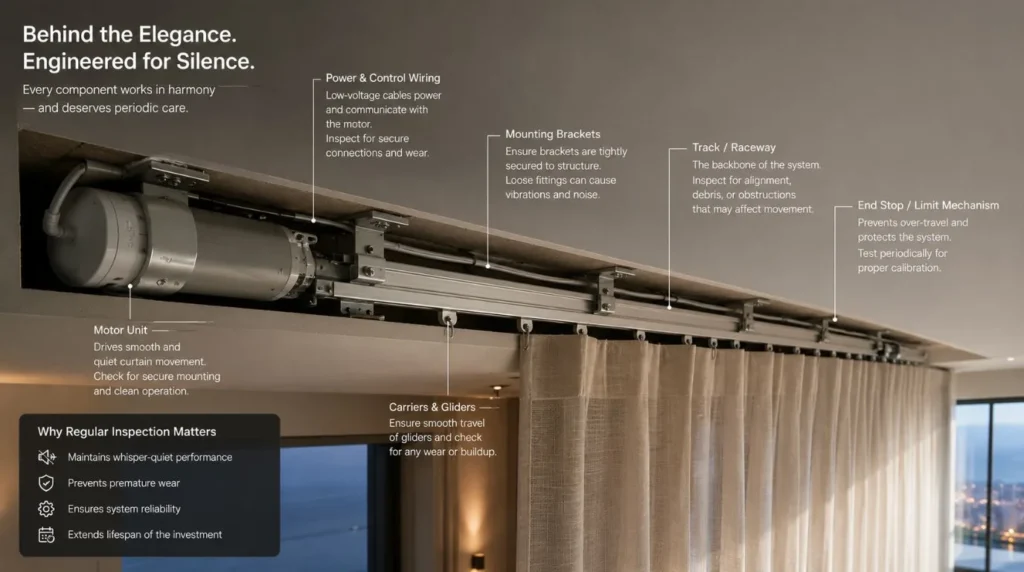
Motorized curtains generally don’t require constant servicing. However, homeowners should watch for:
- Unusual motor noise
- Slower movement
- Uneven curtain movement
- Track resistance
- Failed commands
- Curtains stopping unexpectedly
If a motorized curtain system becomes noisier or less smooth than before, don’t immediately assume the motor has failed. The issue could involve:
- Track alignment
- Curtain weight
- Mechanical resistance
- Mounting
- Motor configuration
Professional inspection can identify the actual cause.
7. Smart Lighting
Smart lighting systems typically require relatively little physical maintenance. However, periodically check:
- Smart switches
- Dimmers
- Controllers
- Scenes
- Sensors
- App connectivity
If a lighting scene malfunctions, the root cause is usually a recent update, a changed setting, a network drop, or a faulty device. For larger systems, maintaining accurate documentation of circuits and programming can make troubleshooting much easier.
8. Smart Security Systems
Security systems deserve regular testing because homeowners need them to work when they’re actually needed. Periodically test:
- Cameras
- Door sensors
- Motion sensors
- Smart locks
- Video door phones
- Security notifications
Test your system regularly so you never catch an offline camera or failed sensor during a real emergency.
9. KNX Smart Home Maintenance
One of the questions homeowners often ask is whether KNX smart home systems need updates or require regular maintenance.
KNX is a wired building automation technology, so it can eliminate many battery-related issues associated with wireless sensors. However, that doesn’t mean a KNX installation never needs attention.
A professional KNX system may occasionally require:
- Programming changes
- Device replacement
- System expansion
- Configuration updates
- Troubleshooting
- Documentation updates
- Integration changes
The physical infrastructure can remain in place for a long time while the automation system evolves. This is one of the advantages of designing a scalable system.
10. Annual Professional Maintenance
For a complex whole-home automation system, an annual professional review can be worthwhile. If your smart home systems need updates, then a professional maintenance visit may examine:
Hardware
- Controllers
- Actuators
- Sensors
- Motors
- Power supplies
Networking
- Router
- Switches
- Access points
- Connectivity
Automation
- Scenes
- Schedules
- Triggers
- Device communication
Security
- User access
- Firmware
- Connected services
User Experience
- Control interfaces
- Mobile apps
- Wall panels
- Voice control
This is particularly useful for large villas and properties with multiple integrated systems.
Signs Your Smart Home Systems Need Updates or Maintenance
Your smart home systems need updates or maintenance sooner than your normal schedule if you notice:
Devices Going Offline
One device may have failed. Multiple devices going offline may indicate a network problem.
Delayed Commands
Slow responses can indicate connectivity, processing, or hardware issues.
Automation Not Triggering
Check sensors, schedules, controllers, and programming.
Unusual Motor Noise
Inspect motorized curtains, blinds, and other automated mechanisms.
Battery Warnings
Replace batteries according to the manufacturer’s recommendations.
Security Notifications Stop
Investigate immediately.
New Devices Won’t Integrate
Check compatibility and software support before adding more hardware.
Smart Home Maintenance Checklist
To know if your smart home systems need updates or maintenance, follow this clear checklist:
| Task | Recommended Action |
|---|
| Software Updates | Install important updates |
| Security Updates | Prioritize promptly |
| Batteries | Monitor and replace as needed |
| Wi-Fi | Check coverage and performance |
| Sensors | Test periodically |
| Lighting | Test scenes and controls |
| Curtains | Check movement and noise |
| Security | Test cameras and sensors |
| Automation | Review important scenes |
| Professional Review | Consider annually for complex systems |
Common Maintenance Mistakes
While asking how often smart home systems need updates and why updating your smart home matters, knowing what not to do is just as crucial.
Ignoring Updates
Security and compatibility updates can be important.
Replacing Devices Without Checking Compatibility
A replacement device may not work with your existing automation.
Resetting Controllers Without Documentation
This can potentially remove configuration or programming.
Ignoring Network Problems
Repeated device failures may actually indicate infrastructure problems.
Waiting for Complete Failure
Unusual noises, delays, and intermittent failures can be early warning signs.
DIY Changes to Complex Automation
Changing programming without understanding the system can create unexpected behavior.
Does Professional Smart Home Automation Require More Maintenance?
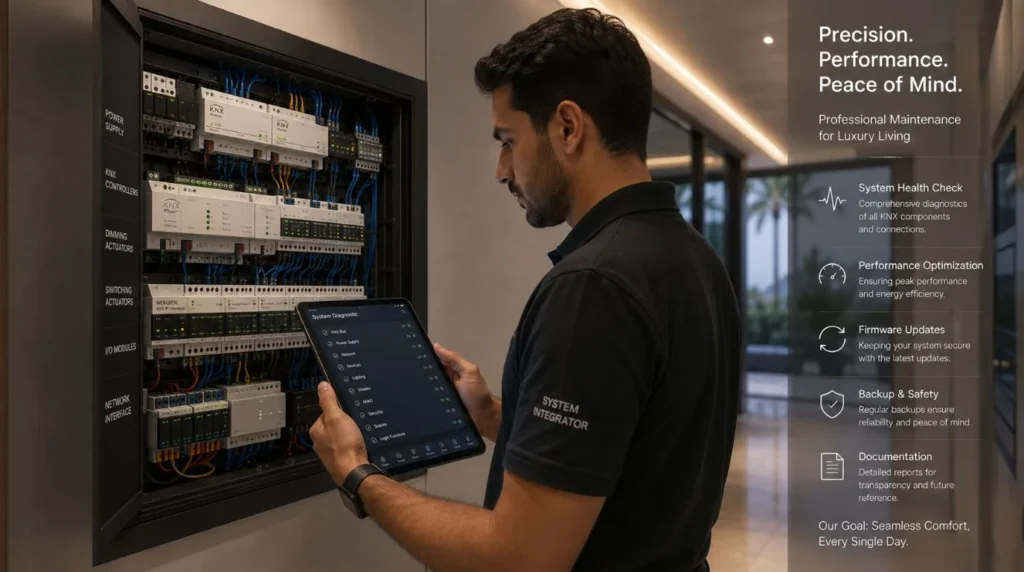
Not necessarily. A professionally installed system may actually be easier to maintain because:
- The architecture is documented
- Products are selected for compatibility
- Programming is structured
- Infrastructure is planned
- Support is available
The goal isn’t to eliminate maintenance. It’s to make maintenance predictable and manageable.
New Home vs Existing Home
The answer to how often smart home systems need updates or maintenance also depends on the type of installation.
Existing Home
A wireless system may involve more battery-related maintenance.
New Luxury Home
A wired or hybrid system can reduce dependence on batteries and wireless connectivity for critical functions.
However, both systems still need software, security, network, and system reviews over time.
How to Make Your Smart Home Easier to Maintain
Follow these principles:
Choose Supported Products
Avoid building a system around products with uncertain long-term support.
Keep Documentation
Record:
- Device models
- Locations
- Network information
- Programming
- Installer information
Use Standardized Technology
Where appropriate, widely supported standards can make future changes easier.
Don’t Overcomplicate the System
More devices mean more potential maintenance points.
Work With a Professional
For complex systems, ongoing support can save time and reduce troubleshooting.
Representative Example
Illustrative Example: This scenario demonstrates a practical maintenance approach and is not presented as a specific Techtastic client project.
Imagine a luxury villa with:
- KNX lighting
- Motorized curtains
- HVAC integration
- Security
- Home theatre
- Structured networking
Instead of waiting for problems, the homeowner schedules an annual system review.
The integrator checks: Network → Controllers → Sensors → Lighting → Curtains → HVAC → Security → Automation Scenes
Technicians identify and correct minor configuration issues before the homeowner ever notices them.
The result is simple: The homeowner continues using the system without having to think about its technical maintenance.
How Long Can a Smart Home System Last?
There isn’t one universal lifespan. Different components have different expected service lives. For example:
- Wiring can remain useful for many years.
- Homeowners may eventually need to upgrade their automation controllers.
- Network equipment may need replacement sooner.
- Batteries require periodic replacement.
- Motors may eventually require servicing or replacement.
- Software platforms can evolve.
This is why future-ready smart home design is important.
Build an infrastructure that evolves with new technology instead of becoming obsolete when components change.
Our Recommendation
So, how often do smart home systems need updates or maintenance?
For most homeowners, smart home maintenance is periodic rather than constant.
A sensible approach is: Monitor regularly → Update when required → Test periodically → Service when needed → Review professionally
Simple systems may require little intervention. Complex whole-home systems should ideally receive periodic professional attention, particularly when they integrate lighting, security, HVAC, curtains, AV, networking, and access control.
At Techtastic, we design smart home automation with reliability, scalability, and long-term usability in mind. The goal is not merely to install technology. It’s to create a system that remains useful and manageable as your home evolves.
Key Takeaways: Do Smart Home Systems Need Updates?
- There is no universal schedule; maintenance depends on the system and its components.
- Install software and security updates whenever available.
- Battery-powered devices need periodic battery checks.
- Monitor networks regularly for optimal performance and coverage.
- Periodically test sensors, automation scenes, and security systems.
- Inspect motorized curtains if you notice noisy or inconsistent movement.
- Complex professional systems can benefit from an annual review.
- KNX can reduce battery-related maintenance because many components use wired infrastructure.
- Good documentation makes future troubleshooting much easier.
- Professional support can help a complex smart home remain reliable over the long term.
Frequently Asked Questions
1. How Often Do Smart Home Systems Need Updates or Maintenance?
There is no fixed schedule for when smart home systems need updates or maintenance. Most require occasional software updates, battery replacement where applicable, network checks, and periodic testing. Complex installations can benefit from an annual professional review.
2. Do smart home systems need regular servicing?
Simple systems may need little servicing. Larger integrated systems benefit from periodic professional inspections and troubleshooting.
3. How often should smart home software be updated?
Install important security and compatibility updates when they become available. For major updates, especially in professional systems, verify compatibility before proceeding.
4. How often do smart home batteries need replacement?
Battery life varies by device and usage. Monitor the manufacturer’s battery indicator or specifications rather than following a universal replacement schedule.
5. Does KNX require maintenance?
KNX systems can require programming changes, device replacement, expansion, and troubleshooting over time. However, wired infrastructure can reduce battery-related maintenance.
6. How often should you test your smart home security system?
Important security functions should be tested periodically rather than waiting for an actual security event. The appropriate frequency depends on the equipment and manufacturer’s recommendations.
7. Do motorized curtains require maintenance?
They generally require little routine maintenance, but unusual noise, resistance, uneven movement, or failed commands should be investigated.
8. Can I maintain my smart home myself?
Basic tasks such as checking batteries and installing routine updates may be manageable. A qualified professional handles complex programming, network changes, KNX configuration, and multi-system troubleshooting more effectively.
9. What is the biggest smart home maintenance problem?
For many systems, network reliability, software compatibility, battery maintenance, and outdated hardware are common concerns.
10. Should I schedule annual smart home maintenance?
For a complex whole-home system, an annual professional review can be a sensible preventative measure. Smaller systems may not require a formal annual service.
Collaboration Opportunities for Architects & Interior Designers
Smart home maintenance starts with good planning.
Techtastic works with:
- Architects
- Interior Designers
- Builders
- Developers
- Luxury Villa Developers
- Project Management Consultants
Collaboration can include:
- Smart Home Planning
- KNX System Design
- Smart Lighting
- Motorized Curtain Integration
- HVAC Integration
- Smart Security
- Home Theatre Automation
- Structured Networking
- System Documentation
- Programming
- Testing & Commissioning
Planning for future maintenance during the design stage can make the completed system easier to support and expand.
Areas We Serve
Techtastic provides smart home automation solutions across: Navi Mumbai • Nashik • Lonavla • Sangli
The company also serves projects across the wider Mumbai and Thane region.
Keep Your Smart Home Reliable for the Long Term
Knowing how often smart home systems need updates or maintenance helps homeowners plan for the system’s entire lifecycle—not just installation day.
A smart home should not require constant attention. With the right architecture, reliable networking, compatible products, proper documentation, and professional support, maintenance can remain a manageable part of owning an automated home.
At Techtastic, the focus is on designing smart homes that are reliable today and adaptable for tomorrow. Protect your investment with a solid maintenance strategy, whether you are building a KNX-powered villa or upgrading an apartment’s lighting, security, HVAC, and entertainment systems.
Talk to Techtastic about designing and maintaining a smart home built for long-term reliability.
Contact Techtastic
Website: Techtastic Website
Call / WhatsApp: 9769145145
Service Areas: Navi Mumbai • Nashik • Lonavla • Sangli