
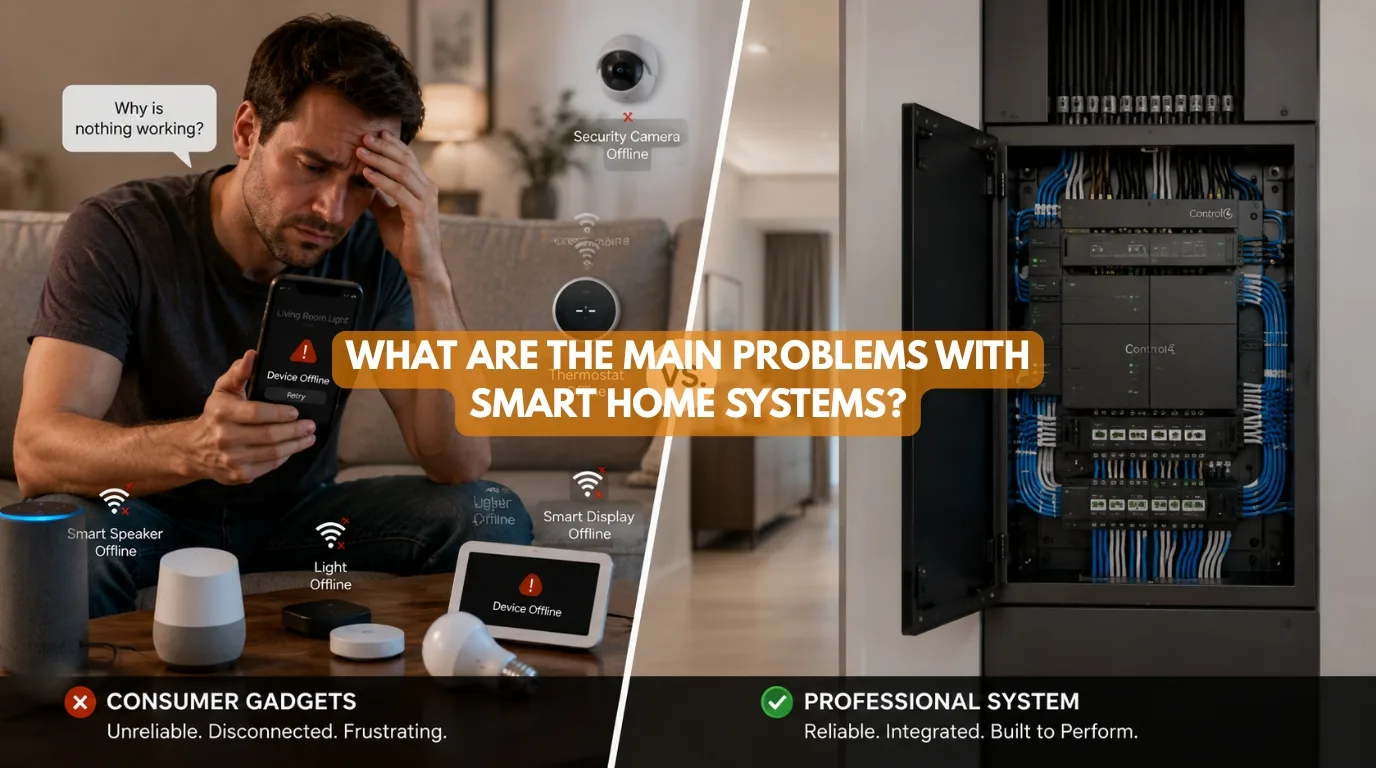
Quick Answer
The main problems with smart home systems include connection failures and device compatibility issues. They can depend on networks or cloud services. They often need battery maintenance. Cybersecurity and privacy concerns are common. Setup can be complicated. Software updates can cause issues. Upfront costs can be high. Different brands may not work well together.
However, professional system design can reduce many of these problems. Reliable networking and compatible technologies can also reduce these issues. Proper infrastructure helps as well. Choosing the right architecture also matters. For larger or more demanding homes, consider wired KNX automation.
What Are the Main Problems With Smart Home Systems?
Smart home technology promises convenience, security, energy efficiency, entertainment, and greater control over your home. But there’s another side of the conversation that doesn’t receive enough attention: What Are the Main Problems With Smart Home Systems?
The answer isn’t that smart homes are inherently unreliable or problematic. The real issue is that manufacturers don’t design all smart home systems in the same way. A few consumer Wi‑Fi devices placed around a home can cause problems. A professionally designed, integrated automation system can avoid these issues.
The main problems with smart home systems can include:
- Internet or network dependency
- Device compatibility problems
- Wi-Fi coverage limitations
- Battery maintenance
- Software updates
- App fragmentation
- Cybersecurity and privacy concerns
- Installation complexity
- Higher upfront costs
- Poor planning
- Difficult troubleshooting
- Lack of professional support
- Technology becoming outdated
At Techtastic, we believe smart home automation should make a home feel simpler, not more complicated. Our design-first approach starts with the homeowner’s lifestyle and daily routines. It also considers security needs, plans, and budget. Then we choose the right technology.
This guide offers an honest look at the main problems with smart home systems. It explains why they happen and shows how good planning can reduce or prevent the main problems with smart home systems.
Quick Summary
| Common Problem | What Causes It? | Potential Solution |
|---|---|---|
| Connectivity Issues | Weak Wi-Fi/network | Professional networking |
| Compatibility | Different ecosystems | Plan ecosystem first |
| Battery Maintenance | Wireless sensors/devices | Wired or rechargeable solutions |
| Internet Dependency | Cloud-based products | Local/offline-capable automation |
| Security Concerns | Poor device/network security | Secure network + reputable products |
| App Overload | Too many brands | Integrated platform |
| Installation Complexity | Poor planning | Professional system design |
| High Initial Cost | Premium infrastructure | Phase the project |
| Obsolescence | Changing technology | Scalable/open standards |
| Troubleshooting | Fragmented systems | Professional support |
Are Smart Home Systems Actually Reliable?
Before answering “What Are the Main Problems With Smart Home Systems?,” it’s important to separate two distinct categories.
Consumer Smart Devices
These can include:
- Wi-Fi bulbs
- Smart plugs
- Individual cameras
- Smart speakers
- Wireless sensors
- App-controlled appliances
They’re convenient and often inexpensive. But when you combine dozens of unrelated devices, managing reliability becomes much harder.
Professionally Designed Automation
A professionally designed system considers:
- Network architecture
- Automation logic
- Electrical infrastructure
- Device compatibility
- Control interfaces
- Future expansion
- Maintenance
- Backup strategies
Techtastic’s approach emphasizes designing the system around the home and its users rather than simply selecting individual products. So, the biggest problem isn’t necessarily smart technology. It is poorly designed smart technology.
Problem #1: Internet and Connectivity Dependence
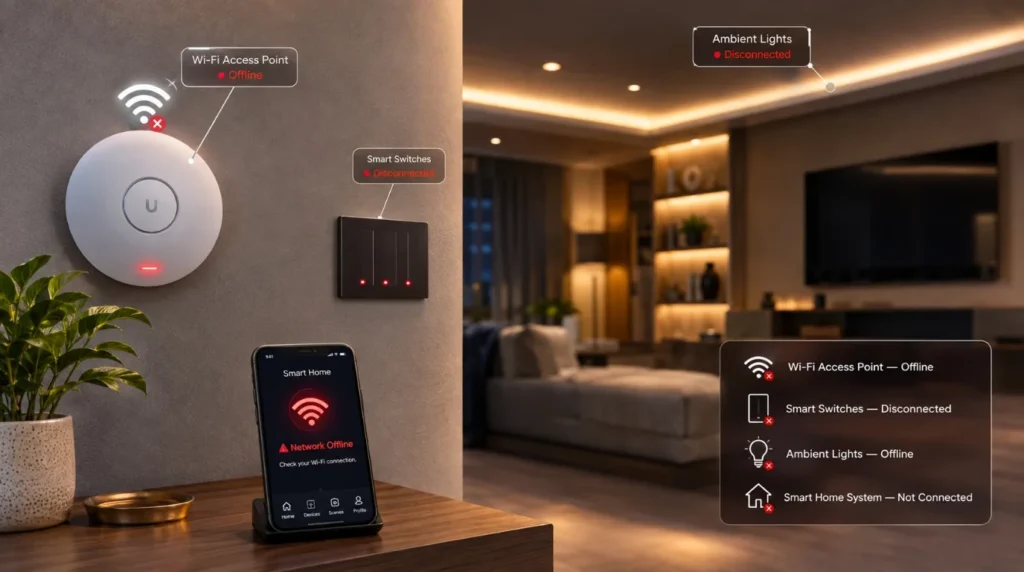
One of the first answers to the main problems with smart home systems is connectivity. Many consumer smart devices communicate through Wi-Fi and cloud platforms.
If the network becomes unavailable, some features may stop working or become inaccessible remotely. Possible symptoms include:
- Devices showing as offline
- Delayed commands
- Failed automations
- Inability to control devices remotely
This is particularly frustrating when a homeowner expects something as simple as a light switch to work instantly.
How to Reduce the Problem
Use:
- Reliable networking
- Proper Wi-Fi coverage
- Local automation where appropriate
- Wired infrastructure for critical systems
- Professional network configuration
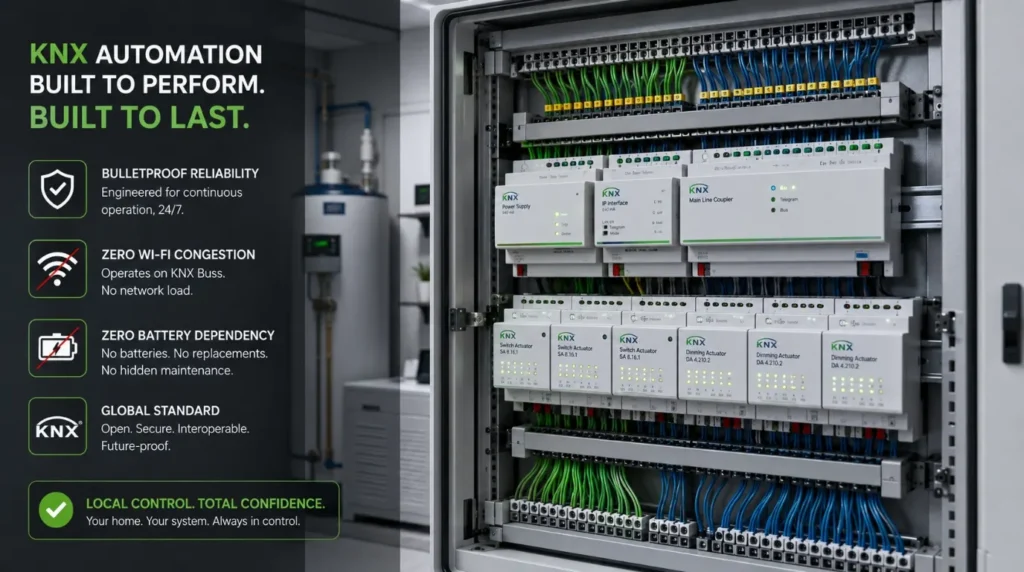
For premium properties, Techtastic promotes KNX as a wired automation option that can operate locally without relying on internet connectivity.
Problem #2: Wi-Fi Coverage and Interference
Large Indian homes can present significant wireless challenges. Walls, concrete structures, multiple floors, and the number of connected devices can affect wireless performance.
A smart device might work perfectly in one room and become unreliable in another. This can lead to:
- Delayed commands
- Device disconnections
- Weak signals
- Unreliable sensors
The Solution
A professional smart home hub should start with networking. This may involve:
- Multiple access points
- Structured CAT6 cabling
- Network switches
- Proper access-point placement
- Separate network configuration for smart devices
For large villas, Techtastic recommends wired automation where appropriate because physical infrastructure avoids many of the signal limitations associated with wireless systems.
Problem #3: Compatibility Between Devices
Another major answer to the main problems with smart home systems is compatibility. Imagine buying:
- Smart switches from Brand A
- Curtains from Brand B
- Security from Brand C
- HVAC control from Brand D
- Audio from Brand E
Each system may have its own:
- App
- Hub
- Communication protocol
- Cloud service
- Integration limitations
The individual products might work perfectly. But getting them to work together seamlessly can be difficult.
Better Approach
Choose your automation architecture first. Then select compatible products. This is particularly important when planning a premium integrated home.
Techtastic recommends evaluating compatibility, scalability, and wired-versus-wireless architecture before selecting smart home products.
Problem #4: Too Many Apps
A smart home can ironically become less convenient when every device has its own application. Imagine opening:
- One app for lights
- Another for curtains
- Another for security
- Another for AC
- Another for music
- Another for cameras
That’s not intelligent automation. That’s a collection of remote controls. A well-designed system should reduce the number of interactions required.
For example:
Movie Mode
One command:
- Closes curtains
- Dims lights
- Starts the projector
- Activates audio
- Adjusts the room environment
This is where integrated automation creates a much better user experience.
Problem #5: Battery Maintenance
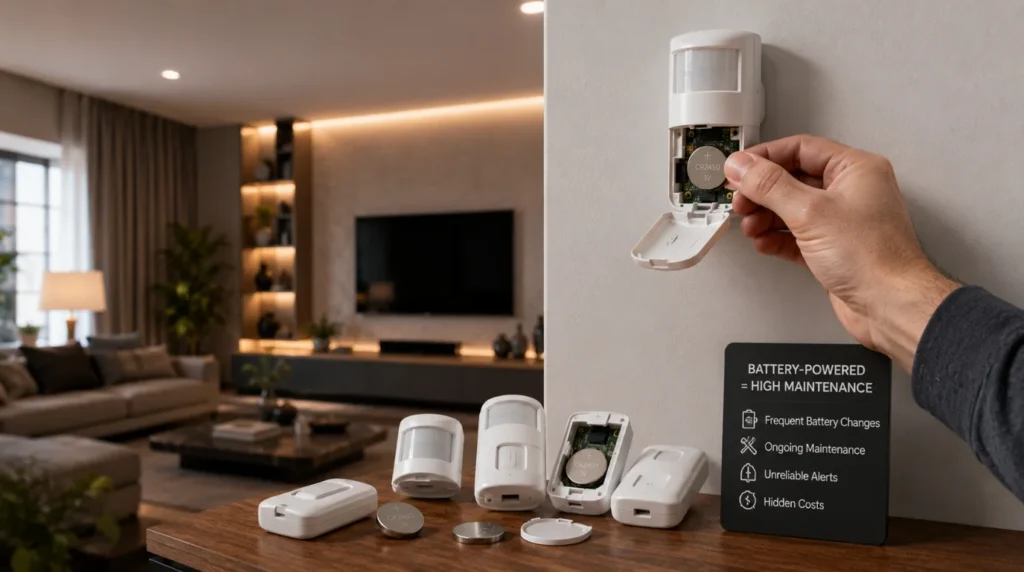
Wireless devices often depend on batteries. These may include:
- Motion sensors
- Door sensors
- Window sensors
- Wireless switches
- Curtain motors
One or two battery-powered devices aren’t difficult to maintain. But imagine a large villa with dozens or hundreds of wireless devices. Battery maintenance can become an ongoing responsibility.
Possible Solutions
Use:
- Wired sensors for critical functions
- Rechargeable devices where appropriate
- Long-life batteries
- Battery monitoring
- Professional maintenance
Techtastic’s KNX guidance specifically highlights reduced battery maintenance as an advantage of wired automation.
Problem #6: Cybersecurity and Privacy
Another important consideration when asking about the main problems with smart home systems is security. Connected devices can potentially expose:
- Home network information
- Camera feeds
- Access controls
- Usage patterns
- Personal data
The risk varies significantly by device and system architecture.
Good Security Practices
Use:
- Strong passwords
- Secure Wi-Fi
- Updated firmware
- Trusted manufacturers
- Network segmentation
- Professional installation
- Access controls
For premium homes, security should be considered during system architecture—not after installation.
Problem #7: Software Updates
Smart devices are software-dependent. Manufacturers may release updates for:
- Security
- Performance
- Compatibility
- New features
But updates can sometimes introduce unexpected compatibility issues. This is another reason buying dozens of unrelated devices can become difficult to manage. A professionally designed system should consider:
- Firmware management
- Product support
- Manufacturer longevity
- Upgrade paths
Problem #8: Installation Complexity
The more sophisticated the smart home, the more complex the installation becomes.
A simple smart bulb might require only: Bulb → App → Wi-Fi
A professional whole-home system could involve: Sensors → Bus/Network → Controllers → Actuators → Lighting → HVAC → Curtains → Security → AV → User Interfaces
This requires planning and commissioning. Techtastic’s smart-home installation process includes consultation, site assessment, system planning, infrastructure, installation, programming, testing, and support.
Problem #9: Higher Upfront Cost
This is perhaps the most obvious answer to the main problems with smart home systems. Professional automation can cost more than buying standalone consumer gadgets.
Why?
Because you’re paying for more than devices. You’re investing in:
- System design
- Infrastructure
- Professional hardware
- Installation
- Programming
- Testing
- Commissioning
- Support
A wired KNX system can cost more upfront than basic wireless devices. But Techtastic presents KNX as a long-term choice for premium properties. It suits projects where reliability, scalability, and lifespan matter.
The Better Question
Don’t ask only:
“How much does smart home automation cost?”
Ask:
“What level of automation provides the right value for my property?”
Problem #10: Technology Obsolescence
Technology changes quickly. A product that is considered advanced today may eventually be:
- Discontinued
- Replaced
- Unsupported
- Difficult to repair
This is one of the strongest reasons to prioritize scalable architecture over individual gadgets.
Open and widely adopted standards can help reduce vendor lock-in. KNX matters here because Techtastic stresses its scalability, long-term value, and ability to adapt as technology changes.
Problem #11: Poor Planning
This may actually be one of the main problems with smart home systems. Many smart home problems begin before installation. For example:
A homeowner finishes:
- Electrical work
- False ceilings
- Painting
- Interior design
Then decides to install advanced automation. Now the project may require:
- Rewiring
- Additional conduits
- New switch layouts
- Ceiling modifications
- Additional civil work
Techtastic recommends planning KNX infrastructure during early construction or renovation stages rather than attempting to add the infrastructure after finishing the interiors.
The Better Approach
Plan automation alongside:
- Architecture
- Electrical
- Interior design
- HVAC
- Networking
- Security
- AV
Problem #12: Lack of Professional Support
A smart home isn’t finished when the last device is installed. Homeowners may eventually need help with:
- Programming
- Device replacement
- Network changes
- New integrations
- Software updates
- System expansion
If the original installer disappears after commissioning, maintaining a sophisticated system can become difficult. That’s why after-sales support should be part of the selection process.
Techtastic describes ongoing support as part of its smart-home philosophy rather than treating installation as the final step.
Wired vs Wireless: Which Has Fewer Problems?
The answer depends on the property.
| Factor | Wireless | Wired / KNX |
| Installation | Easier | More involved |
| Existing Home | Excellent | More difficult |
| New Construction | Good | Excellent |
| Battery Maintenance | Possible | Minimal for wired devices |
| Wi-Fi Dependency | Higher | Lower |
| Scalability | Good | Excellent |
| Reliability | Depends on network/design | Excellent when properly designed |
| Initial Cost | Lower | Higher |
| Long-Term Infrastructure | Limited by design | Strong |
| Large Luxury Villa | Selective use | Strong choice |
This doesn’t mean wireless systems are bad. Wireless technology can be an excellent choice for:
- Apartments
- Rentals
- Existing homes
- Small upgrades
- Projects where rewiring isn’t practical
The problem occurs when someone sets up a wireless network without considering the property’s size. The issue can also come from ignoring the building’s construction. Network conditions matter too. Long-term needs should be planned for as well.
How Professional Automation Reduces Smart Home Problems
The answer to the main problems with smart home systems becomes much more positive when the project starts with proper engineering. A professional integrator can address problems before they occur.
Step 1: Understand the Lifestyle
What do you actually want the home to automate?
Step 2: Assess the Property
Evaluate:
- Construction stage
- Electrical infrastructure
- Network
- Window locations
- HVAC
- Security
- Entertainment
Step 3: Select the Architecture
Choose:
- Wired
- Wireless
- Hybrid
- KNX
- Appropriate ecosystem
Step 4: Design the System
Map:
- Sensors
- Switches
- Controllers
- Actuators
- Automation scenes
Step 5: Coordinate Infrastructure
Work with:
- Architect
- Interior designer
- Electrician
- HVAC contractor
- Networking team
Step 6: Program and Commission
Test the system before handover.
This design-first approach is central to Techtastic’s stated methodology.
Representative Project Example
Illustrative Example: The following scenario demonstrates how a professional integrator can address common smart-home problems. It is not presented as a specific Techtastic client case.
Imagine a 6-BHK luxury villa under construction in Nashik. The homeowner initially considered purchasing individual Wi-Fi products. The proposed setup included:
- Wi-Fi lighting
- Wireless curtains
- Smart cameras
- Smart locks
- Wi-Fi thermostats
- Voice assistants
During planning, however, several concerns became apparent:
- Large property size
- Multiple floors
- Thick walls
- Numerous automation points
- Long-term ownership
- Need for centralized control
Instead of creating a collection of independent devices, the project was redesigned around a more structured automation architecture.
Critical Systems
- KNX lighting
- Motorized curtains
- Climate control
- Smart security
- Structured networking
Secondary Systems
- Voice control
- AV
- Mobile access
- Energy monitoring
Result
The homeowner still received smartphone and voice control, but the critical home functions had a more robust underlying architecture.
This illustrates an important lesson:
The goal isn’t to eliminate technology. It is to eliminate unnecessary technological complexity.
Smart Home Risk Assessment
Before choosing your system, score each category from 1–5.
| Risk Area | Low Risk | High Risk |
| Wi-Fi Coverage | 1 | 5 |
| Device Compatibility | 1 | 5 |
| Battery Dependence | 1 | 5 |
| Internet Dependence | 1 | 5 |
| Security Exposure | 1 | 5 |
| Vendor Lock-In | 1 | 5 |
| Future Expansion | 1 | 5 |
| Professional Support | 1 | 5 |
If several categories score 4 or 5, consider speaking with a professional integrator before purchasing more devices.
What Should You Do Before Installing a Smart Home?
If you’re concerned about the main problems with smart home systems discussed above, follow this checklist.
Before Buying Anything
- Define your automation goals.
- Decide which rooms need automation.
- Determine whether the property is new construction or existing.
- Assess your networking requirements.
- Decide between wired, wireless, or hybrid architecture.
- Consider future expansion.
- Research manufacturer support.
- Compare ecosystems.
- Get a professional site assessment for complex projects.
For New Construction
Involve the automation company before electrical work begins.
This is particularly important for KNX systems because installers must coordinate the wiring architecture with the electrical design.
Are Smart Home Systems Worth It Despite These Problems?
Yes—provided the system is designed appropriately.
The main problems with smart home systems discussed in this article don’t mean homeowners should avoid automation. They mean homeowners should avoid poorly planned automation. A professionally designed smart home can provide:
- Convenience
- Security
- Comfort
- Energy management
- Better accessibility
- Entertainment
- Remote monitoring
- Long-term scalability
The technology should ultimately disappear into the background. You shouldn’t constantly think about whether your smart home is working. You should expect it to work.
Our Recommendation
When homeowners ask about the main problems with smart home systems, our answer is straightforward: Most problems come from choosing technology without first designing the system.
Avoid building your smart home as a collection of gadgets.
Instead: Lifestyle → Requirements → Architecture → Infrastructure → Devices → Programming → Testing
For a small existing home, wireless automation may be perfectly appropriate. For a new luxury villa or large permanent residence, a professionally designed wired or hybrid system can provide a stronger foundation.
Techtastic has experience with KNX, smart lighting, motorized curtains, security, home theatre, energy management, and automation. This includes hybrid and commercial automation. This lets the team choose system architecture based on each project. It avoids forcing every property into one technology.
Key Takeaways: Problems With Smart Home Systems
- Main problems with smart home systems include connectivity, compatibility, battery maintenance, cybersecurity, software updates, cost, complexity, and poor planning.
- Wireless automation isn’t inherently unreliable; its suitability depends on the property and network architecture.
- Large homes may benefit from wired automation and professional networking.
- KNX can provide a scalable, locally operating foundation for critical home automation, thus eradicating the main problems with smart home systems.
- Consider compatibility before purchasing individual devices.
- Professional installation reduces integration and commissioning problems.
- Planning automation during construction can prevent expensive retrofits.
- Long-term support matters just as much as initial installation.
- The goal of a smart home automation system should be simplicity for the homeowner—not technological complexity.
Frequently Asked Questions
1. What Are the Main Problems With Smart Home Systems?
The main problems with smart home systems include connection failures, device mismatch, and Wi-Fi limits. Battery care is important. There are cyber risks. Software updates can cause problems. Upfront costs are higher. Installation can be difficult. Vendor lock-in can happen. Poor planning can lead to issues.
2. Are smart home systems reliable?
They can be highly reliable when properly designed and installed. Reliability depends on the system architecture, networking, hardware quality, installation, programming, and ongoing support.
3. Do smart homes stop working if the internet goes down?
It depends on the architecture. Some cloud-dependent devices lose remote functionality when the internet is unavailable. Local or wired automation systems can continue performing core functions without an internet connection. Techtastic’s KNX guidance specifically describes KNX as capable of local operation without internet dependency.
4. Is Wi-Fi automation bad?
No. Wi-Fi automation can be useful for existing homes, apartments, rentals, and smaller installations. The important consideration is whether the network and system architecture are appropriate for the project.
5. Is KNX better than wireless smart home systems?
For large permanent homes and new construction, KNX can provide advantages in reliability, scalability, and local operation. For smaller retrofit projects, wireless systems may be simpler and more cost-effective.
6. Are smart homes difficult to maintain?
They can be if they contain many disconnected products. An integrated system with professional documentation and support is generally easier to manage.
7. Do smart home devices need batteries?
Some wireless sensors, switches, and curtain motors use batteries. Wired systems can reduce battery dependence significantly.
8. Can smart home systems become outdated?
Individual products can become obsolete. Choosing scalable infrastructure and widely supported technologies can reduce the impact of technology changes.
9. Why is smart home planning important?
Planning sets how devices connect, where infrastructure goes, how systems work together, and how easily the home can grow.
10. Should I hire a professional smart home installer?
For a few standalone devices, professional installation may not be necessary. For whole-home automation, luxury villas, KNX systems, or projects involving multiple integrated systems, professional design and commissioning can significantly improve reliability and long-term usability.
Collaboration Opportunities for Developers, Architects & Interior Designers
The main problems with smart home systems are often easiest to prevent before construction begins. That’s why Techtastic works with:
- Architects
- Interior Designers
- Builders
- Developers
- Project Management Consultants
- Luxury Villa Developers
Our collaboration services include:
- Smart Home Planning
- KNX System Design
- Electrical Coordination
- Automation Drawings
- Smart Lighting Design
- Motorized Curtain Integration
- HVAC Integration
- Smart Security
- Home Theatre Planning
- Structured Networking
- System Programming
- Testing & Commissioning
Early collaboration allows automation to become part of the architecture rather than an afterthought. Techtastic specifically positions collaboration with architects and designers as part of its smart-home planning process.
Areas We Serve
Techtastic provides smart home automation solutions across: Navi Mumbai • Nashik • Lonavla • Sangli
The company also lists Mumbai and Thane among its broader service presence. Popular project types include:
- Luxury villas
- Premium apartments
- Penthouses
- Independent homes
- Renovation projects
- Commercial spaces
- Builder-led developments
Ready to Build a Smart Home Without the Common Problems?
Understanding the main problems with smart home systems before you invest can help you avoid mistakes. Many homeowners find these mistakes only after installation. The right smart home shouldn’t force you to manage technology constantly. It should make your home easier to use.
At Techtastic, we use a design-first approach to smart home automation. We combine planning, infrastructure, professional installation, programming, and support. This creates connected homes that are reliable, scalable, and tailored to the people who live in them.
Whether you’re building a new luxury villa, renovating an existing apartment, or planning automation for a residential development, the right system starts with the right questions.
Talk to Techtastic before buying your smart home devices and get a professional automation strategy designed around your property to avoid the main problems with smart home systems.
Contact Techtastic
Website: Techtastic Website
Call / WhatsApp: 9769145145
Operational Hubs: Navi Mumbai • Nashik • Lonavla • Sangli