
Summary
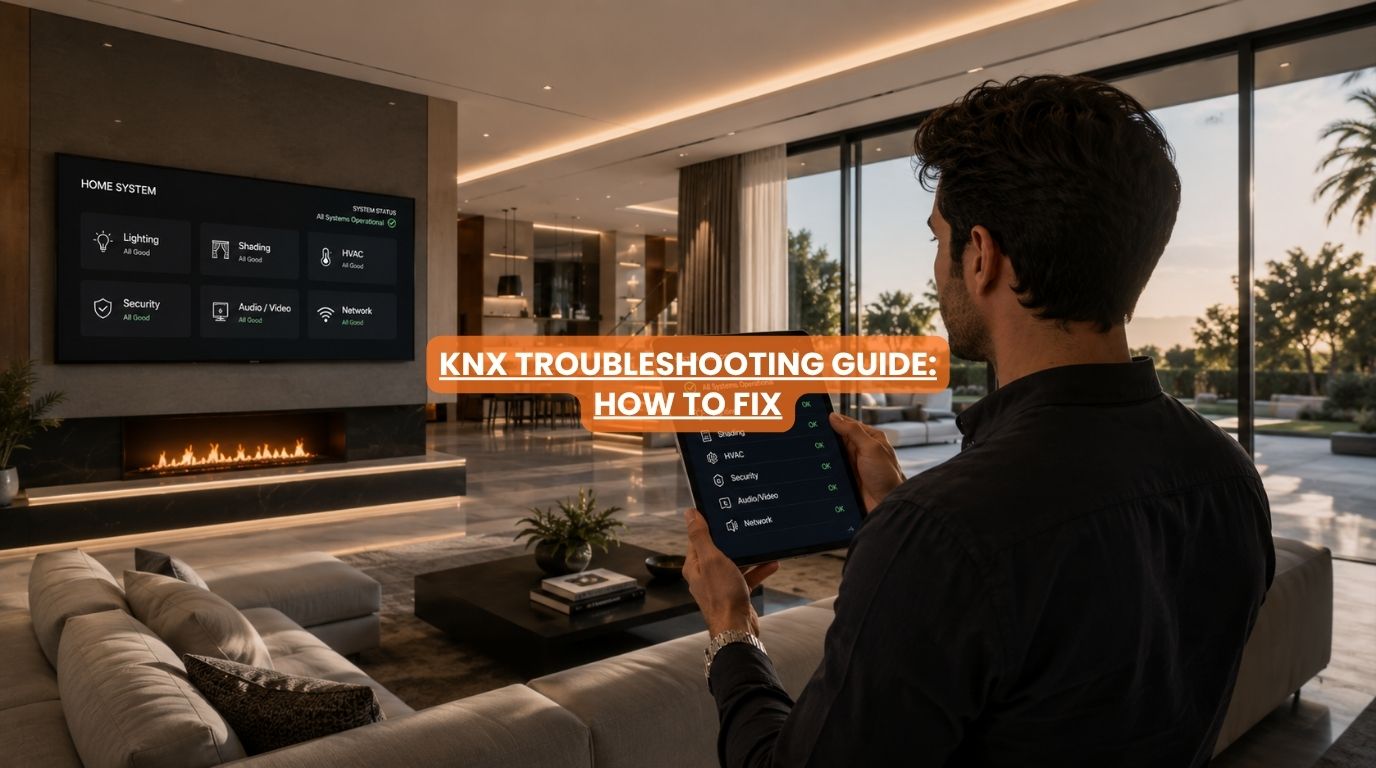
Most KNX problems involve individual devices, communication issues, networking problems, or visualization systems rather than complete system failures. Homeowners can often troubleshoot issues by checking power supplies, network connections, device status, and recent programming changes. Because KNX uses a decentralized architecture, many functions continue operating even when individual components experience problems.
Introduction
KNX is widely regarded as one of the most reliable home automation systems available. However, like any technology, occasional issues can occur, requiring a structured approach to KNX troubleshooting.
You may notice:
- A switch stops responding.
- A touch panel freezes.
- The app doesn’t connect.
- Curtains don’t move.
- Lighting scenes stop working.
At Techtastic, we often reassure homeowners that most KNX issues are relatively minor. The good news is that KNX problems rarely affect the entire home. Because the system is decentralized, your everyday KNX troubleshooting is often very straightforward.
Let’s look at the most common problems and how to do KNX troubleshooting.
Quick Answer
Most KNX problems involve a single device, network issue, power supply problem, or communication error rather than a complete system failure. Homeowners should begin troubleshooting by checking power availability, device status, internet connectivity, and recent system changes. Since KNX is decentralized, other automation functions often continue working normally while the issue is isolated and resolved.
Understanding How KNX Works
Before diving into active KNX troubleshooting, it’s important to understand one key structural principle: KNX does not rely on a single central controller.
Each device has its own intelligence. Examples:
- Switches
- Sensors
- Actuators
- Thermostats
- Curtain controllers
This means one faulty component usually doesn’t stop the entire system, allowing you to isolate your KNX troubleshooting to one specific device at a time.
Problem #1: A KNX Switch Stops Responding
Possible Causes
- Device failure
- Loose connection
- Programming issue
- Bus communication problem
What to Check
✅ Does the device show any status LEDs?
✅ Are other switches functioning normally?
✅ Has any recent renovation work occurred?
If only one switch is affected, your KNX troubleshooting can focus entirely on that local hardware module.
Problem #2: Lights Are Not Responding
Possible causes include:
- Actuator issues
- Bus communication errors
- Power supply problems
- Programming changes
Troubleshooting Steps
- Check whether manual controls still work.
- Test other lighting circuits.
- Verify whether scenes still operate.
- Check for recent programming updates.
Lighting issues often affect only specific circuits.
Problem #3: KNX App Is Not Working
This is one of the most common complaints we receive. Usually, the baseline automation setup is functioning completely normally, meaning your KNX troubleshooting should pivot directly toward your local IT network infrastructure.
Possible causes:
- Internet outage
- Router problems
- Server issues
- Mobile application updates
Check:
✅ Wi-Fi connectivity
✅ Router status
✅ Internet connection
✅ Remote access settings
Many homeowners mistake networking problems for KNX failures.
Problem #4: Touch Panel Becomes Unresponsive
Touch panels function as user interfaces. The underlying KNX system may still operate normally.
Possible Solutions
- Restart the panel.
- Check the power supply.
- Verify network connectivity.
- Review recent software updates.
Lighting, climate control, and automation often continue working.
Problem #5: Motorized Curtains Stop Operating
Possible causes:
- Power interruption
- Motor issue
- Communication problem
- Programming error
Check:
- Is electricity available?
- Does manual override work?
- Are other KNX devices functioning?
If only the curtain motor is affected, the rest of the system usually remains operational.
Problem #6: Scenes Are Not Triggering
Examples:
- Movie mode doesn’t activate.
- Night mode fails.
- Good Morning scenes stop working.
Possible causes:
- Device communication issues
- Programming changes
- Trigger conditions not being met
Efficient KNX troubleshooting for scenes typically requires checking if recent adjustments accidentally unlinked a shared group address.
Problem #7: Climate Control Is Not Working
Potential causes include:
- Sensor problems
- Thermostat issues
- HVAC integration errors
Check:
- Room temperature readings.
- Thermostat status.
- HVAC system operation.
The issue may originate outside the KNX system.
Problem #8: Delayed Responses
Examples:
- Lights respond slowly.
- Curtains operate after several seconds.
- Apps lag.
Possible causes:
- Network congestion
- Visualization server issues
- IP infrastructure problems
The bus communication itself is ultra-fast; local networking is almost always the limiting factor discovered during KNX troubleshooting.
KNX Troubleshooting Checklist
| Check | Why It Matters |
| Power supply | Essential for operation |
| Internet connection | Affects apps and remote access |
| Router status | Impacts visualization systems |
| Device LEDs | Indicates device health |
| Recent changes | Helps identify causes |
| Other devices | Determines issue scope |
| Manual controls | Confirms local operation |
This simple process solves many issues.
Common Causes of KNX Problems
Power Issues
Electrical interruptions can affect devices.
Network Problems
Often affects apps and remote access.
Programming Changes
Recent modifications can create unexpected behavior.
Device Failure
Rare but possible.
Firmware Updates
Occasionally, require adjustments. Most issues are localized.
When Should You Contact an Integrator?
While routine KNX troubleshooting can be managed by checking connections, professional assistance from an experienced integrator is needed if:
- Multiple devices fail.
- Bus communication is lost.
- Programming files are unavailable.
- Hardware replacement is required.
Having system backups greatly simplifies support.
KNX Troubleshooting – Preventive Maintenance Tips
Maintain System Documentation
Keep project files secure.
Back Up Programming
Protect your configuration.
Review Networking Annually
Strong networks improve reliability.
Schedule Periodic Health Checks
Identify small issues early.
Work With Experienced Integrators
Professional support improves long-term reliability.
Why KNX Problems Rarely Affect the Entire Home
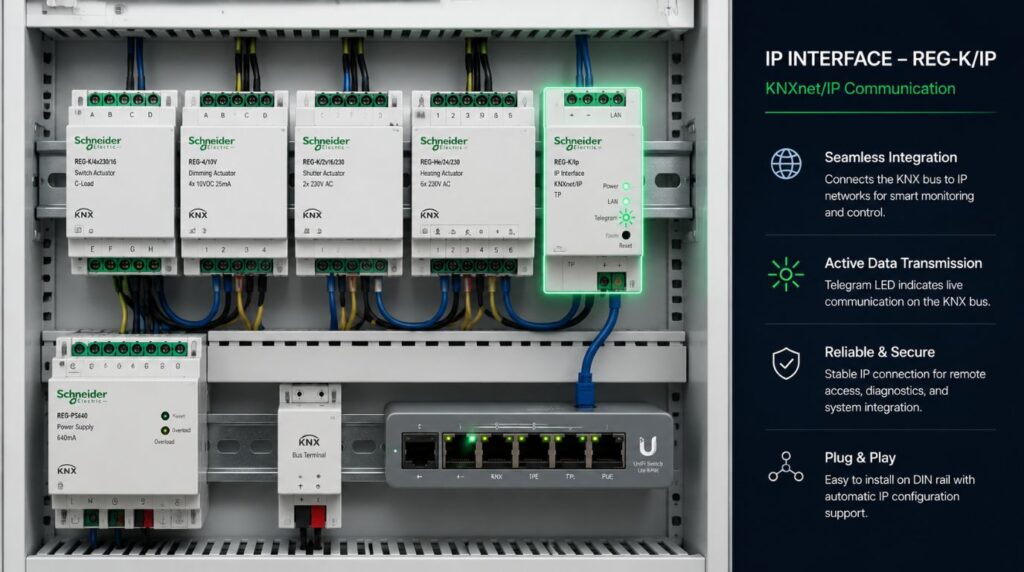
This is one of KNX’s greatest strengths.
| Traditional Smart Systems | KNX Systems |
| Central hub dependency | Decentralized |
| One failure affects all devices | Failures remain isolated |
| Cloud dependence | Local operation |
| Greater outage risk | High reliability |
This architecture makes KNX troubleshooting easier.
Why It Matters for Modern Homes
Homeowners increasingly rely on automation for:
- Lighting
- Climate
- Security
- Comfort
- Entertainment
Understanding KNX troubleshooting improves confidence and reduces unnecessary concerns.
Most KNX issues are manageable and rarely affect the entire system.
Our Perspective at Techtastic
At Techtastic, we’ve found that most KNX support requests involve:
- Networking issues
- User interface problems
- Expansion projects
- Configuration changes
Actual KNX bus failures are extremely rare.
Our recommendation is always to:
- Start simple.
- Isolate the problem.
- Check recent changes.
- Review power and networking.
A systematic approach often identifies the issue quickly.
Collaboration Opportunities for Developers, Architects & Interior Designers
Reliable systems begin with proper planning.
At Techtastic, we collaborate with:
- Architects
- Interior designers
- Residential developers
- Luxury builders
- Project consultants
Infrastructure Planning
Improve reliability.
Documentation Standards
Simplify maintenance.
Backup Strategies
Protect investments.
KNX Design
Reduce troubleshooting complexity.
Premium Homes
Deliver dependable automation.
Future-Ready Projects
Support long-term performance. Early planning significantly reduces future issues.
Key Takeaways
- Most KNX issues affect individual devices rather than the entire system.
- Networking problems often cause app-related issues.
- Touch panels can fail without affecting automation.
- KNX’s decentralized architecture improves reliability.
- Power, communication, and recent changes should be checked first.
- System backups simplify troubleshooting.
- Professional support may be needed for complex issues.
Frequently Asked Questions
1. Why is my KNX switch not working?
A. The issue may involve the device itself, wiring, or communication.
2. Why can’t my KNX app connect?
A. Internet or network problems are often responsible.
3. Can a KNX system completely fail?
A. Complete failures are extremely rare.
4. What happens if a KNX device fails?
A. Usually, only that individual device is affected.
5. Does KNX need internet access?
A. No. Most KNX functions operate locally.
6. Why are my KNX lights responding slowly?
A. Network or visualization systems may be causing delays.
7. Should I restart my KNX system?
A. Some components may benefit from restarting, particularly visualization devices.
8. How often should KNX systems be serviced?
A. Annual health checks are generally sufficient.
Conclusion
KNX systems are designed to be highly reliable, which means most problems are isolated, manageable, and rarely affect the entire home. Understanding how to troubleshoot common issues such as app failures, communication errors, device problems, and network interruptions can help homeowners maintain confidence in their automation systems.
At Techtastic, we help homeowners, architects, and developers create KNX installations that prioritize reliability, scalability, and long-term performance.
📞 Call/WhatsApp: 9769145145
📍 Our Operational Hubs: Navi Mumbai | Nashik | Lonavla | Sangli
With proper planning, regular maintenance, and professional support when needed, KNX remains one of the most dependable smart home technologies available today.
Want to ensure your system investment is fully protected? Head over to our deep dive on How KNX Smart Home Controls Multi-Rooms: Elite 2026 Guide to learn how we can future-proof your smart home infrastructure.