
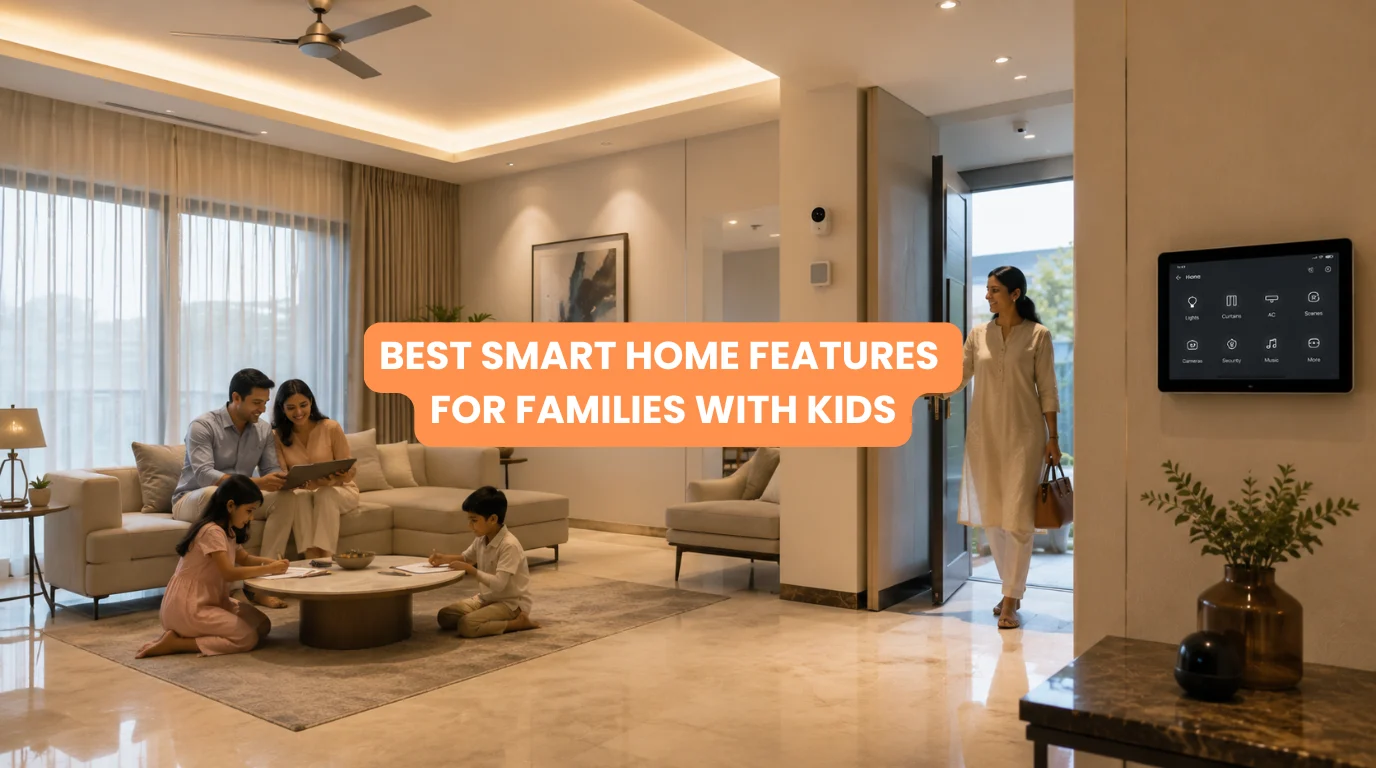
A smart home isn’t necessarily about having the most gadgets. For families with children, the best technology makes daily routines safer, simpler, and easier to manage.
Parents may want better visibility at home. Children may need simple controls they can understand. Everyone benefits when repetitive tasks happen automatically. This raises an important question: What are the best smart home features for families with kids? The answer isn’t necessarily voice assistants, connected appliances, or the latest smart gadget.
The most useful smart home features for families with kids are practical systems. These include smart lighting, security sensors, smart locks, climate control, motorized curtains, automated routines, and centralized controls.
This guide explains smart home features for families with kids that can improve daily life. It also explains which features matter most when planning a family-friendly smart home.
Quick Summary
The most useful smart home features for families with kids typically include:
- Smart lighting
- Motion and door sensors
- Smart security systems
- Smart locks and access control
- Climate and temperature control
- Motorized curtains
- Automated bedtime and morning scenes
- Centralized controls
- Energy monitoring
- Home theatre and entertainment automation
The goal isn’t to automate everything. It’s to use technology where it makes family life safer, easier, and more predictable. When choosing smart home features for families with kids, focus on solutions that improve safety and simplify everyday routines
Quick Answer
The best smart home features for families with kids improve safety, simplify routines, and reduce repeat tasks. Smart lighting, security sensors, smart locks, climate control, motorized curtains, automated scenes, and centralized controls are particularly useful. Families should also consider age-appropriate controls, privacy, reliable networking, and manual overrides when designing their smart home.
What Makes a Smart Home Family-Friendly?
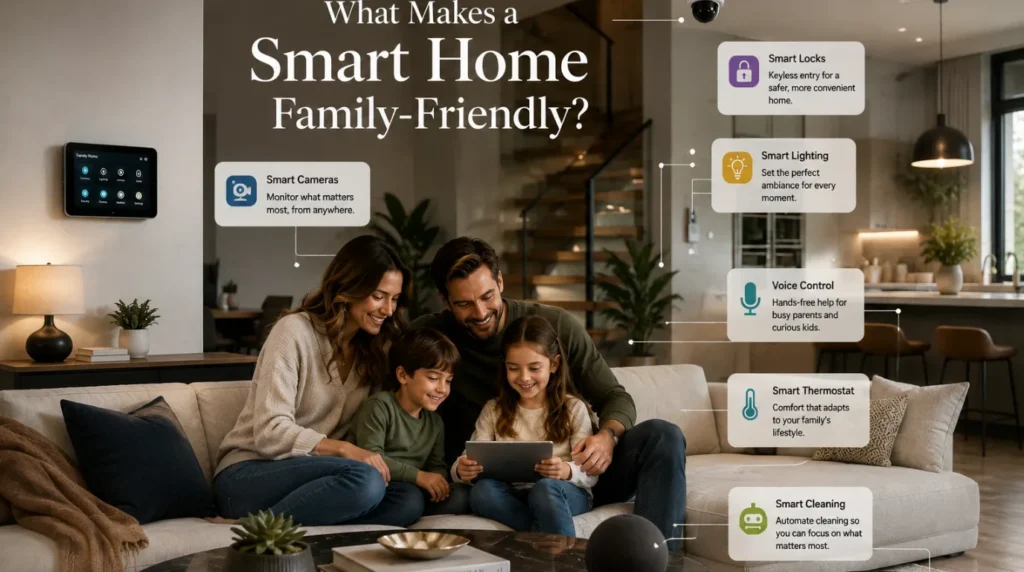
The best smart home features for families with kids aren’t necessarily the most technologically advanced. Instead, look for features that solve everyday problems.
For example:
- Lights turning off automatically
- Doors notifying parents when opened
- Curtains closing at bedtime
- Temperature adjusting automatically
- Security activating when everyone leaves
- A single button controlling the evening routine
The best automation should reduce the number of things parents have to remember. A family-friendly smart home should also remain simple enough for everyone to use. These are the qualities that make smart home features for families with kids genuinely useful rather than simply impressive
1. Smart Lighting
Smart lighting is one of the most practical smart home features for families with kids. Children often move between rooms at different times of the day. Automated lighting can help create predictable lighting routines.
Useful Examples
- Night Mode: Hallway lights switch to a low level.
- Morning: Bedroom lights gradually brighten.
- Away Mode: Lights turn off automatically when the family leaves.
- Study Mode: Desk lighting activates at an appropriate brightness.
Motion sensors can also activate lights automatically in hallways, bathrooms, and other frequently used areas.
2. Smart Home Security
Security is one of the most important areas to consider when choosing smart home features for families with kids
A smart security system can combine:
- Door sensors
- Window sensors
- Motion sensors
- Security cameras
- Video doorbells
- Access control
- Mobile notifications
Parents can receive alerts when specific doors or windows are opened.
For example:
Back Door Opened → Notification
or:
Front Door Opened → Entry Lighting Activated
The purpose isn’t to monitor children constantly. Instead, smart security can provide greater awareness of what’s happening around the home.
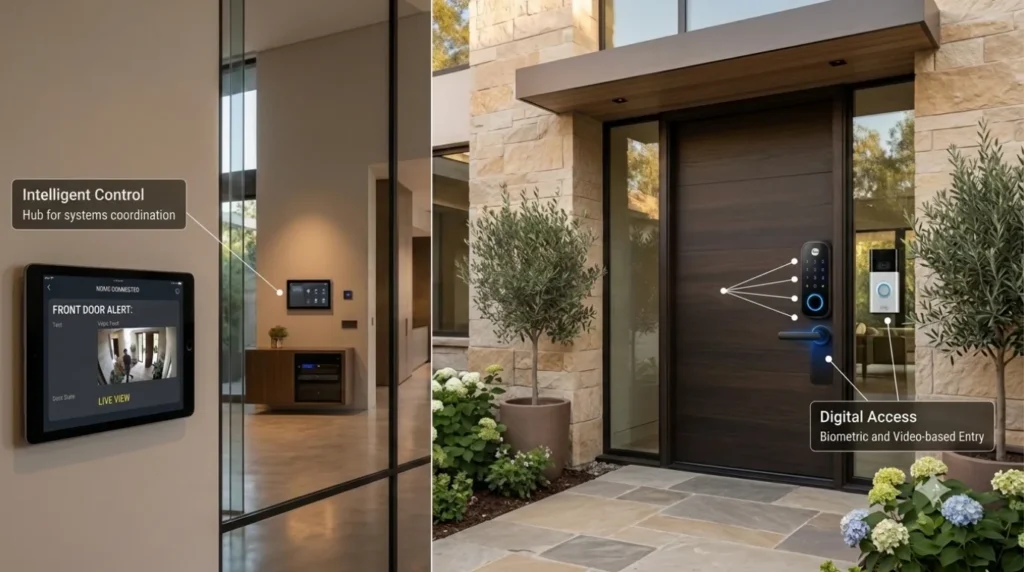
3. Smart Locks and Access Control
Smart locks can be particularly useful for busy households.
Depending on the system, homeowners may have options such as:
- PIN access
- Mobile access
- Fingerprint access
- Temporary access
- Remote locking
- Access notifications
Parents can also reduce the possibility of accidentally leaving the main entrance unlocked. For families, access control should always include appropriate security settings and a reliable manual backup.
4. Motion and Door Sensors
Among the most useful smart home features for families with kids are simple sensors.
A motion sensor can trigger: Movement → Hallway Light
A door sensor can trigger: Door Opens → Notification
A window sensor can contribute to: Window Opens → Security Alert
Sensors can also be integrated into broader automation routines.
However, sensor placement matters. A sensor should be placed based on the room layout and the automation you want. It should not be installed just because it is available.
5. Smart Climate Control
Children can be particularly sensitive to uncomfortable room temperatures.
Smart climate control can help automate:
- Air conditioning
- Heating
- Temperature schedules
- Room-specific climate settings
For example:
- Bedtime → Bedroom temperature adjusts
- Morning → Temperature changes
- Away Mode → Climate system enters an energy-saving setting
Climate automation can also reduce the need for parents to repeatedly adjust the thermostat
6. Motorized Curtains
Motorized curtains are another excellent addition to a family home.
They can be programmed to:
- Open in the morning
- Close at night
- Adjust according to schedules
- Close during movie time
- Work with lighting scenes
For children’s bedrooms, curtains can become part of a predictable bedtime routine.
Example
Bedtime Scene: Curtains close → Lights dim → Temperature adjusts → Night lighting activates.
These smart home features for families with kids can make routines more consistent. Parents won’t need to manually operate several devices.
7. Morning and Bedtime Scenes
Scenes are where individual smart devices become a complete smart home. Instead of controlling five different devices, parents can activate one routine.
Good Morning
- Curtains open.
- Lights brighten.
- Climate adjusts.
Bedtime
- Curtains close.
- Lights dim.
- Hallway lights activate at low brightness.
- Security settings adjust.
Away
- Lights turn off.
- Curtains close.
- Security activates.
- Climate changes.
These routines are among the most useful smart home features for families with kids because they reduce repetitive tasks.
8. Centralized Controls
A family home shouldn’t require everyone to understand five different apps. Centralized controls can make automation easier.
Possible control methods include:
- Wall-mounted panels
- Physical switches
- Smartphone apps
- Remote controls
- Voice commands
For children, physical controls may sometimes be easier and more appropriate than smartphone-based controls. This is an important principle: Smart technology should simplify the home and not make it more complicated.
9. Energy Management
Families often have multiple rooms, appliances, lights, and climate systems operating throughout the day. Energy monitoring can help homeowners understand consumption patterns.
Smart energy systems may provide information about:
- HVAC usage
- Lighting
- Major appliances
- Overall consumption
Automation can also switch off selected systems when the home is unoccupied. Energy management isn’t just about saving money. It can also help families understand how their home uses energy.
10. Entertainment Automation
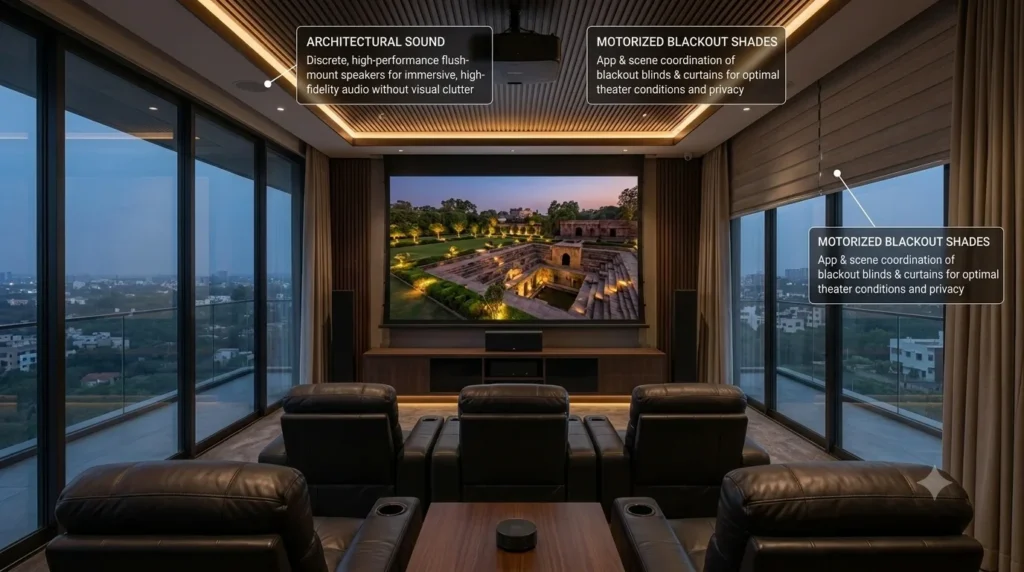
For families that regularly use a home theatre or media room, automation can simplify entertainment.
A Movie Mode could:
- Close curtains
- Dim lights
- Turn on the display
- Activate the AV system
A Gaming Mode could create a different lighting and entertainment environment. Children should be able to access the right equipment. Adults should be able to manage the controls easily.
What Smart Home Features Should Families Prioritize?
When deciding which smart home features for families with kids to install first, prioritize features that provide everyday value.
High Priority
- Smart lighting
- Security
- Door/window sensors
- Smart locks
- Climate control
Medium Priority
- Motorized curtains
- Automated scenes
- Energy management
- Centralized control
Lifestyle Features
- Home theatre
- Multi-room audio
- Advanced entertainment automation
You don’t need to install everything immediately. Choosing the right smart home features for families with kids starts with identifying the routines and challenges that matter most in your household.
Smart Home Features for Different Ages
The best smart home features for families with kids can also change as children grow.
Young Children
Prioritize:
- Night lighting
- Door/window sensors
- Climate control
- Simple controls
- Security
School-Age Children
Consider:
- Automated study lighting
- Room-specific climate control
- Scheduled lighting
- Simple access controls
Teenagers
Additional features may include:
- Personalized room scenes
- Smart access
- Entertainment automation
- Energy monitoring
The system should evolve with the family.
Safety Considerations
Smart technology should complement and not replace the basic household safety practices.
When designing smart home features for families with kids, consider:
Manual Overrides
Important systems should remain usable manually.
Secure Access
Protect smart locks, cameras, and remote access with strong authentication.
Privacy
Avoid unnecessary monitoring.
Network Security
Keep routers, controllers, and connected devices properly secured and updated.
Physical Safety
Smart devices shouldn’t create accessible cables, unsecured hardware, or other hazards for young children.
Wired vs Wireless for Families
| Feature | Wired | Wireless |
|---|---|---|
| Reliability | Excellent | Depends on network |
| Battery Maintenance | Lower | Potentially higher |
| New Construction | Excellent | Good |
| Existing Home | More difficult | Excellent |
| Large Whole-Home System | Strong option | Can work with good network |
| Retrofit | Less convenient | Strong option |
| KNX | Yes | Not applicable to purely wireless setup |
For new luxury homes, wired automation can provide a strong foundation. For existing homes, wireless or hybrid automation can often be more practical.
Are Smart Home Features Safe for Children?
Safety should remain a priority when selecting smart home features for families with kids, particularly for homes with young children. Families can use smart home technology safely in their homes when they design and configure it appropriately.
However, parents should consider:
- Secure access controls
- Privacy settings
- Camera placement
- Child-accessible controls
- Electrical safety
- Network security
- Manual operation
The goal is to create a safer and more convenient environment, not to automate every part of a child’s life.
Smart Home Decision Matrix for Families
| Family Requirement | Useful Smart Feature |
|---|---|
| Better nighttime navigation | Motion lighting |
| Entrance awareness | Smart lock + door sensor |
| Better security | Cameras + sensors |
| Comfortable bedrooms | Smart climate control |
| Easier bedtime | Curtains + lighting scenes |
| Morning routine | Curtains + lighting + climate |
| Energy awareness | Energy monitoring |
| Movie nights | Curtains + lighting + AV |
| Simple everyday control | Centralized controls |
Representative Example
Illustrative Example: This is a planning scenario, not a specific Techtastic client project.
Imagine a family living in a four-bedroom home.
Their biggest problems are:
- Children leaving lights on
- Difficult bedtime routines
- Forgetting to lock doors
- Different room temperatures
- Curtains needing to be manually closed
Instead of installing dozens of disconnected devices, they create a few practical scenes.
Morning
Curtains open → Lights brighten → Climate adjusts.
Leaving Home
Lights switch off → Selected appliances turn off → Security activates.
Bedtime
Curtains close → Lights dim → Hallway lighting activates.
The technology isn’t the focus, but the routine is.
Common Mistakes Families Should Avoid
Even the best smart home features for families with kids can become frustrating when they are poorly planned or overly complicated.
Automating Everything
More automation doesn’t automatically mean a better home.
Too Many Apps
Multiple disconnected systems can make everyday control frustrating.
Overusing Cameras
Security should respect privacy.
Ignoring Manual Controls
Important systems should still work manually.
Choosing Technology Without a Plan
Compatibility matters when multiple systems need to work together.
Forgetting Future Needs
Children grow, rooms change, and family routines evolve.
Are Smart Homes Worth It for Families?
The value of smart home features for families with kids comes from repeated everyday benefits. If automation saves a few minutes each day, the time savings add up over the years.
It can also make bedtime easier, improve security awareness, and simplify lighting and climate control. But the system should match the family’s actual routines. A home filled with complicated technology that nobody uses isn’t particularly smart, but a few well-designed automations quietly solve everyday problems and can be extremely valuable.
Ultimately, the value of smart home features for families with kids depends on how well they fit into your family’s everyday routines.
Our Recommendation
When choosing smart home features for families with kids, start with the fundamentals:
Security → Lighting → Climate → Access → Curtains → Scenes
Then add lifestyle features such as entertainment and energy management. For new homes, plan the complete automation infrastructure early. For existing homes, start with the highest-value areas and expand gradually. The best family smart home works quietly in the background and stays simple for everyone to understand.
At Techtastic, we design smart home systems around family routines, not individual gadgets. We integrate lighting, motorized curtains, security, HVAC, entertainment, and more into one seamless automation experience.
Key Takeaways
- Smart home features for families with kids should focus on safety, convenience, comfort, and predictable routines.
- Smart lighting can simplify nighttime and morning routines
- Sensors can provide useful security and automation triggers.
- Smart locks can improve access control.
- Climate automation can help maintain comfortable room conditions.
- Motorized curtains can become part of morning and bedtime routines.
- Automated scenes can control multiple systems simultaneously.
- Centralized controls can make the system easier for the entire family.
- Privacy and network security should always be considered.
- Families don’t need to automate everything at once.
Frequently Asked Questions
1. What smart home features work best for families with kids?
A. The most useful smart home features for families with kids typically include smart lighting, security sensors, smart locks, climate control, motorized curtains, and automated routines.
2. Are smart lights useful for children?
A. Yes. Motion-activated hallway lighting, scheduled bedroom lighting, and low-level nighttime lighting can make everyday routines easier.
3. Can smart home systems help with bedtime routines?
A. Yes. A bedtime scene can close curtains, dim lights, adjust climate settings, and activate appropriate nighttime lighting.
4. Are smart locks safe for families?
A. Smart locks can provide convenient access control, but they should be configured with strong authentication and an appropriate backup method.
5. Are motorized curtains useful for children’s bedrooms?
A. Yes. They can be scheduled to open in the morning and close at bedtime, reducing repetitive manual operation.
6. Should families install cameras inside children’s rooms?
A. Camera placement is a privacy decision that should be considered carefully. Many families can achieve useful security without placing cameras in private areas.
7. Can children control a smart home?
A. Yes, depending on the system. Simple physical controls can work for children. Adults should control access to security, locks, and other sensitive functions.
8. Do wired smart homes work better for families?
A. Wired systems can offer strong reliability and reduced battery dependence, particularly in new homes. Wireless and hybrid systems can also work well when properly designed.
9. Do smart homes require constant maintenance?
A. No. Maintenance requirements vary by system, but software updates, battery replacement, network checks, and periodic testing are typical considerations.
10. Do I need to automate the entire house?
A. No. Start with the areas where automation provides the greatest everyday value and expand as your family’s needs change.
Collaboration Opportunities for Architects & Interior Designers
Designing smart home features for families with kids works best when automation matches the home’s layout and interior design.
Techtastic can collaborate with:
- Architects
- Interior Designers
- Builders
- Developers
- Luxury Villa Developers
- Project Management Consultants
Services include:
- Smart Home Planning
- KNX System Design
- Smart Lighting
- Motorized Curtain Planning
- Smart Security
- HVAC Integration
- Home Theatre Automation
- Structured Networking
- Technical Drawings
- Programming
- Testing & Commissioning
Early coordination helps ensure that smart technology remains discreet, intuitive, and appropriate for the family’s lifestyle.
Areas We Serve
Techtastic provides smart home automation solutions across:
Navi Mumbai • Nashik • Lonavla • Sangli
The company also serves projects across the wider Mumbai and Thane region.
Build a Smart Home Around Your Family
The best smart home features for families with kids aren’t necessarily the most advanced ones. They’re the features that quietly make everyday life easier.
- A hallway light that activates at night.
- Curtains that close automatically at bedtime.
- A security notification when a door opens.
- A comfortable bedroom temperature without constant adjustment.
- A single scene that prepares the house for the evening.
That’s where smart home automation becomes genuinely useful.
At Techtastic, we help families, homeowners, architects, and designers build automation systems for real life. We focus on how people live, not how many devices can connect. Ultimately, the most valuable smart home features for families with kids are the ones that quietly support everyday family life.
Talk to Techtastic about designing a family-friendly smart home that grows with your household.
Contact Techtastic
🌐 Website: Techtastic Website
📞 Phone: 9769145145
📍 Service Areas: Mumbai • Navi Mumbai • Pune • Lonavala • Nashik • Sangli
Planning a luxury home in Sangli? Explore our guide on Smart Home Automation in Sangli: Luxury Homes in 2026 to discover how smart technology can elevate comfort, security, and everyday living.