
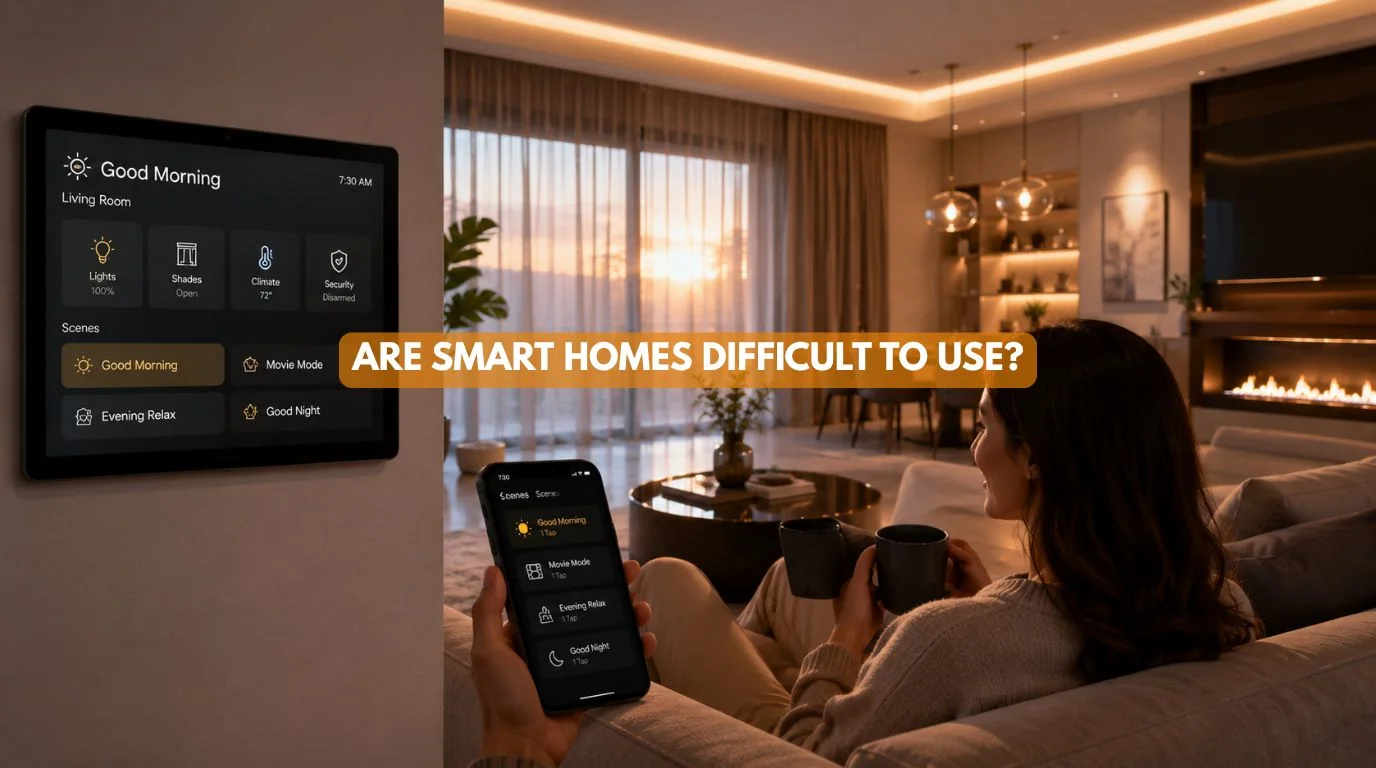
Smart home technology can look complicated from the outside.
Smart homes offer endless options from lighting, security, and climate control to motorized curtains, voice apps, and custom scenes. So it’s completely reasonable to ask:
Are Smart Homes Difficult to Use?
No, not when you design them properly.
In fact, the purpose of smart home automation is to make everyday tasks easier, not to give homeowners another complicated smart home system to manage.
A poorly planned smart home can certainly become frustrating. Clunky apps, spotty Wi-Fi, and mismatched devices turn what should be a smart home into a frustrating headache. A professionally designed system should do the opposite. It should allow you to control your home using familiar methods such as:
- Physical switches
- Smartphone apps
- Touch panels
- Remote controls
- Voice commands
- Sensors
- Automatic schedules
- One-touch scenes
At Techtastic, smart home automation systems are designed around the homeowner’s lifestyle and routines rather than simply installing as many connected devices as possible.
So, if you’re wondering Are Smart Homes Difficult to Use?, the more useful question is:
How well has the smart home been designed for the people who live in it?
Quick Answer
Are Smart Homes Difficult to Use? – Smart homes are generally easy to use when the system is properly designed, installed, and programmed. Users can operate automation through familiar wall switches, smartphone apps, touch panels, voice commands, schedules, and automated scenes. Complexity usually comes from poorly integrated devices, too many apps, confusing controls, unreliable networks, or excessive automation—not from smart home technology itself.
Quick Summary
Are Smart Homes Difficult to Use? – Generally, no. A well-designed smart home simplifies your daily routine by pulling lighting, curtains, security, and climate into seamless, single-tap controls.
- Simple controls can replace multiple remotes
- Automation reduces repetitive tasks
- Voice control can make everyday operation easier
- Physical switches can remain available
- Scenes can control multiple smart home devices at once
- Professional programming reduces complexity
- Good networking improves reliability
- The system should be designed around the homeowner
The best smart home is one you barely have to think about.
Are Smart Homes Difficult to Use?
The technology behind a smart home can be sophisticated. But using a smart home doesn’t have to be.
Think about a modern car. A modern car may contain:
- Dozens of electronic systems
- Sensors
- Cameras
- Computers
- Navigation
- Driver-assistance technology
Yet you don’t need to understand how those systems work to drive it.
Smart homes should follow the same principle. The homeowner shouldn’t need to understand:
- Communication protocols
- Automation controllers
- Network architecture
- Programming logic
- Sensors
- Actuators
They should simply be able to say: “Turn off the lights.”
Or press: “Good Night.”
And let the system handle everything else.
Why Do Smart Homes Sometimes Feel Complicated?
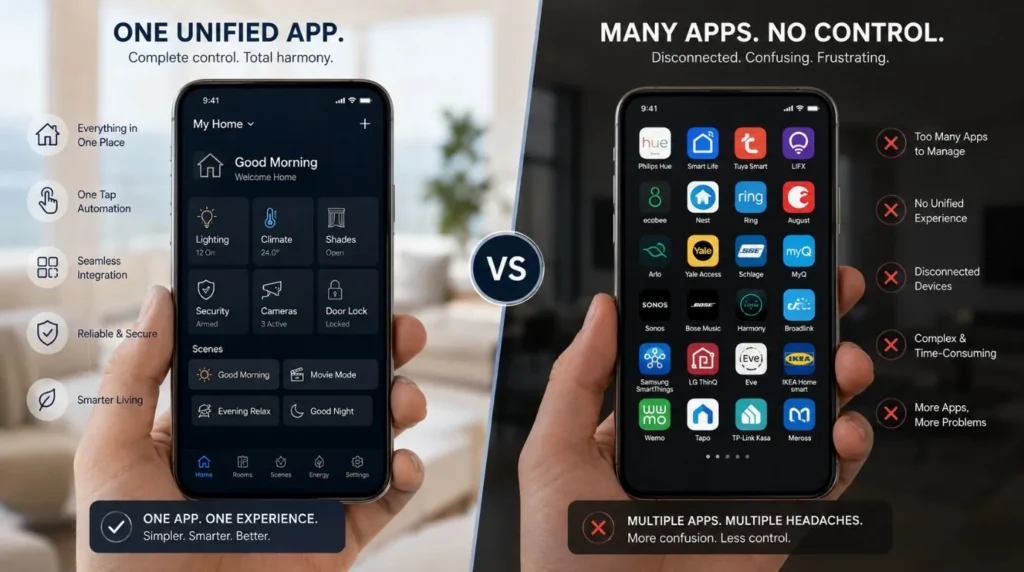
If you’re wondering are smart homes difficult to use, when people ask are smart homes difficult to use, they’re often reacting to poorly integrated consumer devices. For example, imagine having:
- One app for lighting
- One app for curtains
- One app for security
- One app for AC
- One app for entertainment
- One app for smart locks
Each device might work perfectly on its own. But together, the experience becomes inconvenient. This is why integration matters more than the number of smart devices.
A professionally designed system aims to consolidate controls wherever practical.
How Smart Home Controls Work
A smart home can offer several different control methods.
Physical Switches
Smart automation doesn’t mean you have to stop using switches. A well-designed system can retain familiar physical controls.
For example:
Press once → Lights ON
Press again → Lights OFF
Or a programmable keypad can activate Movie Mode with one button.
Smartphone Control
Your smartphone gives you total remote control over every system, whether you’re relaxing on the couch or away from home. You might be able to control:
- Lights
- Curtains
- Security
- Climate
- Entertainment
from a single platform, depending on the automation architecture.
Touch Panels
Luxury homes may use wall-mounted touch panels or centralized control screens. These can provide an easy visual interface for:
- Lighting
- Curtains
- HVAC
- Security
- Scenes
Are Smart Home Apps Difficult to Use?
Usually not.
The difficulty depends on how well you configure the system. A good app should make common tasks obvious.
For example:
Living Room
- Lights
- Curtains
- AC
- TV
Instead of forcing the homeowner to navigate through complicated technical settings. The homeowner should rarely need to change technical configurations. That’s the installer’s responsibility.
Is Voice Control Easy?
If you’re wondering are smart homes difficult to use, voice control can be one of the easiest ways to interact with a smart home. Commands might include:
“Turn off the living room lights.”
“Close the bedroom curtains.”
“Set the AC to 24 degrees.”
“Activate movie mode.”
However, voice control should be considered one interface, not the entire smart home. A good system should still provide physical controls and app-based access.
What Are Smart Scenes?
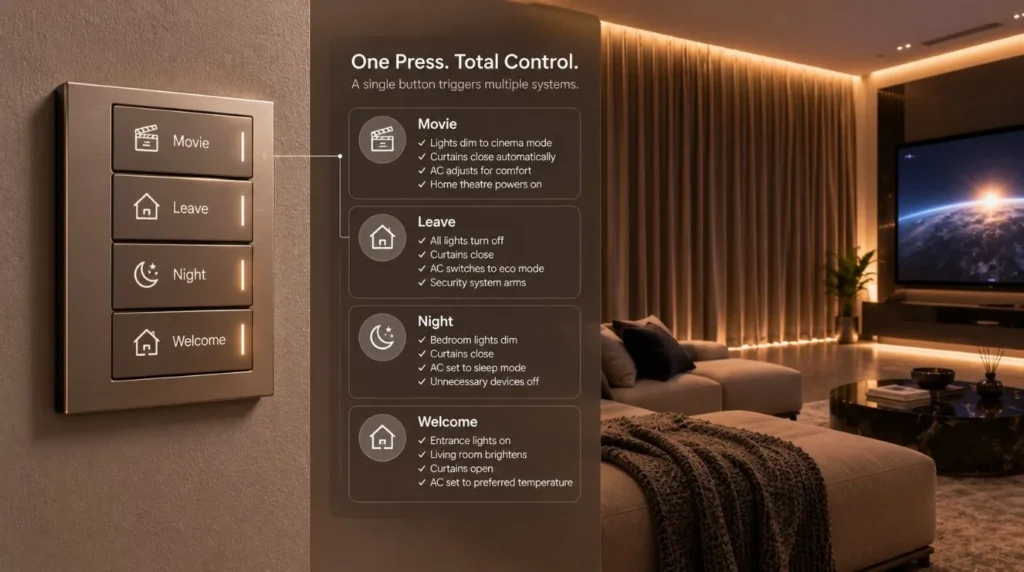
Smart scenes are one of the biggest reasons are smart homes difficult to use; they often have a surprisingly simple answer. Instead of controlling individual devices, a scene lets you control multiple systems at once.
Good Morning
- Curtains open
- Lights brighten
- AC adjusts
- Selected appliances activate
Leaving Home
- Lights turn off
- Doors lock
- Security activates
- Selected appliances switch off
Movie Mode
- Curtains close
- Lights dim
- Projector activates
- Audio starts
Good Night
- Lights switch off
- Curtains close
- Security arms
- Climate changes
One command replaces several individual actions. That’s the real value of automation.
Are Smart Homes Difficult to Use For Older Family Members?
Yes. In fact, ease of use should be one of the most important design considerations for multi-generational homes. Not everyone wants to use a smartphone. A good smart home can provide:
- Traditional-style switches
- Simple keypads
- Large touch controls
- Voice commands
- Automatic routines
The technology should adapt to the users and not force every user to adapt to the technology.
Are Smart Homes Difficult to Use for Children?
You should configure smart home controls according to your family’s needs. For example, children may have access to:
- Bedroom lighting
- Basic curtains
- Entertainment controls
while sensitive functions such as:
- Security
- Door locks
- Surveillance
- Certain automation settings
can remain restricted.
User permissions can be an important part of a professionally configured system.
What Happens If the Internet Stops Working?
This is one of the most important usability questions. Not every smart home works in the same way during an internet outage. Some cloud-dependent devices may lose remote functionality. Other systems can continue operating locally. This is one reason architecture matters.
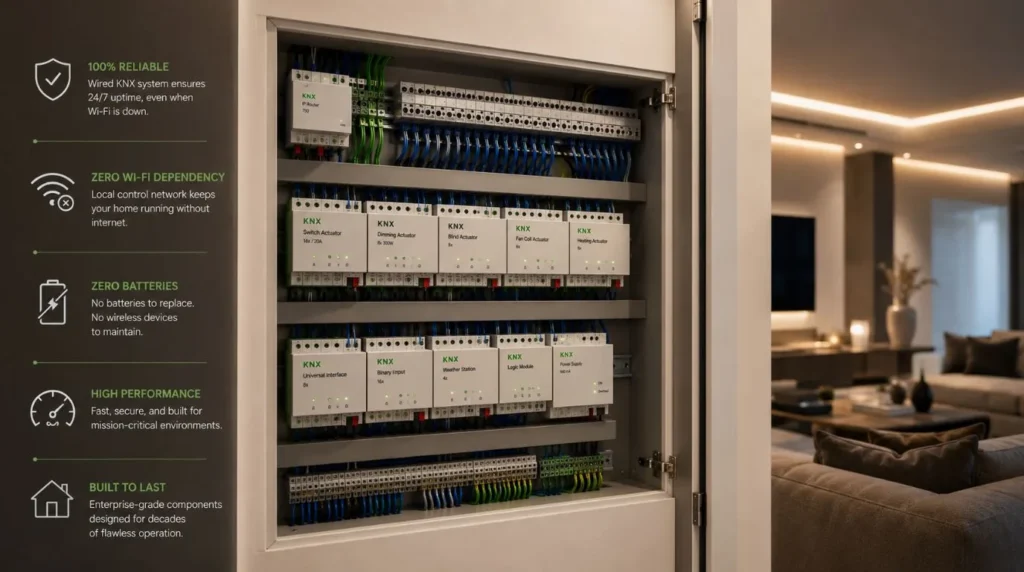
For larger homes, professionally designed wired systems like KNX run critical controls locally, ensuring reliability even when the internet goes down. So when asking “are smart homes difficult to use?”, evaluate reliability right alongside usability.
A system that’s easy to operate but constantly offline isn’t a good smart home.
Wireless vs Wired Smart Home Usability
| Feature | Wireless Smart Home | Wired / KNX Smart Home |
|---|
| Initial Setup | Generally easier | More involved |
| Existing Homes | Excellent | More difficult |
| New Construction | Good | Excellent |
| Physical Controls | Available | Excellent |
| Smartphone Control | Yes | Yes |
| Voice Control | Usually available | Available through compatible integration |
| Battery Maintenance | Possible | Lower for wired devices |
| Network Dependence | Can be higher | Can be lower for core functions |
| Scalability | Good | Excellent |
| Best For | Retrofits & smaller projects | New luxury homes & larger systems |
Wireless automation can be easy to use, particularly in existing homes. Wired systems may require more planning during installation but can provide a highly structured foundation for larger projects.
Common Smart Home Usability Problems
When discussing are smart homes difficult to use, it’s important to understand what actually creates frustration.
Too Many Apps
The homeowner has to remember which app controls which device.
Solution:
Use an integrated platform wherever possible.
Too Many Controls
A wall can become crowded with switches and controllers.
Solution:
Use scenes and multifunction keypads.
Complicated Automation
The system does things the homeowner doesn’t expect.
Solution:
Design automation around real routines and provide manual overrides.
Poor Network Performance
Commands take too long or devices appear offline.
Solution:
Design the network properly.
No Manual Backup
A homeowner may feel trapped if a smart feature stops working.
Solution:
Retain intuitive manual controls for important functions.
Over-Automation
Not everything needs to be automated. Sometimes homeowners simply want a normal switch.
Solution:
Automate repetitive tasks while preserving user choice.
How to Make a Smart Home Easier to Use
If you’re still asking are smart homes difficult to use, these design principles can make a significant difference.
1. Automate Repetitive Tasks
If you perform the same action every day, consider automating it.
2. Keep Controls Consistent
Similar functions should behave similarly throughout the home.
3. Use Scenes
One button is better than five separate commands.
4. Keep Manual Controls
Smart doesn’t have to mean “automatic all the time.”
5. Avoid Unnecessary Technology
Don’t automate something simply because you can.
6. Choose a Scalable Architecture
Plan for future additions.
7. Provide User Training
A short handover session can make a major difference.
Representative Example: A Simple Smart Home Experience
Illustrative Example: This scenario demonstrates how a professionally designed system could simplify everyday living. This is not presented as a specific Techtastic client project.
Consider a luxury 4 BHK apartment. The homeowner wants:
- Lighting automation
- Motorized curtains
- Security
- Climate control
- Home theatre
Instead of installing separate controls everywhere, the system is organized around a few simple scenes.
Morning
One schedule: Curtains open → Lights brighten → Climate adjusts
Leaving
One button: Lights off → Curtains close → Security activates
Movie
One button: Curtains close → Lights dim → Theatre starts
Night
One button: Lights off → Curtains close → Security arms
The underlying technology may be complex. The user experience isn’t. That’s exactly how a good smart home should work.
Smart Home Ease-of-Use Checklist
Before choosing an automation system, ask:
| Question | What You Want |
|---|
| Can I control essential functions manually? | Yes |
| Can multiple systems work together? | Yes |
| Can I create scenes? | Yes |
| Is there a simple mobile interface? | Yes |
| Can family members use it easily? | Yes |
| Can I control important functions if the internet fails? | Ideally |
| Can the system expand later? | Yes |
| Is professional support available? | Yes |
If the answer is “yes” to most of these, you’re likely looking at a well-designed system.
How Difficult Is a Smart Home to Learn?
For most homeowners, the learning curve should be relatively small. You don’t need to learn the underlying technology. The installer should explain:
- How to operate the main controls
- How scenes work
- How to use the app
- How voice commands work
- How to manually override automation
- What to do if something doesn’t respond
The objective is to make the homeowner comfortable before handover.
What About Guests?
A good smart home should also be usable by people who don’t understand the automation system. For example, a guest shouldn’t need a tutorial to turn on a bedroom light. This is another reason physical controls remain important.
The most successful smart homes combine: Automation + Simplicity + Familiar Controls
Our Recommendation
So, Are Smart Homes Difficult to Use? They shouldn’t be.
If a smart home forces you to constantly troubleshoot devices, juggle apps, or memorize technical commands, it wasn’t designed with you in mind. The best automation is often invisible.
Your curtains open when you expect them to. Your lights respond when you enter. Your home theatre starts with one command. Your security activates when you leave. You don’t think about the technology. You simply use your home.
At Techtastic, the goal is to create exactly that type of experience: sophisticated technology underneath, simple interaction on top.
Key Takeaways: Are Smart Homes Difficult to Use?
- Not when professionals properly design and program them.
- Smart homes should simplify repetitive tasks rather than add complexity.
- Physical switches, apps, touch panels, voice control, and automation scenes can work together.
- Scenes are one of the easiest ways to simplify multiple actions.
- Older family members and guests should be considered during system design.
- Good networking and reliable infrastructure are essential.
- You don’t need to automate every function.
- Professional programming and user training can significantly improve the experience.
- The best smart home is one that feels intuitive rather than technical.
Frequently Asked Questions: Are Smart Homes Difficult to Use?
1. Are Smart Homes Difficult to Use?
No. A well-designed smart home simplifies life by automating repetitive tasks and streamlining all your controls into one place.
2. Do I need to be good with technology to use a smart home?
No. Users generally don’t need to understand how the underlying automation system works. The controls should be designed around everyday actions.
3. Are smart home apps complicated?
They don’t have to be. A professionally configured system should present commonly used functions clearly and avoid unnecessary technical settings.
4. Can I still use normal switches in a smart home?
Yes. Smart automation can retain familiar physical controls while adding automation, scheduling, app control, and scenes.
5. Is voice control necessary?
No. Voice control is optional. You can use physical switches, touch panels, apps, sensors, and automated scenes.
6. Can older people use smart homes?
Yes. Simple keypads, conventional-style switches, automatic scenes, and voice commands can make smart homes accessible to different generations.
7. What happens if Wi-Fi stops working?
The result depends on the system architecture. Cloud-dependent devices may lose some functionality, while properly designed local or wired automation can continue operating critical functions.
8. Can smart homes be too automated?
Yes. Over-automation can become frustrating if the system makes decisions users don’t want. Good design provides automation while preserving manual control.
9. Is KNX difficult for homeowners to use?
The underlying KNX technology can be sophisticated, but homeowners don’t need to interact with its technical layer. The user interface can be designed to be simple and intuitive.
10. Should I hire a professional smart home installer?
For a few standalone devices, professional installation may not be necessary. Professional design and setup make complex systems—from luxury villa setups to full-home KNX, HVAC, and AV integration—effortless to use.
Collaboration Opportunities for Architects & Interior Designers
Smart home usability should be considered during the architectural and interior design stage. Techtastic works with:
- Architects
- Interior Designers
- Builders
- Developers
- Luxury Villa Developers
- Project Management Consultants
Collaboration can include:
- Smart Home Planning
- KNX System Design
- Smart Lighting
- Motorized Curtains
- HVAC Integration
- Smart Security
- Home Theatre Automation
- Networking
- Technical Drawings
- Programming
- Testing & Commissioning
Early coordination ensures that smart controls fit naturally into the interior rather than becoming an afterthought.
Areas We Serve
Techtastic provides premium smart home automation solutions across:
- Mumbai
- Navi Mumbai
- Pune
- Lonavala
- Nashik
- Sangli
Whether you’re designing a luxury villa, premium apartment, farmhouse, or high-end residential development, early automation planning can help create a cleaner and more sophisticated result.
Ready for a Smart Home That’s Actually Easy to Use?
If you’re asking, “Are Smart Homes Difficult to Use?” the answer largely depends on how engineers design the system. The technology can be sophisticated behind the scenes while the homeowner experience remains remarkably simple.
At Techtastic, we design automation around your lifestyle, routines, property, and preferred way of controlling your home. From smart lighting and motorized curtains to KNX automation, security, climate control, and home theatre, the goal is always the same: Make the technology disappear and let the experience take over.
Talk to Techtastic about designing a smart home that’s powerful behind the scenes and simple to use every day.
Contact Techtastic
Website: Techtastic Website
Call / WhatsApp: 9769145145
Service Areas: Navi Mumbai • Nashik • Lonavla • Sangli