
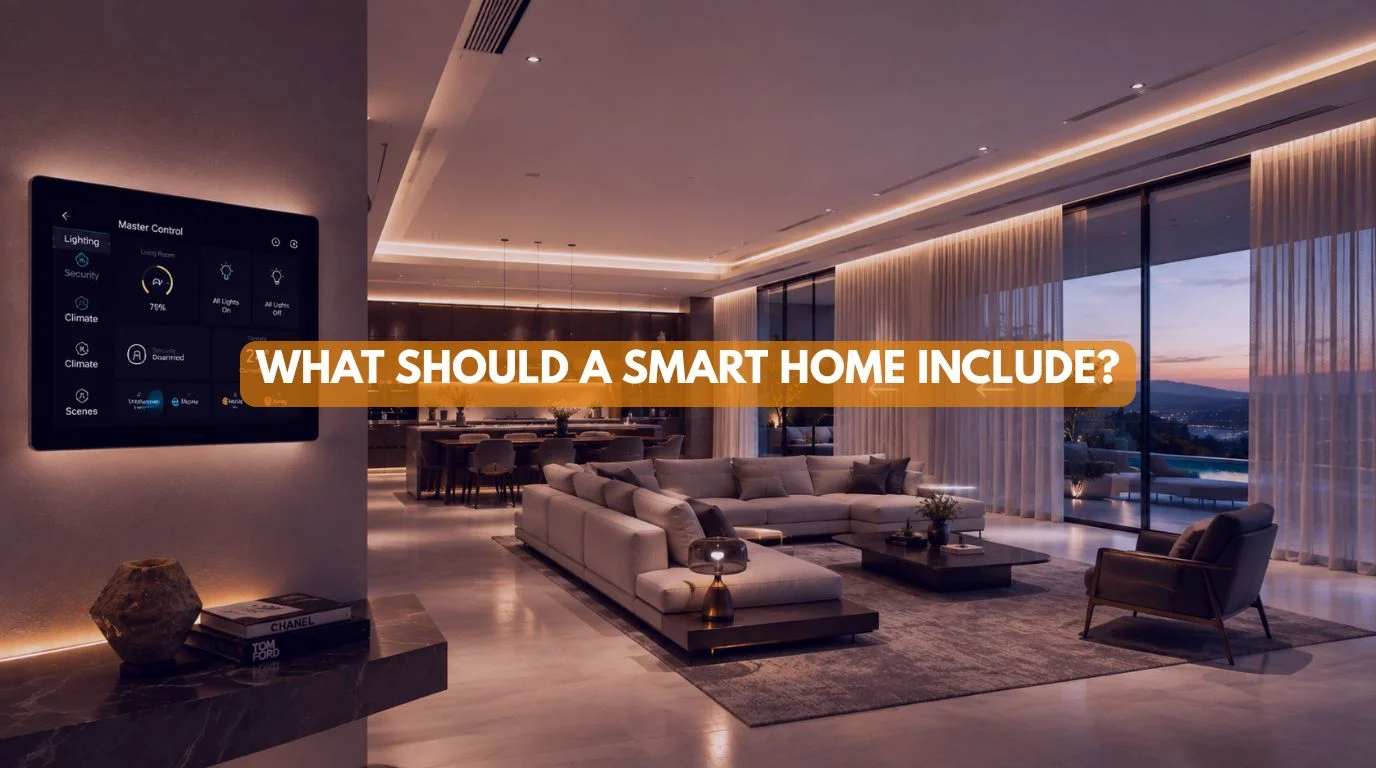
If you’re building a new home or upgrading your existing one, one of the first questions you’ll probably ask is: What should a Smart Home Include?
With hundreds of smart devices available today, it’s easy to become overwhelmed. Smart lights, motorized curtains, home theaters, voice assistants, security cameras, Wi-Fi systems, smart locks, climate control, and energy monitoring can help. But which ones are truly essential?
You don’t build a truly intelligent home by adding random gadgets. Instead, you create it by integrating carefully planned systems that work together seamlessly.
At Techtastic, we design smart homes for luxury villas, premium apartments, and independent houses. We also design smart solutions for commercial spaces across Mumbai, Navi Mumbai, Pune, Lonavala, Nashik, and Sangli. One of the most common questions we receive is “What should a Smart Home Include?”
Our answer always begins with understanding the people who will live in the home—not just the technology itself.
In this guide, we’ll explain what should a smart home include, which automation systems provide the greatest everyday value, and how to build a smart home that’s reliable, scalable, and future-ready.
Quick Answer
A well-designed smart home should include smart lighting and motorized curtains. It should also include enterprise Wi-Fi and smart home security. Include climate control, structured networking, and home entertainment. Add voice control and a scalable automation platform, such as KNX.
More importantly, these systems should work together through one integrated ecosystem rather than operating as separate devices.
Quick Summary
✔ Smart lighting is the foundation of every smart home.
✔ Motorized curtains improve comfort and energy efficiency.
✔ Enterprise Wi-Fi powers the entire ecosystem.
✔ Smart security protects your home.
✔ Climate automation improves comfort.
✔ KNX enables long-term scalability and a positive ROI.
Why Planning Is More Important Than Buying Gadgets
Before answering what should a smart home include, it’s important to understand one fundamental principle. System integration defines a smart home—not device count. What matters is how well those devices work together. Many homeowners purchase:
- Smart bulbs
- Smart plugs
- Wi-Fi cameras
- Smart speakers
These devices may work individually, but they rarely create the seamless experience of a professionally integrated smart home. The best smart homes begin with thoughtful planning, allowing every system to communicate through one intelligent automation platform.
What Should a Smart Home Include?
Although every home is unique, most professionally designed smart homes include key systems that add daily value. Let’s explore each one.
1. Smart Lighting Control
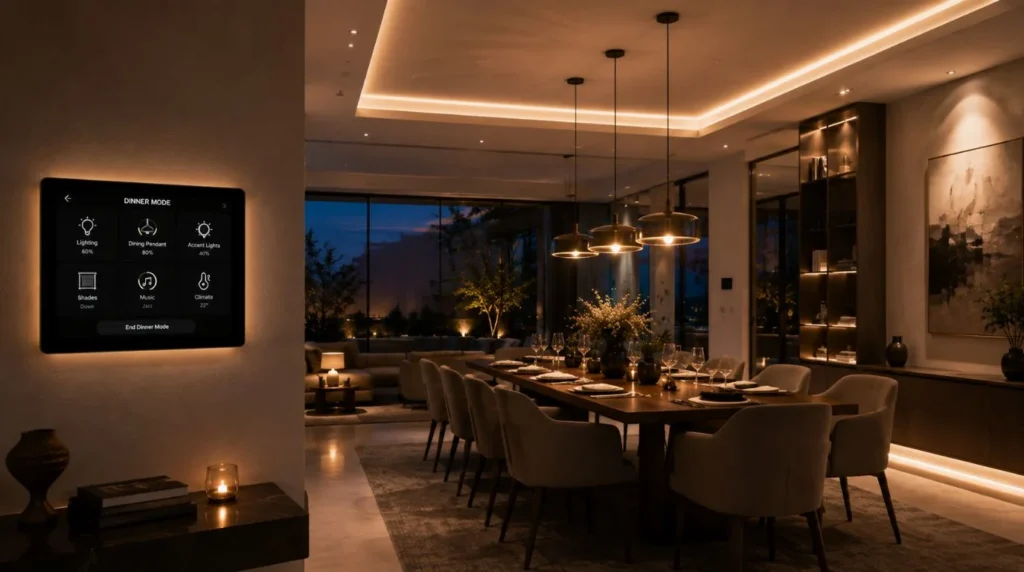
When homeowners ask what should a smart home include, lighting automation is always at the top of our list.
Lighting is the most frequently used system in any home. Smart lighting allows you to:
- Turn lights on or off remotely
- Dim lights automatically
- Create lighting scenes
- Schedule lights
- Use motion sensors
- Control lighting through voice assistants
Examples include:
Good Morning
Lights brighten gradually as curtains open.
Movie Mode
Lights dim while curtains close automatically.
Good Night
All unnecessary lights switch off with a single command.
Lighting automation improves convenience, energy efficiency, and ambience every day.
2. Motorized Curtains
Motorized curtains are one of the most popular smart home upgrades because they’re used multiple times each day. Benefits include:
- Automatic opening
- Automatic closing
- Privacy
- Better insulation
- Natural wake-up routines
- Voice control
- Luxury aesthetics
Motorized curtains also integrate beautifully with lighting and climate control scenes.
3. Smart Security
Security remains one of the strongest reasons homeowners invest in automation. A modern smart security system may include:
- CCTV cameras
- Video door phone
- Smart door lock
- Motion sensors
- Door sensors
- Intrusion alerts
- Remote monitoring
Everything can be monitored and controlled from a smartphone.
4. Enterprise Wi-Fi & Networking
One feature homeowners often overlook when asking what should a smart home include is networking. Without a reliable network, even the best smart home devices cannot perform consistently.
A professional smart home should include:
- Enterprise Wi-Fi
- Structured cabling
- Network switches
- Wireless access points
- Secure connectivity
Strong networking ensures every smart device communicates reliably.
5. Climate Control Automation
Smart climate control automatically manages:
- Air conditioning
- Heating (where applicable)
- Ventilation
- Temperature schedules
Benefits include:
- Better comfort
- Improved energy efficiency
- Reduced manual adjustments
Climate automation becomes even more powerful when combined with motorized curtains and occupancy sensors.
6. Smart Entertainment
Entertainment automation creates a premium living experience. Common systems include:
- Home theatre
- Multi-room audio
- Smart televisions
- Streaming integration
Popular scenes include:
Movie Mode
- Curtains close
- Lights dim
- Projector turns on
- AV receiver starts
- Air conditioning adjusts
Everything happens with one touch.
7. Voice Control
Although voice assistants aren’t essential, they improve convenience. Popular platforms include:
- Amazon Alexa
- Google Assistant
- Apple Home
Voice control allows homeowners to operate lighting, curtains, entertainment, and security without reaching for a switch.
8. KNX Automation Platform
If you’re building a premium home, KNX remains one of the most reliable smart home standards. Advantages include:
- Vendor independence
- Exceptional reliability
- Long product lifecycle
- Scalability
- Professional integration
Rather than controlling isolated devices, KNX connects the entire home into one intelligent system.
Smart Home Essentials Checklist
If you’re wondering what should a smart home include, use this simple essentials checklist.
| Feature | Essential | Luxury Upgrade |
|---|---|---|
| Smart Lighting | ✅ | ⭐ |
| Motorized Curtains | ✅ | ⭐ |
| Smart Security | ✅ | ⭐ |
| Enterprise Wi-Fi | ✅ | ⭐ |
| Structured Cabling | ✅ | ⭐ |
| Climate Automation | ⭐ | ✅ |
| Home Theatre | ⭐ | ✅ |
| Multi-room Audio | ⭐ | ✅ |
| Voice Control | ⭐ | ✅ |
| KNX Platform | ⭐ | ✅ |
Room-by-Room Smart Home Checklist
Different rooms require different automation priorities.
| Room | Recommended Smart Features |
|---|---|
| Living Room | Lighting, Curtains, Home Theatre |
| Master Bedroom | Lighting, Curtains, Climate Control |
| Kitchen | Lighting, Motion Sensors |
| Bathroom | Motion Lighting, Exhaust Automation |
| Home Office | Lighting, Smart Blinds, Networking |
| Dining Room | Scene Lighting |
| Home Theatre | Lighting, Curtains, AV Automation |
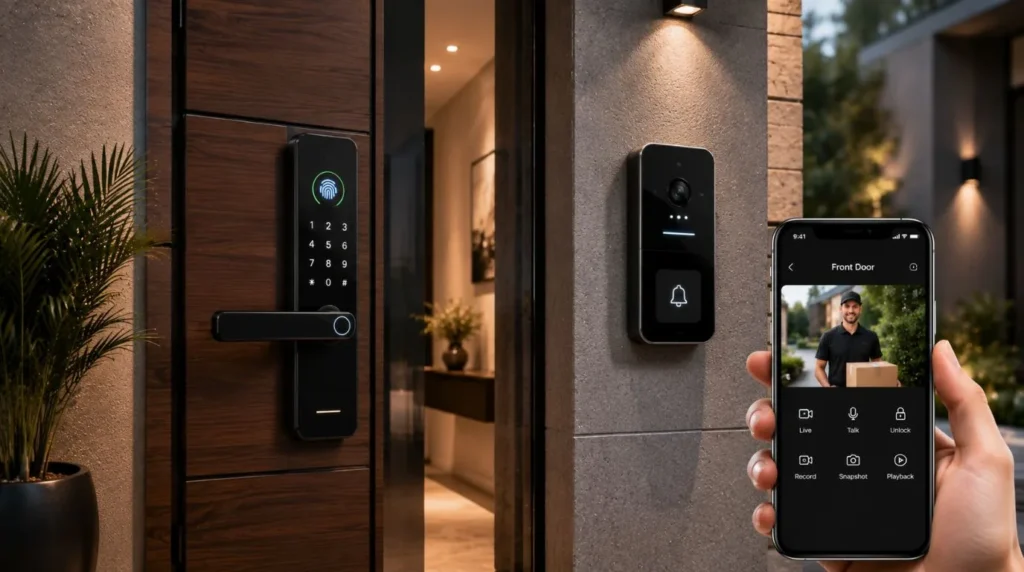
| Entrance | Smart Lock, Video Door Phone |
| Garden | Landscape Lighting |
| Garage | Smart Garage Door |
Infrastructure: What Should a Smart Home Include
When homeowners ask what should a smart home include, they often focus only on visible devices. However, builders hide the most important components behind the scenes.
Every future-ready smart home should include:
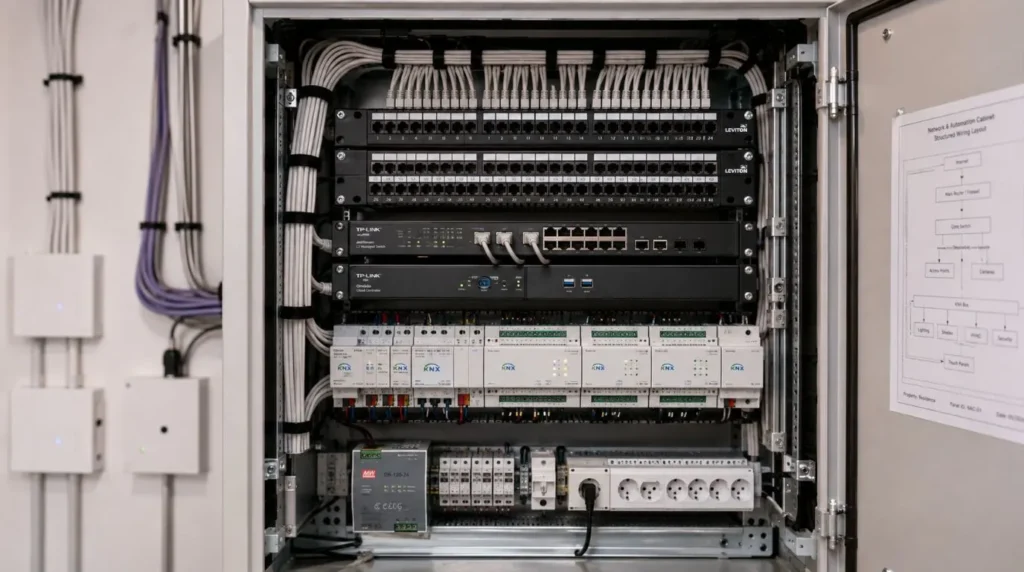
Structured Cabling
Supports:
- Networking
- CCTV
- Smart TVs
- Access Points
- Automation Controllers
Dedicated Automation Panels
Allows:
- Easier maintenance
- Future upgrades
- Cleaner electrical layouts
Extra Conduits
Provides space for future technology without breaking finished walls.
Enterprise Networking
Ensures every smart device performs reliably.
Infrastructure is the foundation of every successful smart home.
Must-Have vs Nice-to-Have Features
| Must-Have | Nice-to-Have |
|---|---|
| Smart Lighting | Multi-room Audio |
| Enterprise Wi-Fi | Landscape Automation |
| Motorized Curtains | Pool Automation |
| Smart Security | EV Charging Automation |
| Structured Cabling | Water Feature Automation |
| Voice Control | Outdoor Entertainment |
This prioritization helps homeowners allocate budgets effectively while keeping their homes ready for future upgrades.
Should You Install Everything at Once?
Not necessarily. At Techtastic, we usually recommend building the infrastructure first. Then, you can add automation in phases.
Phase One
- Networking
- Lighting
- Motorized Curtains
- Security
Phase Two
- Climate Control
- Home Theatre
- Audio
Phase Three
- Energy Monitoring
- Landscape Automation
- Solar Integration
- EV Charging
This phased approach keeps costs manageable while ensuring long-term flexibility.
Representative Project Example: Designing a Complete Smart Home
Representative Example: The following example reflects the type of smart home projects Techtastic commonly designs. This example shows how we build a professionally planned smart home—it does not describe a specific client.
A family building a premium 6 BHK villa approached Techtastic with a straightforward question:
“What Should a Smart Home Include? We don’t want unnecessary gadgets—we want a home that’s comfortable today and ready for the future.”
Rather than beginning with products, we started with lifestyle. The family wanted:
- Better everyday convenience
- Improved security
- Luxury interiors
- Energy efficiency
- Simple operation
- Future scalability
Instead of recommending dozens of individual smart devices, we designed one connected ecosystem.
Phase One – Building the Foundation
Before installing any smart devices, we planned the home’s infrastructure.
This included:
- KNX-ready electrical planning
- Structured CAT6 networking
- Enterprise Wi-Fi
- Automation control panels
- Extra conduits for future upgrades
This invisible infrastructure became the backbone of the entire smart home.
Phase Two – Everyday Smart Living
The first automation features included:
- Smart lighting
- Motorized curtains
- Smart door lock
- Video door phone
- CCTV
- Voice assistants
These systems became part of the family’s everyday routine from the moment they moved in.
Phase Three – Lifestyle Automation
After settling into the home, they expanded with:
- Home theatre automation
- Multi-room audio
- Climate control
- Landscape lighting
- Energy monitoring
Because the infrastructure had already been planned, each new feature integrated seamlessly without major renovation.
The Result
Instead of filling the home with separate smart gadgets, the family built an intelligent home. Every system worked together.
This project demonstrates how we build a smart home around people, routines, and long-term flexibility rather than individual devices.
Interactive “Build Your Smart Home” Checklist
If you’re planning your own project and wondering what should a smart home include, use this simple checklist.
Step 1: Lighting
Do you want:
- One-touch lighting scenes?
- Automatic dimming?
- Motion-controlled lighting?
- Voice-controlled lighting?
✅ If yes, smart lighting should be one of your first investments.
Step 2: Curtains
Would you like:
- Automatic sunrise opening?
- Automatic sunset closing?
- Voice control?
- Better privacy?
- Improved energy efficiency?
✅ If yes, include motorized curtains in your plan.
Step 3: Security
Do you need:
- Smart locks?
- CCTV?
- Video door phone?
- Remote monitoring?
- Mobile alerts?
✅ If yes, integrated smart security is essential.
Step 4: Comfort
Would you like your home to automatically manage:
- Air conditioning?
- Lighting?
- Curtains?
- Entertainment?
✅ Climate automation should be part of your system.
Step 5: Entertainment
Do you want:
- Home theatre?
- Multi-room music?
- One-touch Movie Mode?
✅ Entertainment automation can significantly improve the living experience.
Must-Have vs Nice-to-Have Decision Matrix
Still deciding what should a smart home include? Use this simple prioritization guide.
| Feature | Priority |
|---|---|
| Smart Lighting | ✅ Must Have |
| Enterprise Wi-Fi | ✅ Must Have |
| Structured Cabling | ✅ Must Have |
| Smart Security | ✅ Must Have |
| Motorized Curtains | ✅ Must Have |
| KNX Automation | ⭐ Highly Recommended |
| Climate Automation | ⭐ Highly Recommended |
| Home Theatre | ⭐ Lifestyle Upgrade |
| Multi-room Audio | ⭐ Lifestyle Upgrade |
| Landscape Automation | ⭐ Premium Upgrade |
| Energy Monitoring | ⭐ Premium Upgrade |
| EV Charging Integration | ⭐ Future Upgrade |
Common Smart Home Planning Mistakes
When homeowners ask what should a smart home include, they often focus on buying devices instead of creating a complete automation strategy. Avoid these common mistakes.
Buying Random Smart Devices
Purchasing individual gadgets from different brands often leads to:
- Multiple mobile apps
- Limited compatibility
- Poor user experience
- Difficult maintenance
An integrated ecosystem is far easier to manage.
Ignoring Infrastructure
A smart home is only as reliable as its foundation. Always plan:
- Structured cabling
- Enterprise networking
- Electrical layouts
- Automation panels
before interiors are completed.
Planning Automation Too Late
One of the biggest mistakes is adding automation after construction. This often results in:
- Visible wiring
- Additional labour
- Higher installation costs
- Design compromises
Planning during construction is usually the most efficient approach.
Choosing Based Only on Price
The cheapest automation products aren’t always the best long-term investment. Instead, compare:
- Reliability
- Warranty
- Integration
- Professional support
- Expandability
Forgetting Future Expansion
Technology evolves rapidly. A professionally designed smart home should allow you to add:
- Solar monitoring
- EV charging
- Garden automation
- Additional rooms
- New entertainment systems
without replacing the original infrastructure.
Future-Proofing Your Smart Home
One of the best answers to what should a smart home include is future-ready planning.
Instead of thinking only about today’s needs, ask:
“What technology might I want five or ten years from now?”
Future-ready homes typically include:
- KNX-compatible infrastructure
- Structured networking
- Additional conduits
- Modular automation panels
- Enterprise Wi-Fi
- Scalable controllers
These choices make future upgrades easier and more cost-effective.
Our Recommendation
At Techtastic, we believe a smart home should simplify life—not complicate it.
When homeowners ask what should a smart home include, we recommend focusing on systems that improve everyday living while providing flexibility for future technology. For most homes, the ideal starting point includes:
- Smart lighting
- Motorized curtains
- Smart security
- Enterprise Wi-Fi
- Structured cabling
- Climate control
- Voice control
- KNX automation
These features create a connected home that remains reliable, scalable, and enjoyable for years to come.
Key Takeaways on What Should a Smart Home Include
- A complete smart home should combine lighting, curtains, security, networking, entertainment, and climate control into one integrated system.
- Infrastructure is just as important as visible smart devices.
- Smart lighting and motorized curtains provide some of the highest everyday value.
- Enterprise networking is the foundation of reliable automation.
- KNX automation offers outstanding scalability for premium homes.
- Planning automation during construction reduces costs and improves aesthetics.
- A phased implementation strategy helps manage budgets while keeping your home future-ready.
Frequently Asked Questions
1. What should a smart home include?
A well-designed smart home should include smart lighting and motorized curtains. It should also include smart security and enterprise Wi-Fi. Add structured cabling, climate control, and entertainment automation. Use a scalable automation platform, such as KNX.
2. What is the most important feature in a smart home?
Homeowners often consider lighting automation the foundation because they use it daily and connect it with many other systems.
3. Is structured cabling necessary?
Yes. Structured cabling improves reliability, supports future expansion, and provides the backbone for networking, CCTV, entertainment, and automation systems.
4. Should I install smart home automation during construction?
Yes. Planning during construction allows concealed wiring, cleaner interiors, and lower installation costs compared to retrofitting.
5. Is KNX worth considering?
For premium homes and new construction, KNX offers excellent reliability, scalability, and long-term flexibility.
6. Can I add smart home features later?
Yes. Many homeowners install the infrastructure first and expand their automation system in phases.
7. Do I need enterprise Wi-Fi?
A reliable network is essential for consistent performance across all connected smart home devices.
8. Which rooms should homeowners automate first?
Living rooms, master bedrooms, entrances, and entertainment spaces often provide the greatest everyday benefits from automation.
9. Is voice control essential?
No. Voice assistants are convenient but should complement—not replace—wall switches, touch panels, and automation scenes.
10. Why should I hire a professional smart home integrator?
A professional integrator designs a complete ecosystem tailored to your lifestyle, ensuring seamless operation, scalability, and long-term support.
Collaboration Opportunities for Developers, Architects & Interior Designers
The most successful smart homes are created through early collaboration.
At Techtastic, we work closely with:
- Architects
- Interior Designers
- Builders
- Developers
- Project Management Consultants (PMC)
- Luxury Villa Developers
Our services include:
- Smart Home Planning
- KNX System Design
- Lighting Automation
- Motorized Curtain Integration
- Enterprise Networking
- Smart Security
- Home Theatre Design
- Technical Drawings
- Project Commissioning
By adding automation during the design stage, we help create homes that look great. They work well. They are also ready for future technology.
Areas We Serve
Techtastic proudly designs and installs premium smart home automation systems across:
- Mumbai
- Navi Mumbai
- Pune
- Lonavala
- Nashik
- Sangli
Whether you’re building a new luxury villa or renovating your home, our team can help. We design a smart home that fits your lifestyle and budget.
Ready to Build Your Smart Home?
Understanding what should a smart home include is the first step toward creating a home that’s comfortable, secure, efficient, and future-ready.
At Techtastic, we don’t just install smart devices. We design full automation systems that improve daily life. We stay flexible and can grow with your needs. Whether you are planning one room or a luxury home, our experts can help. They will help you choose the right smart home technology, infrastructure, and automation.
Book your consultation today and let Techtastic design your future-ready smart home system.
Contact Techtastic
🌐 Website: Techtastic Website
📞 Phone: 9769145145
📍 Service Areas: Mumbai • Navi Mumbai • Lonavala • Nashik • Sangli