
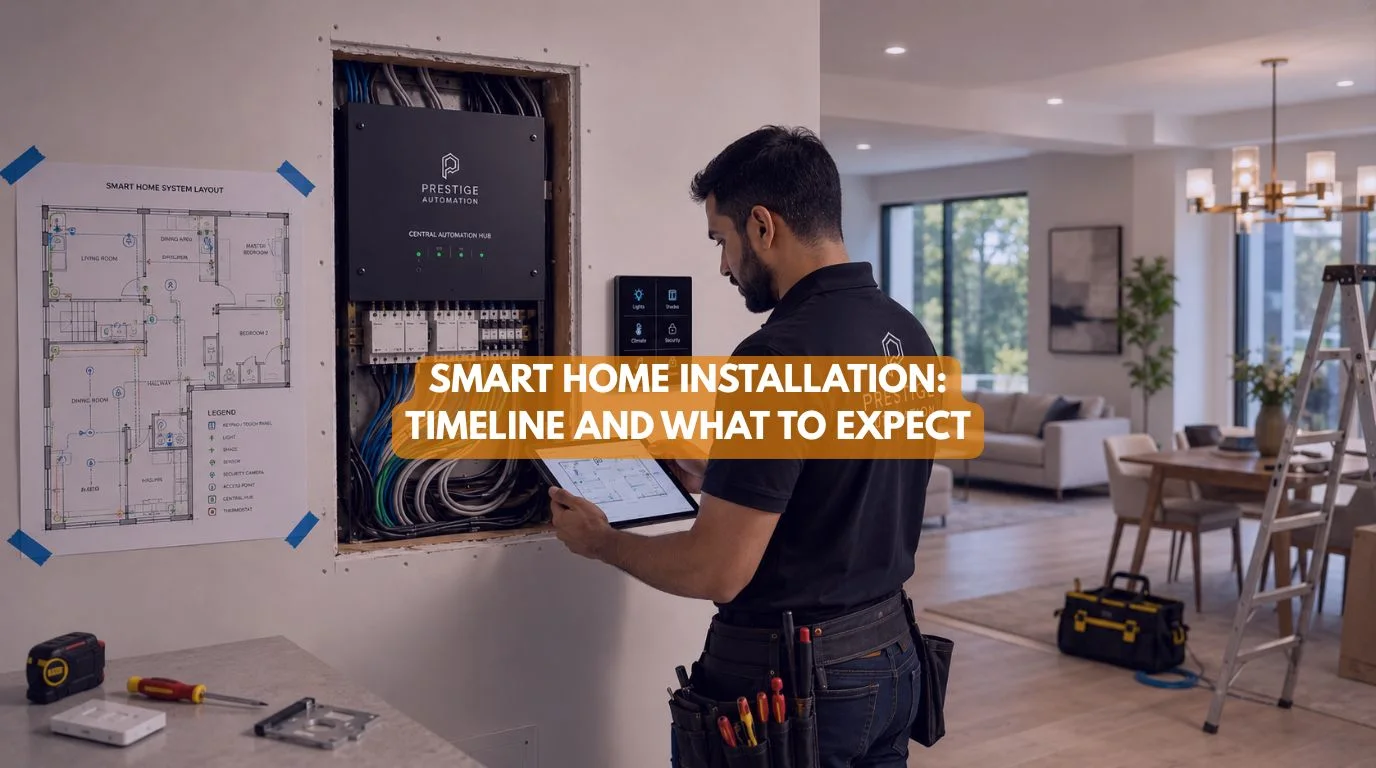
Summary
A professional smart home automation installation typically involves consultation, system design, wiring (if required), device installation, programming, testing, and homeowner training. The timeline depends on the size of the home, whether it’s a new build or retrofit, and the complexity of the automation system. Smaller smart home projects can often be completed in a day, while whole-home automation projects may take several days or align with the construction schedule. Proper planning ensures a smoother installation, reliable performance, and easier future expansion.
Quick Answer
The timeline for smart home automation installation depends on your home’s size and the level of automation you want. Simple upgrades like smart switches, cameras, and voice assistants may take only a few hours, while fully integrated systems with lighting, climate control, motorized curtains, security, networking, and KNX automation may take several days or be completed in stages during construction. A professional installer will guide you through consultation, planning, installation, testing, and training to ensure everything works seamlessly.
Smart Home Automation Installation: Timeline and What to Expect
One of the first questions homeowners ask is: “How long does a smart home automation installation take?”
The answer depends on what you’re installing. Adding a smart doorbell is very different from automating an entire villa. Regardless of the project size, every successful smart home follows a structured installation process.
At Techtastic, we believe that careful planning is just as important as the technology itself. A well-organized installation minimizes disruption, avoids costly mistakes, and creates a smart home that’s reliable from day one. Let’s walk through what you can expect.
Step 1: Initial Consultation
Every project begins with understanding your home and lifestyle. During the consultation, your installer will discuss:
- Your goals
- Daily routines
- Budget
- Existing electrical infrastructure
- Internet connectivity
- Future expansion plans
Rather than recommending products immediately, a good installer designs a solution around your needs.
Typical timeline: 1–3 hours (or multiple meetings for larger projects).
Step 2: Home Assessment and System Design
Next comes a detailed assessment of the property. This may include:
- Electrical inspection
- Wi-Fi evaluation
- Lighting layout
- Security planning
- Device placement
- Structured networking design
For new construction, this stage also includes wiring plans and coordination with architects, electricians, and interior designers.
Typical timeline: 1–5 days, depending on project complexity.
Step 3: Proposal and Project Planning
You’ll receive a detailed proposal outlining:
- Recommended devices
- Automation features
- Installation schedule
- Estimated project timeline
- Budget
- Future upgrade options
This planning phase ensures everyone understands the scope before work begins.
Step 4: Wiring (If Required)
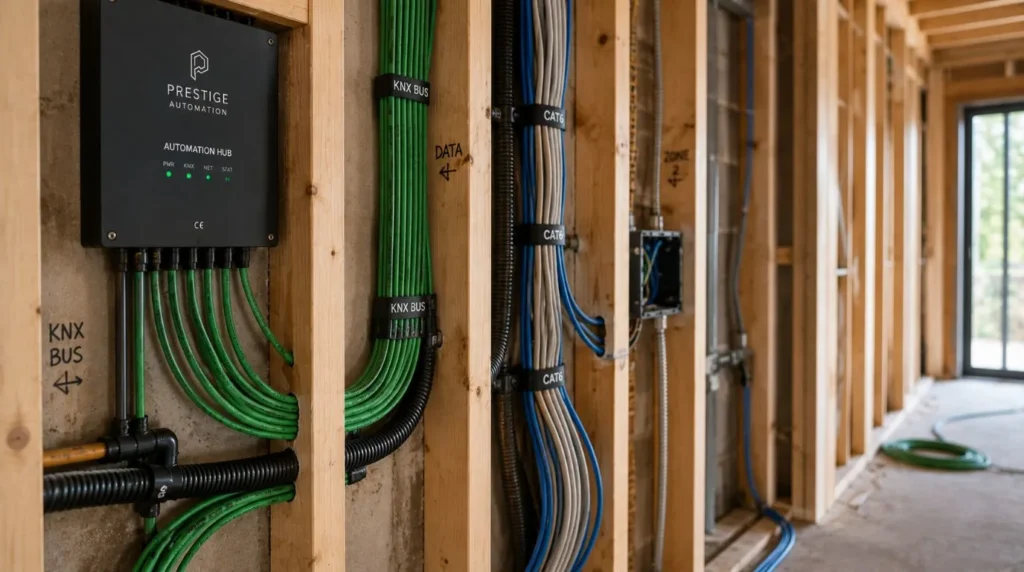
For retrofit projects, wiring requirements are often minimal. For new homes or major renovations, installers may add:
- Automation bus cables (such as KNX)
- Structured networking
- Additional electrical circuits
- Conduit for future upgrades
Planning wiring before walls are finished saves time and money later.
Typical timeline:
- Existing homes: Often not required or completed in 1 day.
- New construction: Coordinated with the electrical phase of the project.
Step 5: Device Installation
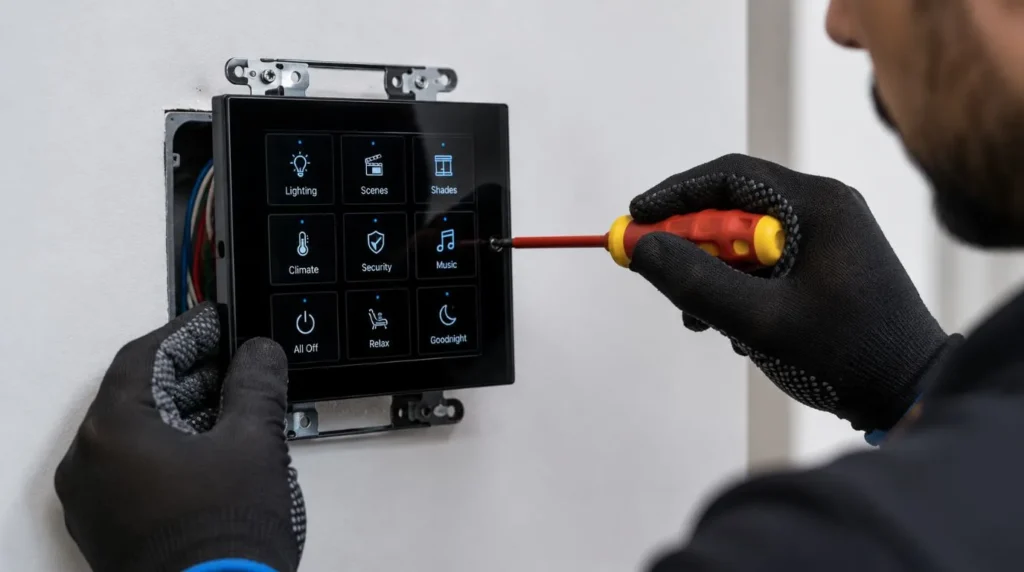
Once the infrastructure is ready, installers begin fitting the hardware. Common installations include:
- Smart light switches
- Smart lighting
- Motion sensors
- Smart door locks
- Video doorbells
- Security cameras
- Motorized curtains
- Touch panels
- Voice assistants
Professional installers also ensure devices are positioned for optimal performance and aesthetics.
Typical timeline:
- Apartment: 1 day
- Independent home: 1–3 days
- Luxury villa: Several days depending on project scope
Step 6: Programming and Automation
This is where your home becomes truly “smart.” Your installer programs automation routines such as:
Good Morning
- Curtains open
- Lights brighten gradually
- Air conditioning adjusts
Leaving Home
- The lights switch off
- Doors lock
- Security activates
Movie Night
- Curtains close
- Lights dim
- The entertainment system turns on
Programming transforms individual devices into one connected experience.
Step 7: Testing Every System
Before handover, every feature is thoroughly tested.
This includes:
- Lighting control
- Voice commands
- Mobile app functionality
- Security alerts
- Internet connectivity
- Automation routines
- Backup operation after power interruptions
Professional testing helps identify and resolve issues before you start using the system.
Step 8: Homeowner Training
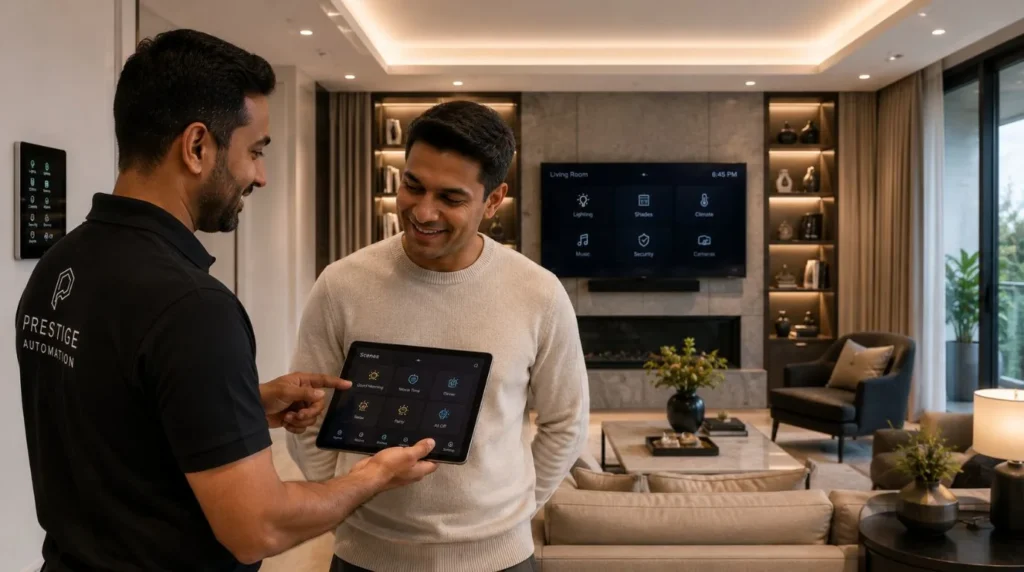
Technology should be easy to use. Your installer should demonstrate:
- Mobile app controls
- Voice assistants
- Automation scenes
- Manual overrides
- Troubleshooting basics
Everyone in the household should feel comfortable using the system.
Step 9: After-Sales Support
The project doesn’t end when the smart home automation installation is complete. Reliable installers provide:
- Software updates
- Remote support
- Troubleshooting
- Maintenance
- Future upgrades
Long-term support is a key part of a successful smart home.
Typical Smart Home Automation Installation Timelines
| Project Type | Typical Timeline |
|---|---|
| Smart doorbell | 1–2 hours |
| Smart switches (single room) | Half day |
| Apartment automation | 1 day |
| 2–3 BHK smart home | 2–4 days |
| Luxury villa automation | Several days to a few weeks (depending on construction stage) |
| KNX new construction | Installed in phases alongside the building process |
Every project is different, but careful planning always reduces delays.
Retrofit vs New Construction
Existing Home
Advantages:
- Faster installation
- Minimal disruption
- Wireless options available
Best for homeowners who want to upgrade gradually.
New Construction
Advantages:
- Easier wiring
- Better infrastructure planning
- Cleaner installation
- Greater long-term flexibility
This is the ideal time to install systems like KNX home automation.
How Can You Prepare Before Smart Home Automation Installation?
You can help the project run smoothly by:
- Defining your priorities.
- Deciding which rooms to automate first.
- Ensuring reliable internet service.
- Sharing floor plans if available.
- Planning future upgrades, even if you won’t install them immediately.
Preparation makes the smart home automation installation faster and more efficient.
Common Delays
Some projects take longer because of:
- Incomplete construction work
- Electrical modifications
- Poor Wi-Fi infrastructure
- Custom programming requests
- Late design changes
Working with an experienced installer helps minimize these issues.
Why It Matters
A smart home isn’t simply a collection of devices. It’s an integrated system that should operate reliably every day.
A structured smart home automation installation process ensures:
- Better performance
- Easier maintenance
- Cleaner wiring
- Simpler upgrades
- Higher homeowner satisfaction
Our Perspective at Techtastic
At Techtastic, we view smart home automation installation as a partnership rather than a one-time service.
Every project begins with understanding how you live, followed by careful planning, professional installation, thorough testing, and ongoing support. Whether we’re upgrading a compact apartment with smart lighting or delivering a fully integrated KNX solution for a luxury residence, our focus remains the same: creating automation that’s reliable, intuitive, and built for the future.
When smart home automation installation is done properly, technology fades into the background—and your home simply works the way you expect it to.
Collaboration Opportunities for Developers, Architects & Interior Designers
Successful smart home installations begin long before devices are installed.
At Techtastic, we collaborate with:
- Architects
- Interior designers
- Residential developers
- Luxury home builders
- MEP consultants
- Commercial project planners
Smart Home Planning
Coordinate automation during the design phase.
KNX Infrastructure
Prepare scalable, future-ready systems.
Smart Lighting Design
Integrate lighting with architecture and interiors.
Structured Networking
Ensure reliable communication across every connected device.
Premium Residential Projects
Deliver seamless, whole-home automation.
Future-Ready Developments
Design homes that can evolve with new technologies. Early collaboration reduces installation time, improves coordination between trades, and creates a more refined finished result.
Key Takeaways
- Every smart home automation installation begins with consultation and careful planning.
- Project timelines depend on the home’s size, construction stage, and level of automation.
- Existing homes can often be upgraded with minimal disruption, while new builds benefit from integrated wiring and infrastructure planning.
- Programming and testing are just as important as installing the hardware.
- Homeowner training ensures the system is easy to use from day one.
- Professional after-sales support keeps the system reliable and ready for future upgrades.
- A well-planned smart home automation installation creates a smarter, more dependable, and future-ready home.
Frequently Asked Questions
1. How long does smart home automation installation take?
A: A simple smart home automation installation, such as smart switches or a video doorbell, can take a few hours. A fully integrated smart home may take several days or be completed in stages during a new construction project.
2. Can I stay in my house during installation?
A: Yes. Most retrofit installations allow homeowners to remain in the house, although there may be brief interruptions to power or internet while work is being completed.
3. What happens during a smart home automation installation?
A: The process usually includes consultation, system design, wiring (if required), device installation, programming, testing, and homeowner training.
4. Do I need to rewire my house?
A: Not always. Many smart home upgrades use existing wiring or wireless technologies. New builds and advanced systems like KNX may require additional wiring for the best long-term results.
5. Will my smart home be ready to use immediately?
A: Yes. A professional installer will test the system, configure automation routines, and train you before handing over the project.
6. Is a KNX installation different from a Wi-Fi smart home automation installation?
A: Yes. KNX systems are professionally wired and programmed, offering greater reliability, local control, and scalability than most consumer Wi-Fi solutions.
7. Can I expand my smart home later?
A: Absolutely. A properly planned system allows you to add more rooms, devices, and automation features as your needs evolve.
8. Is professional installation worth it?
A: For integrated lighting, security, climate control, and whole-home automation, professional installation improves reliability, simplifies future upgrades, and ensures every device works together seamlessly.
Conclusion
A successful smart home automation installation is about far more than fitting devices to your walls. It’s a carefully planned process that combines consultation, thoughtful design, professional installation, intelligent programming, and ongoing support to create a home that works seamlessly around your lifestyle. Whether you’re upgrading an existing property or building a new one, understanding the installation timeline helps you plan with confidence and sets realistic expectations for every stage of the project.
At Techtastic, we manage every phase of the journey from the first consultation to long-term support with a focus on reliability, simplicity, and future scalability.
📞 Call/WhatsApp: 9769145145
📍 Our Operational Hubs: Navi Mumbai | Nashik | Lonavla | Sangli
By designing automation systems that integrate lighting, climate control, security, entertainment, and energy management, we ensure your smart home isn’t just installed properly; it continues delivering comfort, convenience, and peace of mind for years to come.
Maintaining clean system backups and a secure cabling infrastructure is essential for long-term performance. If you are planning an upgrade or a new build, explore why hiring a professional for your smart home device installation saves time and energy costs down the line.