
Summary
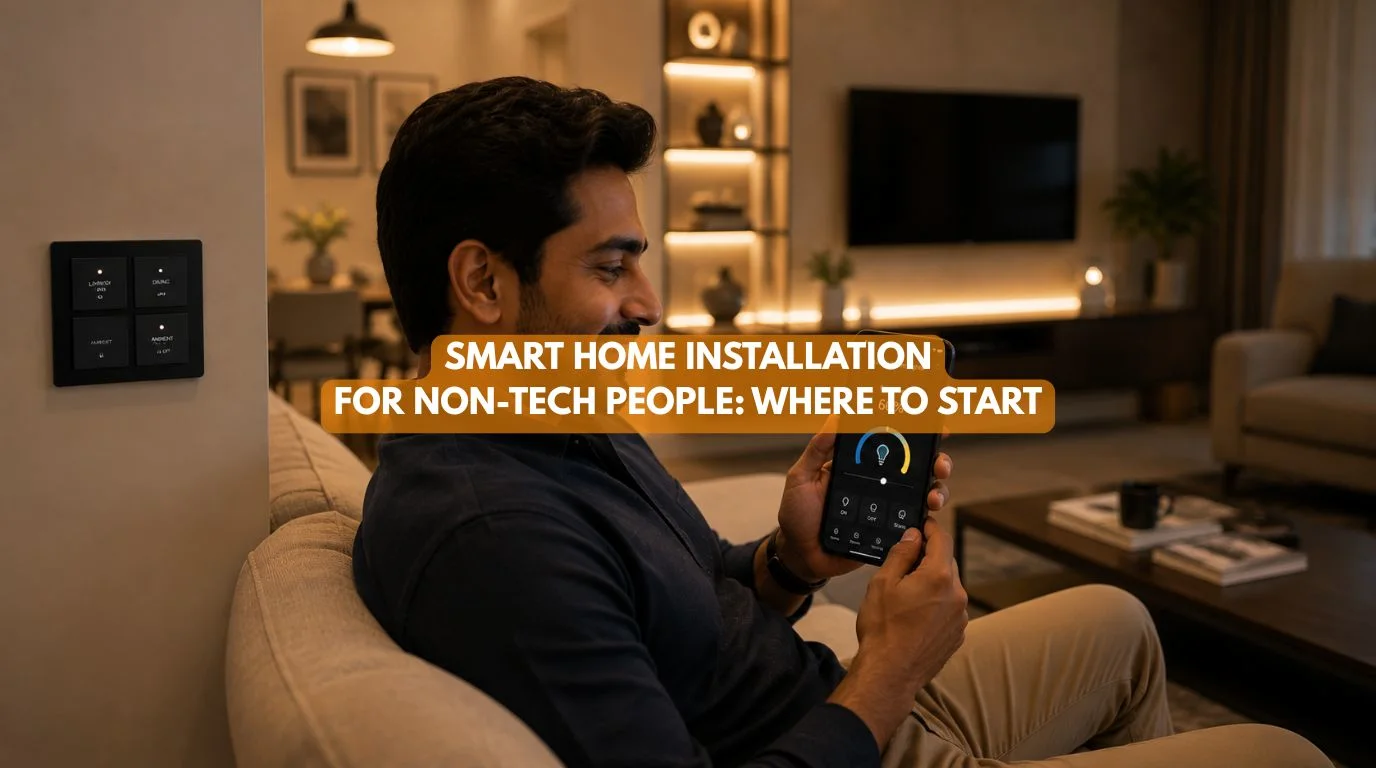
You don’t need to be a technology expert to enjoy a smart home. The best approach is to start with your lifestyle rather than individual gadgets. To install home automation, begin by identifying everyday tasks you want to simplify, such as controlling lights, air conditioning, or security. Choose a scalable smart home system that can grow over time, invest in reliable networking, and work with a professional installer who can recommend compatible devices and create a system that’s easy to use and maintain.
Quick Answer
You don’t need technical knowledge to install home automation. The easiest approach is to begin with one or two everyday conveniences, such as smart lighting or automated climate control, and gradually expand your system over time. Focus on choosing a reliable, scalable platform that fits your lifestyle rather than buying random smart devices. Working with an experienced smart home installer ensures your system is simple to use today and ready for future upgrades.
Smart Home Installation for Non-Tech People: Where to Start
You’re not alone if you’ve ever thought, “I’d love a smart home, but I’m not a tech person.”
Many homeowners assume smart homes are only for:
- Engineers
- Technology enthusiasts
- IT professionals
The reality is completely different.
At Techtastic, most of our clients aren’t technology experts. They’re families, professionals, retirees, and homeowners who simply want their homes to be:
- More convenient
- More comfortable
- More secure
- More energy efficient
The best smart home doesn’t require you to learn complicated technology. It should work quietly in the background, making everyday life easier. Many homeowners assume it’s difficult to install home automation, but the process is much simpler with the right plan. Here’s where to start.
Step 1: Forget About Technology for a Moment
Understanding your lifestyle is the first step before you install home automation. The biggest mistake beginners make is shopping for gadgets first.
Instead, ask yourself:
- What daily tasks feel repetitive?
- Which parts of your home could be more convenient?
- What frustrates you most?
For example:
- Forgetting to switch off the lights
- Adjusting the AC throughout the day
- Opening heavy curtains every morning
- Wondering whether you locked the front door
Your lifestyle should shape your smart home—not the latest technology trends.
Step 2: Start Small
You don’t need to install home automation on day one. Starting with one room makes it easier to install home automation without feeling overwhelmed.
Many homeowners begin with:
Smart Lighting
Control lights using:
- Wall switches
- Mobile apps
- Voice commands
Smart Climate Control
Automatically maintain comfortable temperatures.
Smart Door Locks
Improve convenience and security.
Motorized Curtains
Wake up naturally with scheduled curtain automation.
Starting small makes the transition easier and allows you to experience the benefits before expanding.
Step 3: Choose One Smart Home Ecosystem
One of the biggest beginner mistakes is buying products from multiple brands that don’t work well together.
Instead, choose one ecosystem that can manage:
- Lighting
- Climate
- Security
- Curtains
- Entertainment
- Energy management
A single, integrated platform creates a much better user experience.
Step 4: Invest in Good Wi-Fi (or Better Infrastructure)
Reliable networking is essential before you install home automation. And let’s not forget that even the best smart devices need strong communication. For smaller homes, strong Wi-Fi may be enough.
For larger homes or long-term automation projects, consider professional solutions such as:
- Structured networking
- Enterprise-grade Wi-Fi
- KNX home automation
Reliable infrastructure prevents many common smart home frustrations.
Step 5: Think About the Future
Most homeowners don’t stop after installing one smart device.
Today, you may automate:
- Lighting
Next year, you might add:
- Curtains
- Security
- Home theatre
- Energy monitoring
- Solar integration
Choose a system that allows easy expansion without replacing everything later. As it is, future planning that helps you install home automation that grows with your home.
Step 6: Focus on Everyday Convenience
A successful smart home should make daily routines easier.
Examples include:
Morning Routine
- Curtains open automatically.
- Bedroom lights brighten gradually.
- Air conditioning adjusts.
Leaving Home
- Lights turn off.
- Doors lock.
- Security activities.
Good Night
- Curtains close.
- Lights dim.
- Climate adjusts.
- Security arms.
When you install home automation, it should reduce decisions and not create more problems.
Step 7: Don’t Worry About Learning Technology
One common misconception is that homeowners must constantly manage their smart home. In reality, professional systems are designed to be intuitive.
Most daily interactions happen through:
- Wall switches
- Touch panels
- Voice assistants
- Simple mobile apps
The technology fades into the background.
Step 8: Work with a Professional Installer
Perhaps the most important decision isn’t which products you buy, but it’s who helps you design the system. A professional makes it much easier to install home automation correctly.
A professional installer can:
- Understand your lifestyle
- Recommend compatible products
- Plan future expansion
- Configure automation
- Provide training and support
This helps you avoid expensive mistakes and ensures the system remains easy to use.
Beginner Roadmap To Install Home Automation
| Stage | What to Automate |
|---|---|
| Step 1 | Smart lighting |
| Step 2 | Climate control |
| Step 3 | Smart locks & security |
| Step 4 | Motorized curtains |
| Step 5 | Entertainment |
| Step 6 | Energy management |
| Step 7 | Whole-home automation |
You don’t need to do everything at once. The best way to install home automation devices is to take a step-by-step approach, expanding your system as your needs and budget evolve.
Wi-Fi Smart Home vs Professional Automation
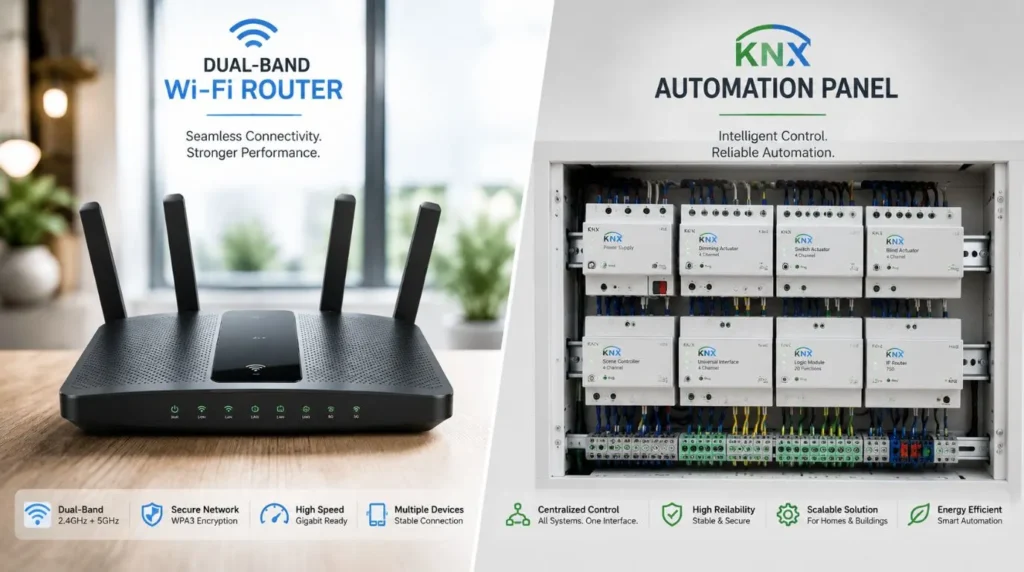
| Wi-Fi Smart Home | KNX Home Automation |
|---|---|
| Great for beginners | Great for long-term homes |
| Lower initial investment | Higher long-term value |
| Easier to start | Easier to expand |
| Suitable for apartments | Ideal for villas & premium homes |
| Basic automation | Advanced integration |
Both approaches have their place depending on your goals.
Common Beginner Mistakes
Buying Too Many Gadgets
Start with problems and not products.
Ignoring Compatibility
Choose devices that work together.
Focusing Only on Price
Cheap devices may become expensive to replace later.
Forgetting About Networking
Reliable connectivity is the foundation of every smart home.
Trying to Automate Everything Immediately
The best smart homes evolve gradually.
Why It Matters for Modern Homes
Smart home technology should reduce complexity and not create it. Anyone can install home automation devices when the project is planned correctly.
Whether you’re a first-time homeowner or simply exploring automation, starting with the right foundation helps ensure your home remains:
- Easy to use
- Secure
- Comfortable
- Energy efficient
- Ready for future upgrades
You don’t need technical expertise to enjoy these benefits. You simply need a well-planned system.
Our Perspective at Techtastic
At Techtastic, we believe technology should feel invisible. Our clients aren’t expected to become automation experts. Instead, we design homes that quietly take care of everyday tasks so families can focus on living and not managing technology.
Whether you’re starting with one room or building a fully connected luxury home, our approach remains the same: Understand your lifestyle first. Then design automation around it.
That’s what makes a smart home truly intelligent. We help homeowners install home automation that’s simple to use and easy to grow with in accordance with their needs.
Collaboration Opportunities for Developers, Architects & Interior Designers
The easiest smart homes to use are the ones planned from the beginning.
At Techtastic, we collaborate with:
- Architects
- Interior designers
- Residential developers
- Luxury home builders
- Hospitality consultants
- Commercial project planners
Beginner-Friendly Smart Homes
Create automation that’s intuitive for every homeowner.
Smart Infrastructure Planning
Prepare homes for future expansion.
Lighting & Interior Integration
Blend technology with beautiful design.
KNX Home Automation
Deliver reliable, future-ready systems.
Premium Residential Projects
Create connected living experiences.
Future-Ready Developments
Design homes that remain relevant for years to come.
Planning early ensures technology remains simple, elegant, and easy to use.
Key Takeaways
- You don’t need technical knowledge to enjoy a smart home.
- Start with your lifestyle rather than individual devices.
- Begin with lighting or climate control and expand gradually.
- Choose one scalable smart home ecosystem.
- Reliable networking is essential.
- Professional planning prevents compatibility issues.
- The best smart home is the one that’s simple enough for everyone in the family to use.
Frequently Asked Questions
1. Can a non-technical person use a smart home?
A. Yes. Modern smart homes are designed to be easy to operate using wall switches, mobile apps, touch panels, and voice assistants.
2. Can a non-technical person use a smart home?
A. Yes. Modern smart homes are designed to be easy to operate using wall switches, mobile apps, touch panels, and voice assistants.
3. Where should beginners start to install home automation?
A. The easiest way to install home automation is to begin with lighting, climate control, or security before expanding to other automation features.
4. Do I need to automate my whole house at once?
A. No. Smart homes can be built in stages, allowing you to expand over time as your needs and budget evolve.
5. Is Wi-Fi enough for a smart home?
A. For smaller projects, yes. Larger homes and advanced automation may benefit from professional systems such as KNX.
6. Do I need a professional smart home installer?
A. While simple devices can be installed by yourself, a professional installer helps design a reliable, scalable, and easy-to-use system.
7. Which smart home system is best for beginners?
A. The best system is one that matches your lifestyle, supports future expansion, and integrates multiple devices into a single ecosystem.
8. Can I add more smart devices later?
A. Yes. A scalable smart home system allows you to add lighting, security, climate control, entertainment, and energy management over time.
9. Is it worth the cost to install home automation?
A. For many homeowners, the convenience, comfort, security, and energy savings make it a valuable long-term investment to install home automation.
Conclusion
Starting your smart home installation journey doesn’t require technical expertise—it simply requires the right plan. By focusing on your daily routines, beginning with a few practical automations, and choosing a scalable system, you can create a home that becomes more convenient, secure, and efficient over time. The goal isn’t to fill your house with gadgets, but to make everyday living simpler and more enjoyable.
At Techtastic, we help homeowners take the confusion out of home automation.
📞 Call/WhatsApp: 9769145145
📍 Our Operational Hubs: Navi Mumbai | Nashik | Lonavla | Sangli
Whether you’re completely new to smart homes or ready to expand an existing setup, we design solutions that are intuitive, reliable, and built around the way you live. With thoughtful planning and professional guidance, anyone can enjoy the benefits of a smart home—no technical background required.
Most automation bugs aren’t caused by faulty hardware, but by poor network layout and messy programming. You can avoid these headaches entirely by investing in a certified smart home device installation from the start.