
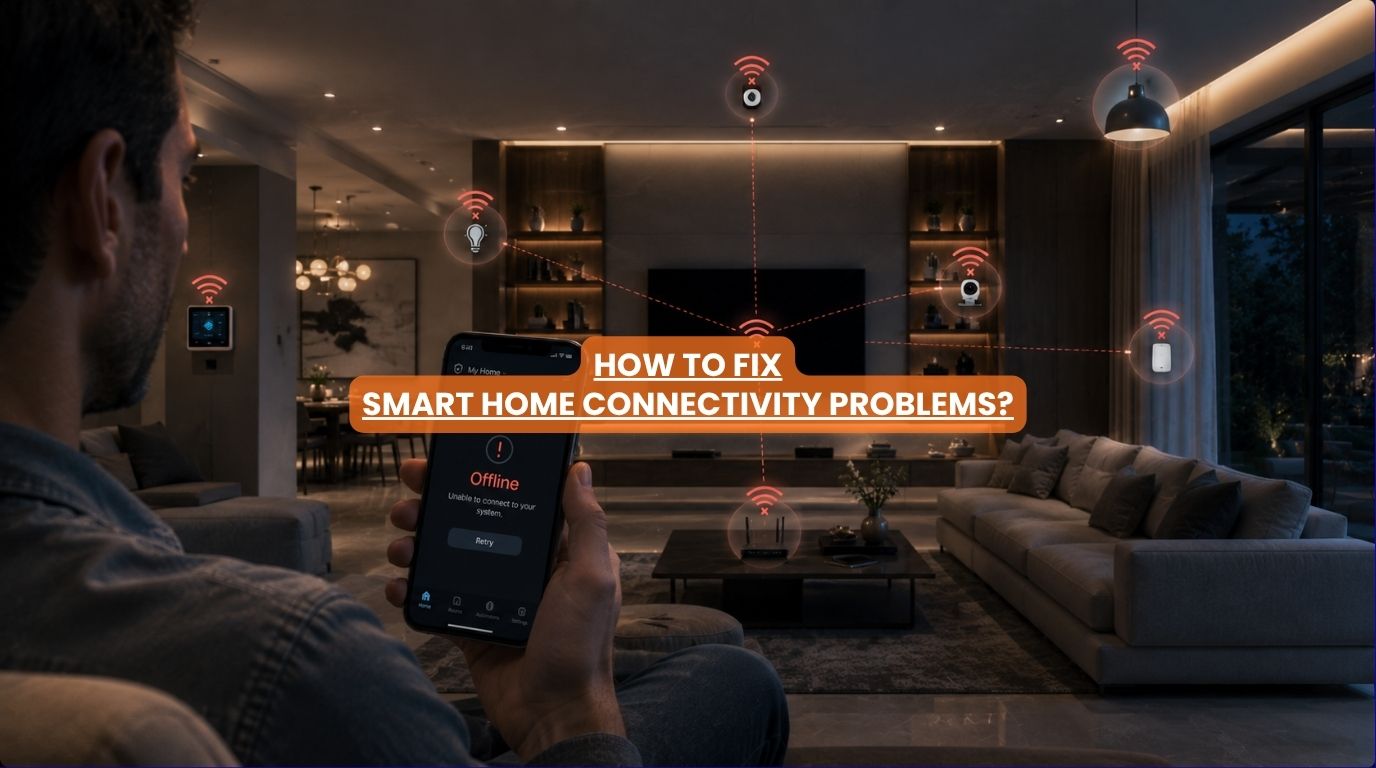
Few things are more frustrating than investing in a smart home only to find that devices keep going offline. One day, your lights respond instantly. The next day, your security camera disconnects.
A voice assistant stops recognizing commands. Your mobile app reports devices as “offline.” And suddenly your smart home feels anything but smart.
At Techtastic, one of the most common complaints we hear from homeowners is: “Why does my smart home keep disconnecting?”
The good news is that most smart home connectivity issues have identifiable causes and practical solutions. In fact, most disconnection problems are not caused by automation systems at all. They’re often linked to networking infrastructure, WiFi coverage, device overload, or system architecture.
Understanding these causes can help homeowners create a far more reliable and enjoyable smart home experience.
Summary
Most smart home connectivity issues are caused by weak WiFi coverage, overloaded networks, outdated networking equipment, device compatibility problems, poor smart home design, or internet disruptions. While many homeowners assume the smart home devices are faulty, the underlying issue is often network-related. Improving WiFi coverage, upgrading networking infrastructure, updating firmware, and using professionally integrated automation systems can significantly improve smart home reliability.
Quick Answer
If your smart home keeps disconnecting, the most common causes are weak WiFi signals, overloaded networks, outdated routers, device compatibility issues, or poor smart home infrastructure. In many cases, the devices themselves are not the problem. A reliable network, proper system design, regular updates, and professional integration can dramatically improve smart home performance and reduce smart home connectivity problems.
Why Smart Home Connectivity Issues Happen
Every smart home depends on communication. Devices constantly exchange information between:
- Mobile apps
- Smart switches
- Sensors
- Security systems
- Controllers
- Voice assistants
- Networking equipment
When communication becomes unstable, devices begin disconnecting. The challenge is that there isn’t usually a single cause.
Several factors often contribute simultaneously.
Cause #1: Weak WiFi Coverage
This is by far the most common smart home connectivity problem. Many homes were designed before smart home technology became widespread. As a result:
- Routers are often placed poorly.
- Signal strength varies throughout the property.
- Dead zones develop.
Common problem areas include:
- Upper floors
- Garages
- Outdoor spaces
- Basements
- Home theatres
When devices receive weak signals, they disconnect more frequently.
How to Fix It
- Upgrade WiFi infrastructure.
- Improve access point placement.
- Use professionally designed mesh systems.
- Eliminate coverage gaps.
A strong network is the foundation of every successful smart home.
Cause #2: Too Many Devices on the Network
Modern homes contain far more connected devices than most people realize.
Examples include:
- Smartphones
- Tablets
- TVs
- Cameras
- Smart locks
- Smart speakers
- Appliances
- Home automation controllers
A single smart home can easily exceed 50-100 connected devices.
Consumer-grade networking equipment may struggle under this load.
How to Fix It
- Upgrade to higher-capacity networking hardware.
- Segment devices appropriately.
- Optimize network performance.
Professional networking solutions are often designed specifically for high device counts.
Cause #3: Outdated Routers
Many homeowners continue using routers supplied by internet providers.
These devices may be sufficient for:
- Streaming
- Basic browsing
But smart homes place much greater demands on networking infrastructure.
Older routers may struggle with:
- Device management
- Coverage
- Simultaneous connections
- Performance stability
How to Fix It
Consider upgrading to networking equipment designed for:
- Whole-home coverage
- Multiple users
- High device density
- Smart home environments
Networking improvements often deliver immediate benefits.
Cause #4: Internet Service Interruptions
Not every smart home connectivity issue originates inside the home.
Internet service providers occasionally experience:
- Outages
- Congestion
- Service degradation
Cloud-dependent devices may appear disconnected even though the local network remains operational.
How to Fix It
Check whether:
- Other devices have internet access.
- The provider is experiencing outages.
- Local networking remains functional.
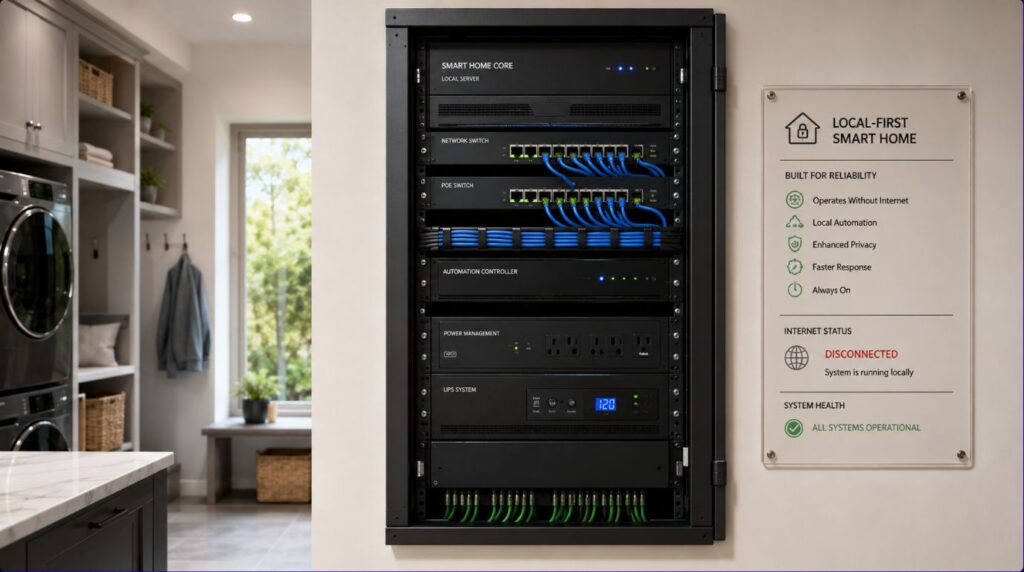
Many professionally designed automation systems continue operating locally during internet disruptions.
Cause #5: Device Firmware Problems
Smart devices rely on software.
Outdated firmware can cause:
- Connectivity failures
- Security vulnerabilities
- Compatibility issues
- Unexpected behavior
Manufacturers regularly release updates to address these problems.
How to Fix It
Regularly update:
- Smart home hubs
- Cameras
- Smart locks
- Voice assistants
- Sensors
- Mobile apps
Small updates often resolve recurring issues.
Cause #6: Poor Device Placement
Smart home devices communicate through:
- WiFi
- Zigbee
- Z-Wave
- Bluetooth
- Proprietary protocols
Physical placement matters.
Smart home connectivity problems occur when devices are installed:
- Behind metal surfaces
- Inside cabinets
- Far from network equipment
- Near sources of interference
Signal quality suffers significantly.
How to Fix It
Evaluate:
- Device location
- Signal strength
- Nearby interference sources
Proper placement often improves reliability immediately.
Cause #7: Too Many Independent Smart Devices
This is increasingly common.
Many homeowners purchase devices from different manufacturers over time.
Examples:
- Smart bulbs from one brand
- Cameras from another
- Smart locks from a third
- Voice assistants from a fourth
The result is often:
- Multiple apps
- Integration challenges
- Communication conflicts
How to Fix It
Centralized automation platforms simplify management and improve stability.
A cohesive ecosystem generally performs better than disconnected products.
Cause #8: Weak Smart Home Infrastructure
A smart home is only as strong as its foundation.
Many connectivity issues stem from:
- Poor planning
- Limited networking design
- Consumer-grade hardware
- Lack of scalability
The more advanced the home becomes, the more infrastructure matters.
How to Fix It
Focus on:
- Structured networking
- Reliable automation platforms
- Professional integration
- Future-ready design
Long-term reliability starts with infrastructure.
Smart Home Connectivity Problems: Symptoms and Causes
| Symptom | Likely Cause |
| Devices frequently offline | Weak WiFi |
| Slow response times | Network congestion |
| Cameras disconnecting | Coverage issues |
| Voice assistant failures | Internet or cloud issue |
| Delayed automations | Router limitations |
| Multiple devices offline | Network failure |
| Random disconnections | Device overload |
| Unresponsive app controls | Connectivity instability |
Recognizing these patterns helps identify root causes faster.
Consumer Smart Homes vs Professionally Integrated Systems
| Consumer Smart Devices | Professional Automation Systems |
| App-based management | Centralized control |
| Higher reliance on cloud services | Greater local control |
| Limited scalability | Designed for expansion |
| More troubleshooting | Greater reliability |
| Device-focused | Infrastructure-focused |
As smart homes grow larger, professional design often becomes increasingly important.
How to Build a More Reliable Smart Home
If reliability is your goal, focus on these priorities:
Strong Networking Infrastructure
The foundation of everything.
Professional WiFi Coverage
Eliminate dead zones.
Centralized Automation
Reduce device fragmentation.
Regular Software Updates
Improve compatibility and security.
Scalable System Design
Support future expansion.
These steps significantly reduce connectivity issues.
Why It Matters for Modern Homes
Homeowners increasingly rely on smart technology for:
- Security
- Lighting
- Climate control
- Entertainment
- Daily convenience
Frequent disconnections undermine the entire experience.
Reliability is often the difference between a smart home that feels helpful and one that feels frustrating.
Our Perspective at Techtastic
At Techtastic, we often discover that smart home connectivity issues are actually networking issues in disguise.
When evaluating a home’s performance, we typically assess:
- WiFi coverage
- Device density
- Network infrastructure
- Automation architecture
- Future scalability
In many cases, homeowners are surprised to learn that a networking upgrade solves the majority of recurring problems.
The most successful smart homes aren’t necessarily the ones with the most devices. They’re the ones built on strong, reliable foundations.
Collaboration Opportunities for Developers, Architects & Interior Designers
Many connectivity issues can be prevented before construction is complete.
At Techtastic, we collaborate with:
- Architects
- Interior designers
- Luxury home builders
- Residential developers
- Hospitality consultants
- Commercial project planners
Smart Infrastructure Planning
Build reliability from day one.
Structured Networking Design
Support future automation growth.
Whole-Home WiFi Planning
Eliminate dead zones.
Integrated Security & Automation
Improve system stability.
Luxury Residential Projects
Deliver dependable connected living experiences.
Future-Ready Developments
Prepare homes for evolving technology demands.
Early planning significantly reduces future troubleshooting requirements.
Key Takeaways
- Most smart home connectivity issues are caused by networking problems.
- Weak WiFi coverage is the most common cause of device disconnections.
- Outdated routers often struggle with modern smart homes.
- Device overload can affect performance and reliability.
- Centralized automation systems generally perform better than disconnected smart devices.
- Strong infrastructure is the key to long-term smart home reliability.
Frequently Asked Questions
1. Why does my smart home keep disconnecting?
A: Weak WiFi coverage, network congestion, outdated routers, and device compatibility issues are the most common causes.
2. How do I fix smart home connectivity issues?
A: Improve network coverage, update firmware, upgrade networking equipment, and ensure proper device placement.
3. Can WiFi affect smart home performance?
A: Absolutely. WiFi quality directly impacts device reliability, responsiveness, and connectivity.
4. Why do my smart devices keep going offline?
A: Devices often disconnect due to weak signals, overloaded networks, outdated software, or communication issues.
5. Is my router causing smart home problems?
A: Possibly. Many consumer routers struggle with the number of devices found in modern smart homes.
6. Do smart homes need professional networking?
A: Larger homes and advanced automation systems often benefit significantly from professionally designed networks.
7. Can internet outages affect smart homes?
A: Yes, especially cloud-dependent devices. However, many professional automation systems continue functioning locally.
8. What is the best way to prevent smart home disconnections?
A: Invest in strong networking infrastructure, centralized automation platforms, and scalable system design.
Conclusion
If your smart home keeps disconnecting, the problem is often not the devices themselves—it’s the infrastructure supporting them. Weak WiFi coverage, overloaded networks, outdated equipment, and fragmented ecosystems are among the most common causes of smart home connectivity issues.
At Techtastic, we help homeowners, architects, and developers build smart home ecosystems designed for reliability, performance, and future growth.
📞 Call/WhatsApp: 9769145145
📍 Our Operational Hubs: Navi Mumbai | Nashik | Lonavla | Sangli
By focusing on strong networking foundations and intelligent system design, we create connected living experiences that work consistently—so your smart home remains smart when you need it most.
Want to ensure your system investment is fully protected? Head over to our deep dive on KNX System Backup: How Protected Is Your Data in 2026? to learn how we future-proof your smart home infrastructure.