
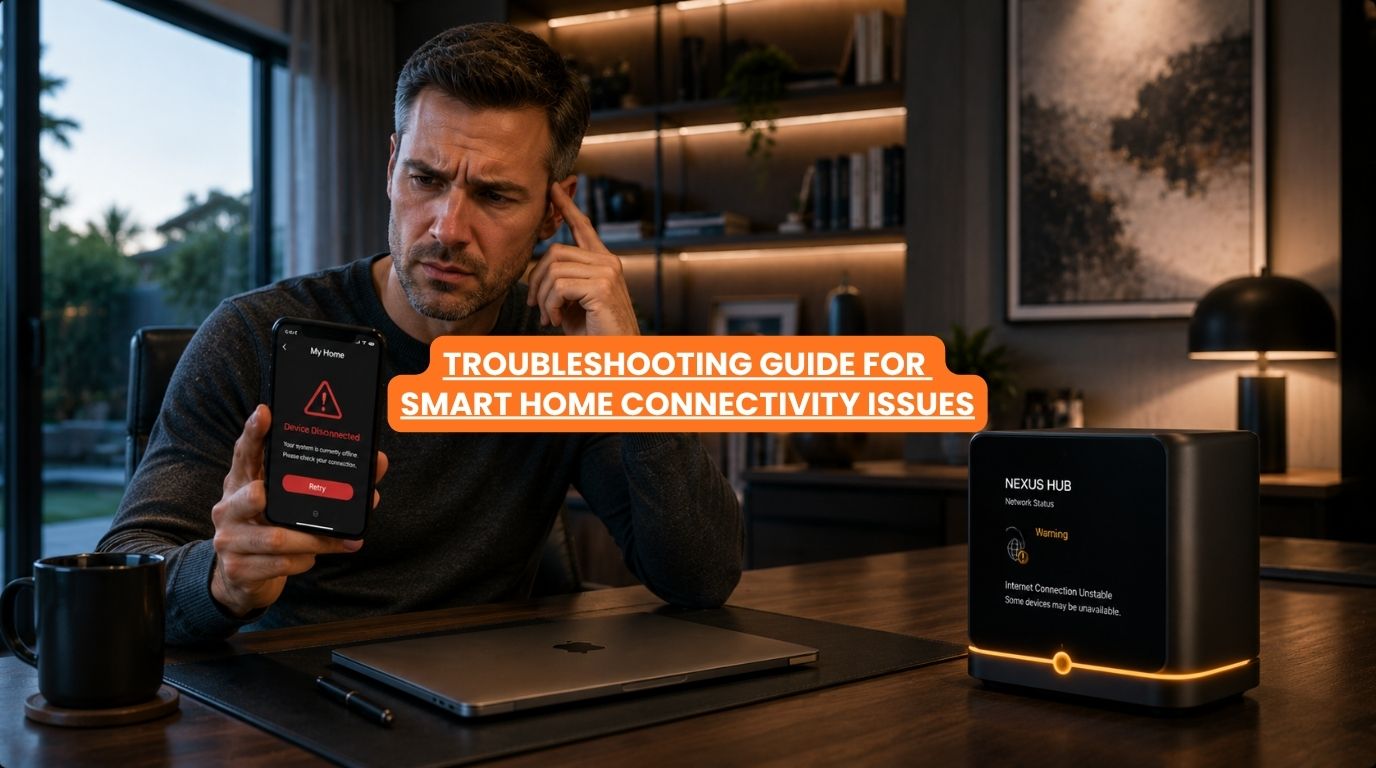
Few things are more frustrating than walking into a room and discovering that your smart home isn’t acting very smart. Maybe the lights won’t respond. Perhaps a smart lock appears offline. A security camera disconnects unexpectedly. Or your voice assistant suddenly can’t control devices it worked with yesterday.
At Techtastic, one of the most common service requests we receive involves homeowners experiencing smart home connectivity issues. The good news is that many connection problems are relatively simple to identify and resolve. In fact, most smart home failures are not caused by automation systems themselves. They’re often linked to networking issues, device configuration problems, outdated software, or communication interruptions.
Understanding how to troubleshoot these smart home connectivity issues can help homeowners restore functionality quickly and prevent future issues.
Summary
Most smart home connectivity issues are caused by network problems, weak Wi-Fi coverage, device configuration errors, outdated firmware, power interruptions, or integration conflicts. Troubleshooting typically involves checking internet connectivity, network performance, device status, software updates, and automation settings. Professionally designed smart home systems with strong networking infrastructure experience fewer connectivity problems and are easier to diagnose when issues occur.
Quick Answer
To troubleshoot smart home connectivity issues, start by checking your internet connection, Wi-Fi coverage, device power status, and firmware updates. Many smart home problems occur because devices lose network connectivity, experience weak signals, or require software updates. In professionally designed smart homes, networking infrastructure is often the most important factor influencing overall system reliability.
Why Smart Home Connectivity Issues Happen
Modern smart homes rely on communication.
Devices constantly exchange information between:
- Sensors
- Controllers
- Mobile apps
- Security systems
- Voice assistants
- Networking equipment
If communication breaks down, devices may appear offline or become unresponsive.
The most common causes include:
- Weak Wi-Fi coverage
- Router problems
- Internet outages
- Device failures
- Firmware issues
- Integration conflicts
Fortunately, most issues can be isolated systematically.
Step 1: Check Your Internet Connection
Before investigating individual devices, verify whether the home’s internet connection is working properly.
Check:
- Can you browse websites?
- Do streaming services work?
- Are other connected devices online?
If the internet is down:
- Remote access may fail.
- Cloud-based services may stop working.
- Voice assistants may become unavailable.
Remember that many professionally designed automation systems continue operating locally even during internet outages.
Step 2: Restart the Router
This may sound simple, but it’s often effective.
Networking equipment occasionally experiences:
- Memory issues
- Connection conflicts
- Temporary performance degradation
A restart can restore normal operation.
Recommended steps:
- Turn off the router.
- Wait approximately 30 seconds.
- Restart the router.
- Allow connectivity to stabilize.
Many smart home issues disappear after this step.
Step 3: Check Wi-Fi Coverage
Weak Wi-Fi is one of the biggest causes of smart home connectivity issues.
Warning signs include:
- Devices frequently disconnecting
- Slow response times
- Cameras going offline
- Voice assistant failures
Large homes are especially vulnerable.
Common problem areas:
- Garages
- Outdoor spaces
- Upper floors
- Basements
- Remote rooms
Improving network coverage often solves recurring issues.
Step 4: Verify Device Power
Sometimes the problem isn’t connectivity at all.
Check whether the device has:
- Power
- Battery life
- Active indicators
Common examples:
Smart Locks
Low batteries can cause intermittent connectivity.
Cameras
Power interruptions may disconnect devices.
Sensors
Battery-operated sensors require periodic replacement.
Never assume a device is online simply because it appears installed.
Step 5: Check Whether the Device Is Offline
Most smart home apps display device status.
Look for indicators such as:
- Offline
- Unavailable
- Disconnected
- Not responding
If only one device is offline, the issue is often isolated to that device rather than the entire system.
Step 6: Update Firmware and Software
Outdated software can cause:
- Connectivity problems
- Integration failures
- Security vulnerabilities
- Performance issues
Check for updates to:
- Smart home hubs
- Mobile apps
- Cameras
- Smart locks
- Voice assistants
- Controllers
Manufacturers regularly release improvements and bug fixes.
Step 7: Verify Automation Rules
Sometimes the system is connected but behaves unexpectedly.
Review:
- Schedules
- Scenes
- Automation triggers
- Sensor logic
Example:
A homeowner may assume lighting automation has failed when a schedule was accidentally modified.
Configuration issues can mimic connectivity problems.
Step 8: Test Voice Assistant Connectivity
If Alexa, Google Assistant, or Siri isn’t responding properly:
Check:
- Internet connectivity
- Linked accounts
- Device integrations
- Service status
Voice assistants often depend on cloud communication.
The automation system may still function even if voice control does not.
Step 9: Check Smart Home Hub or Controller Status
If your home uses a central controller, verify:
- Power status
- Network connection
- Error indicators
- System health
Controllers are often the communication bridge between devices.
A controller issue can affect multiple systems simultaneously.
Step 10: Look for Network Congestion
Modern homes may contain:
- Smartphones
- Tablets
- TVs
- Cameras
- Gaming consoles
- Smart appliances
Large numbers of devices can create network strain.
Symptoms include:
- Slow responses
- Delayed automation
- Intermittent disconnections
Professional networking infrastructure helps manage these demands.
Most Common Smart Home Connectivity Issues
| Smart Home Connectivity Issues | Likely Cause |
|---|---|
| Device offline | Weak signal or power issue |
| Camera disconnecting | Network instability |
| Voice assistant not responding | Internet or cloud issue |
| Delayed automation | Network congestion |
| App cannot connect | Controller or account issue |
| Automation not triggering | Configuration problem |
| Frequent disconnects | Wi-Fi coverage issue |
| Multiple devices failing | Router or controller issue |
Understanding these patterns speeds up troubleshooting.
Why Networking Is Usually the Real Problem
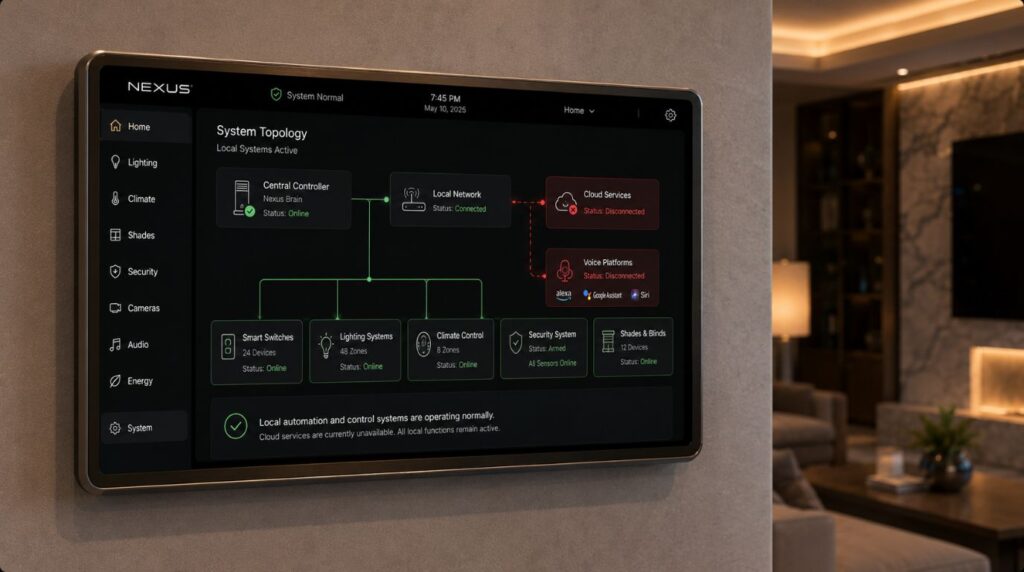
One of the biggest lessons homeowners learn is that many smart home issues are actually networking issues.
Even the most advanced automation system depends on:
- Reliable connectivity
- Strong signal coverage
- Stable infrastructure
- Proper network design
At Techtastic, we often discover that improving networking performance solves a large percentage of recurring smart home complaints.
Preventing Future Smart Home Connectivity Issues
Invest in Reliable Wi-Fi
Strong coverage is essential.
Keep Devices Updated
Regular updates improve performance and security.
Replace Aging Networking Equipment
Older routers may struggle with modern device loads.
Choose Professional-Grade Infrastructure
Reliability improves significantly.
Plan for Scalability
As more devices are added, network requirements increase.
Consumer Smart Homes vs Professionally Integrated Systems
| Consumer Setup | Professional Setup |
|---|---|
| Basic networking | Structured networking |
| Multiple disconnected apps | Centralized management |
| Higher troubleshooting frequency | Greater reliability |
| Limited monitoring | Advanced diagnostics |
| Consumer-grade hardware | Professional-grade infrastructure |
The difference often becomes more noticeable as homes become more connected.
Why It Matters for Modern Homes
Today’s homeowners depend on connected technology for:
- Security
- Comfort
- Entertainment
- Energy management
- Daily convenience
Connectivity problems can quickly affect the entire user experience.
Reliable infrastructure helps ensure that smart homes remain helpful rather than frustrating.
Our Perspective at Techtastic
At Techtastic, we often remind homeowners that successful smart homes are built on strong foundations.
When troubleshooting connectivity issues, we typically evaluate:
- Network coverage
- Device health
- Controller performance
- Automation logic
- Software updates
- Future scalability
In our experience, solving the underlying infrastructure problem is almost always more effective than repeatedly fixing symptoms.
The smartest homes are the ones that work reliably in the background.
Collaboration Opportunities for Developers, Architects & Interior Designers
Many connectivity problems can be prevented through proper planning.
At Techtastic, we collaborate with:
- Architects
- Interior designers
- Luxury home builders
- Residential developers
- Hospitality consultants
- Commercial project planners
Structured Networking Design
Build reliable foundations for connected living.
Smart Home Infrastructure Planning
Support long-term performance and scalability.
Security & Automation Integration
Reduce operational complexity.
Wi-Fi Coverage Planning
Eliminate connectivity dead zones.
Luxury Residential Projects
Deliver dependable smart home experiences.
Hospitality & Commercial Applications
Implement enterprise-grade automation ecosystems.
Early planning reduces future troubleshooting and improves homeowner satisfaction.
Key Takeaways on Smart Home Connectivity Issues
- Most smart home connectivity issues originate from networking problems.
- Restarting networking equipment often resolves temporary smart home connectivity issues.
- Wi-Fi coverage is critical for reliable smart home performance.
- Device power and firmware updates should always be checked.
- Automation logic can sometimes appear as smart home connectivity issues.
- Strong infrastructure significantly reduces troubleshooting requirements.
Frequently Asked Questions
1. Why is my smart home device showing as offline?
A: The most common causes are weak Wi-Fi signals, power interruptions, outdated firmware, or network configuration issues.
2. How do I fix smart home connectivity issues?
A: Start by checking internet connectivity, Wi-Fi coverage, device power, software updates, and automation settings.
3. Why does my smart home keep disconnecting?
A: Frequent disconnections often indicate weak network coverage, overloaded routers, or aging networking equipment.
4. Does restarting the router help?
A: Yes. Router restarts often resolve temporary networking conflicts and connectivity issues.
5. Can Wi-Fi affect smart home performance?
A: Absolutely. Poor Wi-Fi is one of the leading causes of smart home reliability problems.
6. Why are my smart lights not responding?
A: The issue may involve network connectivity, device power, automation settings, or software updates.
7. Do smart home systems work without internet?
A: Many professionally designed systems continue functioning locally even when internet access is unavailable.
8. How can I prevent future smart home connectivity issues?
A: Invest in strong networking infrastructure, keep devices updated, and ensure your system is designed for future expansion.
Conclusion
Smart home connectivity issues can be frustrating, but most problems have straightforward causes and solutions. Whether the issue involves Wi-Fi coverage, device power, firmware updates, network congestion, or controller performance, a systematic troubleshooting approach can often restore functionality quickly.
At Techtastic, we help homeowners, architects, and developers create reliable smart home ecosystems built on strong networking foundations and future-ready automation platforms.
📞 Call/WhatsApp: 9769145145
📍 Our Operational Hubs: Navi Mumbai | Nashik | Lonavla | Sangli
Because when a smart home is designed properly, troubleshooting becomes the exception—not the norm.
Wondering how to manage all these requirements? Read our expert guide on Smart Home Without Internet: 4 Critical Things to Know to discover the best smart home system infrastructure.