
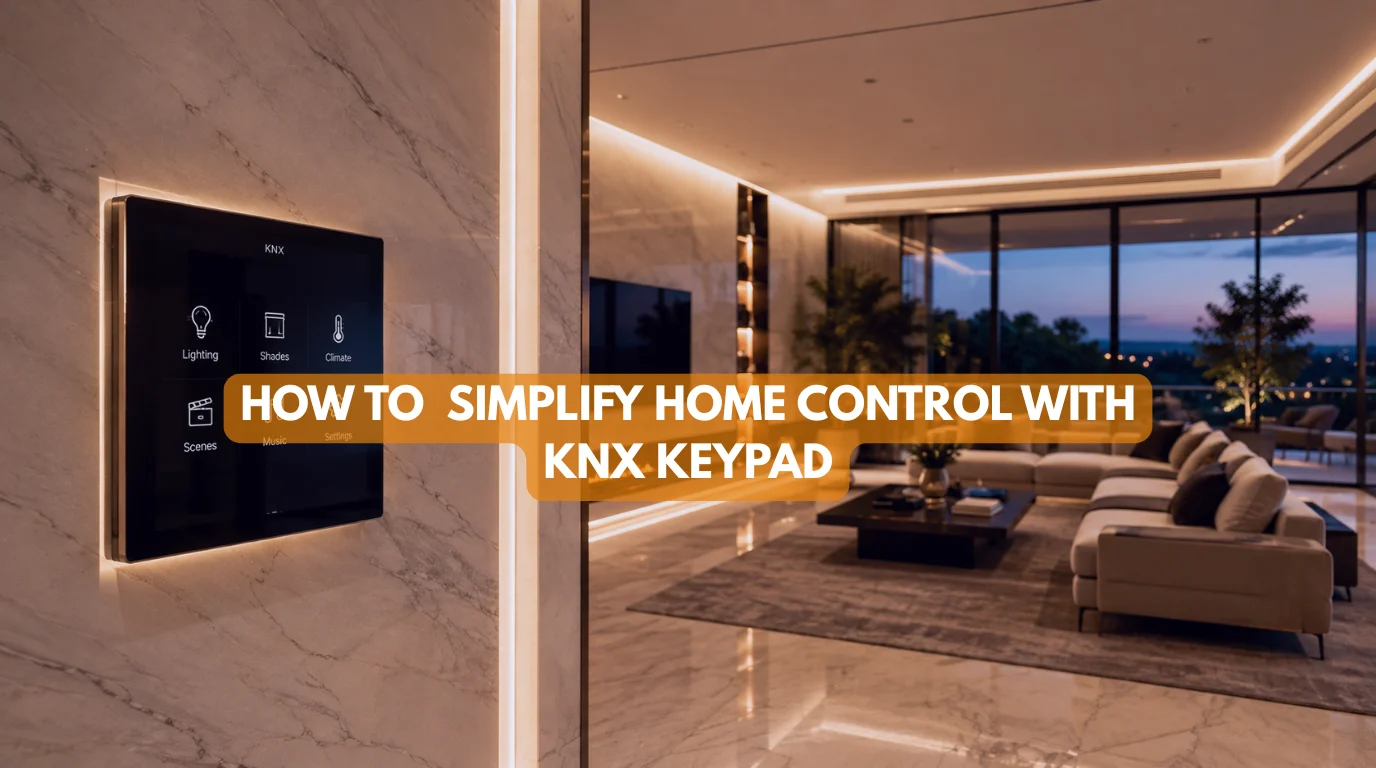
Modern home automation is supposed to make life easier. Yet, in many homes, it can create the opposite problem: too many switches, too many apps, and too many devices competing for attention.
A KNX keypad takes a different approach. Instead of giving every function its own switch, it combines multiple controls into one elegant, programmable interface. A single device can manage lighting, climate, curtains, music, security, and customized scenes without covering your walls with rows of switches.
At Techtastic, we design smart homes around how people actually live. For luxury residences in Mumbai, Navi Mumbai, Pune, Lonavala, Nashik, and Sangli, we use the KNX keypad as an important part of creating clean, intuitive, and reliable room control. The goal isn’t to make technology more complicated. It’s to make it almost invisible.
In this guide, I’ll explain how a KNX keypad works, why physical controls still matter in a smartphone-driven world, and how one elegant interface can replace multiple conventional switches.
Quick Answer
A KNX keypad is a programmable wall-mounted control interface connected to a KNX automation system. It can control multiple functions such as lights, curtains, climate, music, scenes, and security from one device. Unlike wireless smart switches, it communicates directly through the KNX bus, so basic controls don’t depend on Wi-Fi or the internet.
Quick Summary
✔ A KNX keypad can replace multiple conventional switches.
✔ One keypad can control lighting, climate, curtains, music, and scenes.
✔ Button functions can be customized and reprogrammed later.
✔ KNX keypads communicate through the dedicated KNX bus.
✔ Physical controls are faster and more intuitive for frequently used functions.
✔ Premium finishes allow the keypad to complement luxury interiors.
✔ LED indicators can provide discreet feedback about the home’s status.
What Is a KNX Keypad?
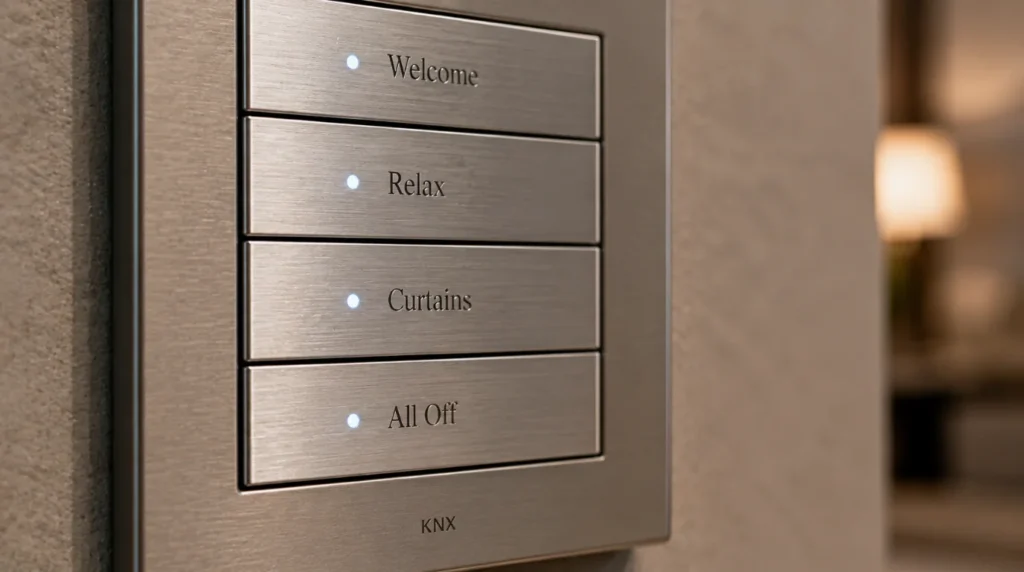
A KNX keypad is a smart wall control interface designed to communicate with a KNX automation system.
Traditional switches generally perform one simple function: one switch controls one light, another controls another circuit, and another might operate a fan.
A KNX keypad works differently. Each button can be programmed to perform different actions depending on how you interact with it.
For example:
| Interaction | Possible Function |
|---|---|
| Single Press | Turn lights on |
| Long Press | Dim lights |
| Double Press | Activate a scene |
| Button Pair | Open or close curtains |
| Dedicated Button | Adjust climate |
| Custom Scene | Control multiple systems |
This means one compact interface can replace an entire row of traditional switches. The result is a cleaner wall and a much more intuitive smart home experience.
Why Physical Control Still Matters
Smartphones are incredibly powerful, but they’re not always the best way to control your home.
Imagine wanting to turn off the bedroom lights at night.
You need to:
- Find your phone.
- Unlock it.
- Open the relevant application.
- Wait for the interface.
- Find the correct room.
- Select the lighting control.
A physical KNX keypad eliminates those steps. You simply press the appropriate button and the lights respond immediately.
This becomes particularly valuable for frequently used functions such as:
- Bedroom lighting
- Bathroom lighting
- Curtains
- Master scenes
- Climate control
- Entry lighting
The smartphone can still provide advanced control, but the wall interface handles the functions you use most often.
1. The Welcome Scene
One of the most useful applications of a KNX keypad is scene control.
Instead of assigning every button to an individual light, I can configure a button to trigger an entire “Welcome” scene.
For example, when you arrive home:
- Entrance lighting turns on at 40%.
- Cove lighting shifts to a warm colour temperature.
- Selected living room lights activate.
- Motorized curtains adjust according to the time of day.
- Air conditioning begins preparing the room.
- Background music can start playing.
One press triggers the entire sequence.
This is where a KNX system becomes much more than a collection of smart switches.
2. Climate Control Without Another Thermostat
A KNX keypad can also reduce the number of devices mounted on your walls.
Some KNX keypads include integrated temperature sensors, allowing the keypad to contribute room temperature information to the automation system.
Instead of installing a separate thermostat next to your switches, the same interface can help manage the room’s climate.
Depending on the system configuration, you can control:
- Temperature setpoint
- HVAC modes
- Fan speed
- Heating and cooling
- Preset climate scenes
For example, a “Night” scene could reduce the bedroom temperature, turn off selected lights, and close the curtains simultaneously.
This keeps the technology consolidated rather than scattered across the room.
3. Intelligent Curtain Control
Motorized curtains are another area where a KNX keypad can simplify everyday control.
Instead of searching for a remote, you can operate curtains directly from the wall.
A typical configuration might use:
- Single press: Open curtains
- Long press: Adjust curtain position
- Double press: Close curtains
You can also connect curtain control to scenes.
For example, a “Movie” scene can automatically:
- Close blackout curtains
- Dim lights
- Switch on the projector
- Adjust the room temperature
This creates a coordinated experience instead of making you operate each device separately.
4. Instant Music Control
A KNX keypad doesn’t have to be limited to lighting and curtains.
When integrated with compatible AV systems, selected buttons can control music throughout the home.
You could configure buttons for:
- Play/pause
- Volume control
- Room-specific music
- Favourite scenes
- Multi-room audio
For example, pressing a “Music” scene could turn on architectural speakers, set the preferred volume, and activate your selected playlist through the connected AV platform.
The exact functionality depends on the KNX and AV integration being used, but the principle remains the same: fewer controls, more useful automation.
5. The Master Off Function
One of the most practical functions of a KNX keypad is an “All Off” or “Master Off” command.
Imagine leaving your home and having to check every room individually.
- Did you turn off the bedroom lights?
- What about the kitchen?
- Is the AC still running?
- Did someone leave the bathroom lights on?
A single Master Off command can coordinate these systems.
Depending on your configuration, it can:
- Turn off selected lighting circuits
- Switch off air conditioning
- Close curtains
- Turn off water heating
- Activate security
- Switch off selected appliances
You can define exactly which systems respond, ensuring critical equipment isn’t accidentally switched off.
6. Discreet Status Feedback
Automation should tell you what’s happening without covering your walls with displays. Many premium keypads use LED indicators to provide subtle feedback.
For example:
- A light indicator can show that a circuit is active.
- A scene button can indicate that a scene is currently running.
- A security-related indicator can show that a gate or door remains unsecured.
This feedback is particularly useful at night.
Rather than opening an app to check whether something is active, you can understand the home’s status at a glance.
7. Emergency & Security Functions
A programmable KNX keypad can also become part of the home’s security strategy. Specific button combinations or long-press actions can trigger predefined security scenes.
For example, an emergency scene could:
- Activate selected exterior lights
- Trigger an alarm
- Notify the security system
- Switch on designated interior lighting
The exact implementation depends on the security infrastructure and programming. This is especially useful in larger villas where multiple systems need to respond together during an emergency.
One Back Box, Multiple Functions
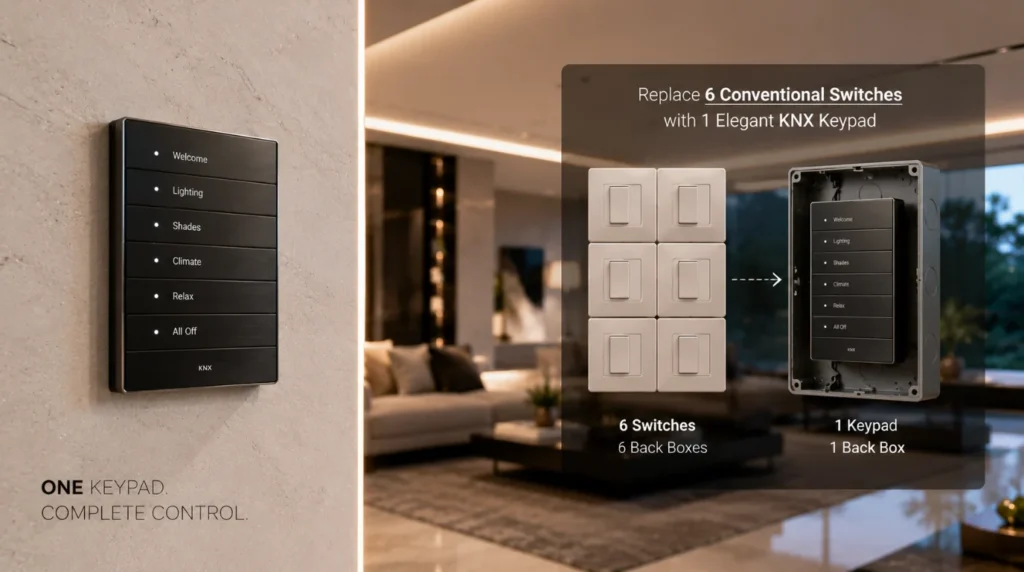
Luxury interiors often use expensive marble, wood, stone, wallpaper, or designer finishes. Rows of mismatched switches can compromise the visual design.
A KNX keypad helps reduce this problem by consolidating multiple functions into a single interface.
Instead of having separate switches for:
- Ceiling lights
- Cove lights
- Chandelier
- Curtains
- AC
- Scene control
You can combine several functions within one elegant keypad. The result is cleaner and more intentional.
Designed Around Your Interior
A smart control interface shouldn’t look like an afterthought.
Premium KNX keypads are available in different finishes and styles, allowing architects and interior designers to coordinate them with the surrounding space.
Depending on the product, options may include:
- Glass
- Metal
- Stone
- Premium plastics
- Minimalist finishes
- Custom engraving
This allows the technology to become part of the interior rather than competing with it. For luxury residences, this design flexibility is particularly important.
KNX Keypad vs Traditional Switches
| Feature | Traditional Switches | KNX Keypad |
|---|---|---|
| Number of Functions | Limited | Multiple |
| Scene Control | No | Yes |
| Reprogrammable | No | Yes |
| Climate Integration | Separate thermostat | Can be integrated |
| Curtain Control | Separate control | Can be integrated |
| Status Feedback | Limited | LED feedback |
| Design | Conventional | Premium/customizable |
| Automation Logic | None | Advanced |
The biggest difference isn’t simply appearance. A traditional switch tells an electrical circuit what to do, while a KNX keypad can tell the entire home what to do.
How a KNX Keypad Improves Everyday Room Experience
A KNX keypad becomes especially valuable when automation is designed around how a room is actually used. Instead of thinking about individual devices, I think about the experience I want the homeowner to have when entering, using, and leaving the room.
Take a master bedroom as an example. A traditional setup might require separate controls for the ceiling lights, bedside lights, curtains, AC, and reading lights. With a KNX keypad, these functions can be organized into a simple, logical interface.
The same principle works in other rooms.
Living Room
A KNX keypad can provide dedicated scenes such as:
- Welcome
- Relax
- Entertain
- Movie
- All Off
Dining Room
One button can create the right atmosphere by adjusting pendant lighting, cove lighting, and connected music.
Home Theatre
A single scene can dim the lights, close the curtains, activate the AV equipment, and prepare the room for a movie.
Entrance
The keypad can provide quick access to welcome lighting, security status, gate controls, and other frequently used functions.
This approach makes the KNX keypad more than a replacement for conventional switches. It becomes the physical interface between you and the intelligence of your home.
The most important part is good programming. A poorly designed interface can still feel complicated, regardless of how advanced the technology is. A professionally planned KNX keypad should make the most common actions obvious, quick, and natural.
That is ultimately what good automation should achieve: less technology to manage, not more technology to think about.
Can You Change the Buttons Later?
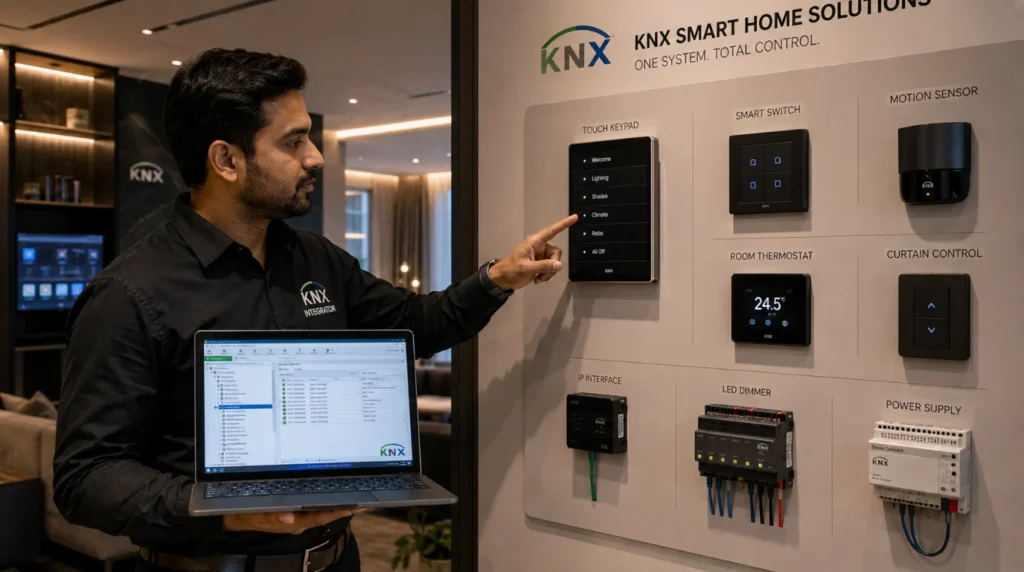
Yes. One of the major advantages of a programmable KNX interface is flexibility.
Suppose a button currently controls your living room lighting. Later, you decide you’d rather use it to activate a patio scene. The function can be changed through KNX programming without opening the wall or replacing the keypad. This makes the system adaptable as your lifestyle changes.
For example:
- Year 1: Living room lighting
- Year 3: Motorized curtains
- Year 5: Entertainment scene
The hardware can remain while the programming evolves.
Does a KNX Keypad Work Without Wi-Fi?
Yes.
The KNX keypad communicates with the KNX automation network through the KNX bus rather than relying on your home’s Wi-Fi connection for basic functions.
This means pressing a lighting button doesn’t need to send the command through your router, internet connection, or cloud server. That’s one of the reasons KNX is particularly attractive for homeowners who prioritize reliability.
Your smartphone can still provide remote control and additional functionality when integrated through the appropriate KNX server or gateway.
But basic wall control remains independent.
Our Recommendation
At Techtastic, we believe the best automation interface is the one you don’t have to think about.
For frequently used functions, physical control remains extremely valuable. A KNX keypad provides the simplicity of a traditional switch while adding the intelligence of a complete automation system.
For luxury homes, I recommend designing the keypad layout around how each room is actually used rather than assigning one button to every individual device. A living room doesn’t need seven switches but intuitive control. A bedroom doesn’t need multiple remotes but a simple “Good Night” experience.
That’s the difference between installing automation products and designing an intelligent home.
Key Takeaways
- A KNX keypad combines multiple home functions into one elegant interface.
- It can control lighting, climate, curtains, music, security, and scenes.
- Physical controls remain faster and more intuitive than smartphone apps for everyday functions.
- Programmable buttons can be reassigned as your requirements change.
- Integrated temperature sensors can reduce the need for separate thermostats.
- LED indicators provide discreet system feedback.
- KNX communication does not depend on Wi-Fi for basic keypad functions.
- Premium finishes allow keypads to complement luxury interiors.
- Scene programming makes one-touch control possible across multiple systems.
- Professional KNX programming ensures the interface remains intuitive rather than complicated.
Frequently Asked Questions
1. What is a KNX keypad?
A. A KNX keypad is a programmable wall-mounted interface connected to a KNX automation system. It allows users to control multiple functions, including lighting, climate, curtains, security, and scenes from one device.
2. How many functions can one KNX keypad control?
A. The number depends on the keypad model and its programming capabilities. A single interface can control multiple lighting circuits, scenes, curtains, climate functions, and other integrated systems.
3. Can a KNX keypad replace traditional switches?
A. Yes. A KNX keypad can consolidate several conventional switches into one programmable interface, significantly reducing wall clutter.
4. Can I change the keypad functions later?
A. Yes. Because KNX functions are programmable, an integrator can change button assignments through software without opening the wall.
5. Does a KNX keypad work if Wi-Fi stops working?
A. Yes. Basic KNX keypad functions communicate through the KNX bus and don’t depend on Wi-Fi or an internet connection.
6. Can a KNX keypad control air conditioning?
A. Yes. Depending on the HVAC integration, it can control temperature settings, operating modes, and other climate functions.
7. Can a KNX keypad control motorized curtains?
A. Yes. Curtains and blinds can be integrated into the KNX system and operated directly from the keypad or through programmed scenes.
8. Can one KNX keypad control multiple rooms?
A. A keypad generally controls the functions assigned to its location, but KNX programming can also allow it to trigger scenes or commands affecting multiple areas of the property.
9. Is a KNX keypad suitable for luxury villas?
A. Absolutely. Its reliability, customization, premium finishes, and ability to consolidate multiple controls make it particularly suitable for luxury villas and premium residences.
10. Is a KNX keypad better than controlling everything through an app?
A. For frequently used functions, a physical KNX keypad is often more convenient because you can control the home immediately without unlocking your phone or opening an application. Apps remain useful for advanced settings and remote control.
Collaboration Opportunities for Developers, Architects & Interior Designers
The right control interface should be considered during the architectural and interior design stage, not added after the walls are finished.
At Techtastic, we collaborate with:
- Architects
- Interior Designers
- Builders
- Real Estate Developers
- Project Management Consultants
- Luxury Villa Developers
Our team can support projects with:
- KNX Automation Planning
- Keypad Layout Planning
- Smart Lighting Design
- Electrical Coordination
- Motorized Curtain Integration
- HVAC Automation
- Home Theatre Integration
- Security Automation
- Structured Cabling
- Future Expansion Planning
By involving Techtastic early, design teams can position automation controls exactly where they are most useful while keeping the finished interiors clean and uncluttered.
Areas We Serve
Techtastic provides premium KNX and smart home automation solutions across:
- Mumbai
- Navi Mumbai
- Pune
- Lonavala
- Nashik
- Sangli
Whether you’re designing a new luxury villa, renovating a premium apartment, or developing a residential project, our team can help create an automation experience that fits the architecture and the way people actually use the space.
Ready to Simplify Your Smart Home?
A smart home shouldn’t require you to manage dozens of switches, apps, and remotes.
A well-designed KNX keypad brings the most important functions back to a simple physical interface while allowing your entire automation system to work intelligently in the background.
At Techtastic, we design KNX-based automation around your lifestyle, architecture, and future requirements. From smart lighting and climate control to motorized curtains, security, entertainment, and personalized scenes, we create powerful systems without feeling complicated.
Book your consultation today and let Techtastic design your future-ready smart home system.
Contact Techtastic
🌐 Website: Techtastic Website
📞 Phone: 9769145145
📍 Service Areas: Mumbai • Navi Mumbai • Lonavala • Nashik • Sangli
Want to understand why KNX remains a popular choice for smart homes? Read our Benefits of KNX Cable Systems in 2026: An Essential Guide.